
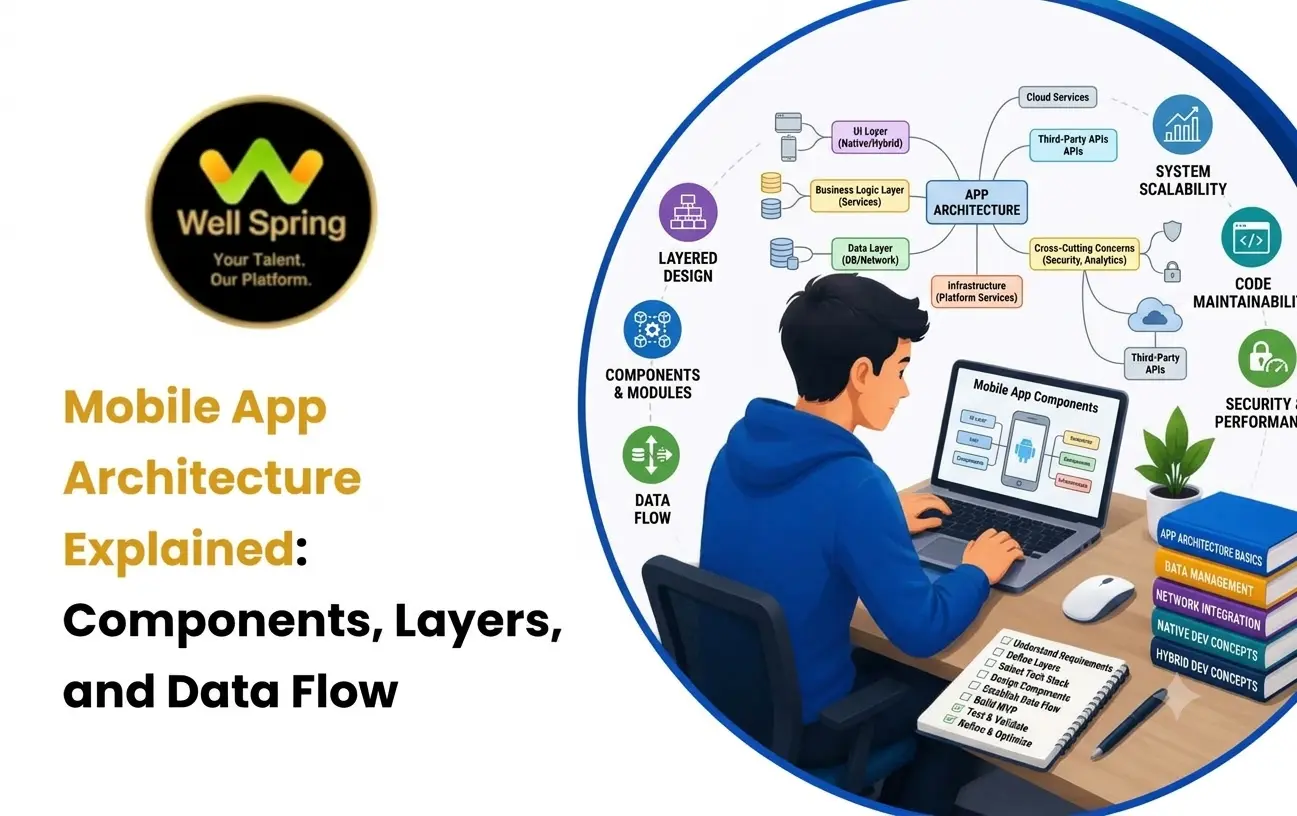

A mobile application may look simple to a user, but several technical parts work together behind the interface. When a user logs in, searches for information, submits a form, uploads a file, or receives a notification, the app may communicate with multiple layers and services in the background.
This is where mobile app architecture becomes important.
Mobile application architecture defines how an app's major components are organised, how they communicate, where data is processed and stored, and how responsibilities are divided between different parts of the system. A well-designed architecture can make an application easier to develop, test, debug, maintain, and expand.
For students learning mobile development, understanding architecture is important because building an app is not only about creating screens. It is also about understanding what happens behind those screens.
Quick Answer: What Is Mobile App Architecture?
Mobile app architecture is the structural design of a mobile application that defines how its components, layers, data sources, business logic, user interface, and external services work together. A typical architecture separates responsibilities so that the application can be developed, tested, maintained, and scaled more effectively.
What Is Mobile App Architecture?
Mobile app architecture is the way an application's technical structure is organised.
Instead of placing every piece of code in one large project, developers divide responsibilities into logical components and layers.
For example, a shopping application may contain:
- A user interface for displaying products and collecting user actions.
- Business logic for calculating prices, discounts, and order rules.
- A data layer for retrieving and storing information.
- APIs for communicating with backend services.
- Local storage for information that needs to remain available on the device.
- Authentication services for managing user access.
- External services for payments, maps, notifications, analytics, or other features.
The exact structure depends on the application, platform, team, and requirements.
The important principle is that each part should have a clear responsibility.
Why Is Mobile App Architecture Important?
Architecture influences how easily an application can evolve after its first version is released.
A small student project may work even with a simple structure, but larger applications can become difficult to manage when UI code, database operations, network requests, and business rules are tightly mixed together.
Good architecture can provide several benefits.
Easier Maintenance
When responsibilities are separated, developers can modify one part of an application without unnecessarily affecting unrelated functionality.
Better Testing
Business logic and data operations can often be tested separately from the user interface, making problems easier to identify.
Easier Debugging
A clear architecture helps developers determine whether a problem originates in the UI, business logic, data layer, API, or another component.
Better Team Collaboration
Different developers can work on different parts of the application when responsibilities and interfaces are clearly defined.
Easier Feature Development
A well-structured application makes it easier to introduce additional functionality without continuously rewriting existing code.
Improved Scalability
As the number of features and users grows, a thoughtful architecture can make the application easier to extend.
Core Mobile App Components
Before studying architecture patterns, beginners should understand the major mobile app components that participate in an application's operation.
1. User Interface
The user interface is the part of the application that users interact with directly.
It may contain:
- Screens.
- Buttons.
- Forms.
- Lists.
- Navigation elements.
- Images.
- Dialogues.
- Input fields.
- Loading and error states.
The UI should primarily focus on displaying information and responding to user interactions rather than containing every business rule in the application.
2. Presentation Logic
Presentation logic determines how application information should be represented to the user.
For example, an application may receive a list of transactions and need to determine:
- Which transactions should be displayed.
- How loading should appear.
- What happens when an error occurs.
- Whether a button should be enabled.
- Which screen state should be shown.
Separating this responsibility from the UI can make the application easier to test and maintain.
3. Business Logic
Business logic represents the rules that determine how the application behaves.
Consider a course registration application.
The business rules might determine:
- Whether a student can register for a course.
- Whether prerequisites have been completed.
- Whether seats are available.
- Whether registration is currently open.
These rules should not depend entirely on how a particular screen looks.
4. Data Layer
The data layer manages access to application data.
Depending on the project, it may communicate with:
- REST APIs.
- GraphQL services.
- Local databases.
- Files.
- Caches.
- Cloud services.
- Remote authentication systems.
The data layer can provide a consistent interface to the rest of the application while hiding the details of where the information comes from.
5. Network Layer
The network layer handles communication between the mobile application and remote services.
For example, when a user opens a profile, the app may send an HTTP request to a backend API.
The network layer may be responsible for:
- Creating requests.
- Sending requests.
- Processing responses.
- Handling network errors.
- Managing authentication information.
- Converting response data into application-friendly models.
6. Local Storage
Mobile applications often need to store information locally.
Examples include:
- User preferences.
- Cached content.
- Application settings.
- Offline data.
- Authentication-related information.
- Recently accessed information.
The storage technology depends on the platform and application requirements.
7. Backend Services
Many mobile applications depend on backend systems for functionality that should not be handled entirely on the device.
A backend may provide:
- User accounts.
- Authentication.
- Database access.
- Business operations.
- File storage.
- Notifications.
- Payment processing.
- Administrative functionality.
The mobile application communicates with these services through defined interfaces, commonly APIs.
Common Layers in Mobile Application Architecture
A common way to understand mobile application architecture is to divide it into layers.
The exact number of layers varies between projects, but a simplified architecture can contain three major areas:
Presentation → Domain/Business → Data
Let's examine what each layer does.
Presentation Layer
The presentation layer is responsible for what the user sees and how the application responds to user interaction.
It commonly includes:
- Screens.
- UI components.
- View models or presentation controllers.
- Navigation.
- UI state.
- Loading and error states.
For example, when a user taps "View Results", the presentation layer may request the required information and then display the result.
It should avoid becoming the place where every business rule and database operation is implemented.
Domain or Business Layer
The domain layer represents the application's core rules and operations.
For example, in an online learning application, it could contain logic for:
- Enrolling students.
- Checking course eligibility.
- Calculating completion status.
- Determining assessment results.
This layer should focus on what the application needs to do, rather than how the information is displayed.
Data Layer
The data layer handles obtaining and storing information.
It may communicate with:
- Remote APIs.
- Local databases.
- Caches.
- Files.
- Other data sources.
For example, when the application requests a student's course progress, the data layer may determine whether the information should come from a local cache or a remote API.
Infrastructure and External Services
Some applications also treat infrastructure as a separate concern.
This can include:
- Authentication providers.
- Cloud storage.
- Push notification services.
- Analytics platforms.
- Payment gateways.
- Mapping services.
- Third-party APIs.
Keeping these integrations isolated can reduce unnecessary dependency throughout the application.
How Data Flows Through a Mobile App
Understanding data flow is one of the most important parts of learning mobile app architecture design.
Consider a student opening a mobile learning application and checking their course progress.
The process might look like this:
User Action → UI → Presentation Logic → Business Logic → Data Layer → API/Database → Data Layer → Presentation Logic → UI
Here is what happens at each stage.
Step 1: User Action
The student taps "My Progress".
Step 2: UI Responds
The relevant screen identifies the interaction and triggers the required application operation.
Step 3: Presentation Layer Requests Data
The presentation logic asks for the student's current progress.
Step 4: Business Logic Determines the Operation
The application determines what information is required and what rules should be applied.
Step 5: Data Layer Retrieves Information
The data layer obtains the information from a local source, remote API, or another appropriate data source.
Step 6: Backend Processes the Request
If remote data is required, the API communicates with backend services and potentially a database.
Step 7: Data Returns to the Application
The response travels back through the data layer.
Step 8: Application State Changes
The presentation layer receives the processed information and updates the relevant application state.
Step 9: UI Displays the Result
The student sees the updated progress information.
This flow demonstrates why architecture matters: a single tap can involve multiple technical responsibilities.
Mobile App Architecture Patterns
Mobile app architecture patterns provide established ways of organising application responsibilities.
Different patterns solve different problems, and no single pattern is ideal for every application.
Some commonly discussed approaches include:
MVC — Model View Controller
MVC separates an application into:
- Model: Represents data and application-related information.
- View: Represents the user interface.
- Controller: Coordinates user interactions and application behaviour.
MVC is useful for understanding the basic separation between data, UI, and control logic.
However, poorly structured MVC applications can sometimes result in very large controllers containing too many responsibilities.
MVP — Model View Presenter
MVP introduces a Presenter between the Model and View.
The Presenter handles presentation-related logic and communicates with the model while controlling how the view should behave.
This approach was particularly influential in earlier mobile development practices.
MVVM — Model View ViewModel
MVVM separates the UI from presentation state and logic through a ViewModel.
A simplified flow is:
View ↔ ViewModel ↔ Model/Data
The View displays state, while the ViewModel manages presentation-related logic and exposes information that the UI needs.
MVVM is widely discussed in modern mobile development because it can support a cleaner separation between UI and application logic.
Clean Architecture
Clean Architecture focuses strongly on separating business rules from frameworks, UI, and external systems.
A simplified conceptual structure may look like:
Presentation → Use Cases → Domain → Data/Infrastructure
The exact implementation can vary.
Its main value is not simply the number of folders or layers. The important principle is controlling dependencies so that core business logic does not become tightly coupled to external technologies.
Mobile App Architecture Design: What Should You Consider?
Choosing an architecture should be based on the actual application rather than following a pattern simply because it is popular.
Consider these factors.
Application Size
A small utility application may not need the same architectural complexity as a large application with dozens of features.
Number of Features
As functionality increases, separation of responsibilities becomes increasingly valuable.
Team Size
A larger development team may benefit from clearer boundaries between components and modules.
Testing Requirements
Applications requiring extensive automated testing may benefit from architectures that keep business logic independent from UI code.
Offline Requirements
If an application must continue working with limited connectivity, local storage, caching, and synchronization become important architectural concerns.
Backend Dependency
Applications heavily dependent on APIs need clear communication between the mobile client and backend services.
Security Requirements
Applications handling sensitive information require careful decisions about authentication, authorization, storage, communication, and data exposure.
Future Changes
If the application is expected to evolve significantly, architecture should make likely changes easier rather than making every new feature expensive to implement.
A Practical Example of Mobile App Architecture
Imagine a student learning application that allows users to view courses, access lessons, complete quizzes, and track progress.
A simplified architecture could look like this:
               STUDENT
                   |
                   v
            +-------------+
            |     UI      |
            +-------------+
                   |
                   v
        +--------------------+
        | Presentation Layer |
        +--------------------+
                   |
                   v
        +--------------------+
        | Business / Domain  |
        +--------------------+
                   |
                   v
             +---------+
             |  Data   |
             |  Layer  |
             +---------+
              /       \
             v         v
      Local Storage    API
                         |
                         v
                   Backend Services
                         |
                         v
                       Database
Suppose the student completes a quiz.
The application might:
- Capture the student's answers through the UI.
- Send the answers to the relevant application logic.
- Validate the quiz submission.
- Calculate or request the result.
- Store progress locally or remotely.
- Update the student's course state.
- Display the result on the screen.
Each responsibility has a defined place instead of being handled by one large piece of code.
Common Mobile App Architecture Mistakes
Good architecture is not about creating as many layers as possible.
Some common mistakes include:
Putting Everything in the UI
When screens contain API calls, database operations, validation rules, and business logic, they can become difficult to maintain.
Creating Too Many Abstractions
Adding interfaces, classes, and layers without a real reason can make a simple application unnecessarily complicated.
Ignoring Data Flow
Developers sometimes focus on individual screens without understanding how information moves between the UI, application logic, storage, and backend.
Tight Coupling
When one component directly depends on many unrelated components, changing one part can create problems elsewhere.
Mixing Business Rules With External Services
Core business rules should not become completely dependent on a particular API, database, or UI framework when that dependency is unnecessary.
Designing Only for the Current Version
An architecture does not need to predict every future feature, but it should avoid making reasonable future changes unnecessarily difficult.
Treating Architecture as Folder Organisation
Creating folders named UI, Models, Services, and Utils does not automatically create good architecture.
Architecture is fundamentally about responsibilities, dependencies, communication, and boundaries.
What Skills Do Students Need to Understand Mobile App Architecture?
Students do not need to master every architecture pattern before building their first application.
A stronger learning progression is to understand the underlying concepts gradually.
Programming Fundamentals
Students should understand variables, conditions, loops, functions, collections, classes, objects, and error handling.
Object-Oriented Programming
Concepts such as encapsulation, abstraction, inheritance, and polymorphism can help students understand how application components are structured.
UI Development
Students need to know how screens, components, navigation, and application state work.
APIs and Networking
Understanding HTTP requests, responses, JSON, authentication, and API communication is important for applications that use backend services.
Databases and Storage
Students should understand why applications use local and remote data stores and how data is retrieved and persisted.
Debugging
Architecture becomes much easier to understand when students can trace a problem through different components.
Version Control
Git and collaborative development practices help students understand how real development teams manage application code.
How Students Can Learn Mobile App Architecture Effectively
Architecture is easier to understand when students build applications instead of studying diagrams alone.
A practical progression could be:
Stage 1: Build a Simple Single-Screen App
Learn UI components, user input, state, and basic application logic.
Stage 2: Add Multiple Screens
Introduce navigation and understand how different parts of the UI communicate.
Stage 3: Connect an API
Retrieve information from a remote service and display it in the application.
Stage 4: Add Local Storage
Store selected information on the device and understand caching or offline behaviour.
Stage 5: Separate Responsibilities
Move UI logic, business rules, and data access into appropriate components.
Stage 6: Add Testing
Test important business logic and application behaviour independently.
Stage 7: Study Architecture Patterns
Once students have experienced the problems that architecture solves, patterns such as MVVM or Clean Architecture become easier to understand.
This approach makes architecture a practical engineering skill rather than a collection of terminology.
How Well Spring Talent Solutions Can Support Practical Learning
Understanding mobile app architecture becomes more meaningful when students apply concepts through practical development tasks. Well Spring Talent Solutions can help learners connect technical concepts with hands-on learning, project work, and career-oriented skill development.
The important goal is not simply to memorise terms such as MVC, MVVM, or Clean Architecture. Students should be able to explain why a particular structure was selected, trace data through an application, identify dependencies, and improve the design when requirements change.
A Simple Architecture Checklist for Beginners
Before considering a mobile application architecture complete, ask:
- Is each major component responsible for a clear task?
- Is UI code separated from important business rules?
- Is data access organised instead of scattered throughout screens?
- Can API or storage changes be made without rewriting the entire application?
- Is the application's data flow easy to explain?
- Can important logic be tested independently?
- Are dependencies between components reasonable?
- Can another developer understand the structure without extensive explanation?
- Does the architecture match the size and complexity of the application?
If the answer to most of these questions is yes, the project is moving toward a more maintainable structure.
Key Takeaways
- Mobile app architecture defines how an application's components, layers, dependencies, and data flows are organised.
- Mobile app components commonly include UI, presentation logic, business logic, data access, local storage, networking, and external services.
- A layered architecture can separate presentation, business, and data responsibilities.
- Data commonly travels from the UI through application logic and data sources before returning as updated application state.
- Mobile app architecture patterns such as MVC, MVP, MVVM, and Clean Architecture provide different ways to organise responsibilities.
- Good architecture is not about adding maximum complexity; it is about creating appropriate boundaries for the application's needs.
- Students understand architecture more effectively when they build, debug, test, and improve real applications.
Conclusion
Mobile app architecture is the foundation behind how different parts of an application work together. Understanding components, layers, dependencies, architecture patterns, and data flow helps developers move beyond simply creating screens and start thinking like software engineers.
For students, the best way to learn architecture is through progressive projects. Start with simple applications, introduce APIs and storage, separate responsibilities, test important logic, and then explore architectural patterns. With this practical approach, mobile application architecture becomes something students can apply rather than simply memorise.
A well-designed architecture should ultimately make an application easier to understand, change, test, and grow.



