
Software Testing Tutorials
Introduction to Software Testing
Software testing is the process of evaluating an application to check whether it behaves as expected and meets its specified requirements. It helps identify defects, verify functionality, and assess software quality before and after an application is released.
These Software Testing Tutorials for Beginners introduce essential testing concepts, including manual testing, automation testing, test case writing, defect reporting, Selenium, and practical testing exercises. Each topic builds on the previous one to help learners understand how software testing is performed.
Software testing is useful for students, fresh graduates, aspiring quality assurance professionals, and developers who want to understand how applications are checked for reliability and correct behaviour.
Why Learn Software Testing?
- Understand how software quality is evaluated.
- Learn how to identify and document application defects.
- Practise writing clear test scenarios and test cases.
- Understand manual testing and automation testing.
- Learn how testing tools support repeatable checks.
- Develop practical skills through structured exercises.
What Is Software Testing?
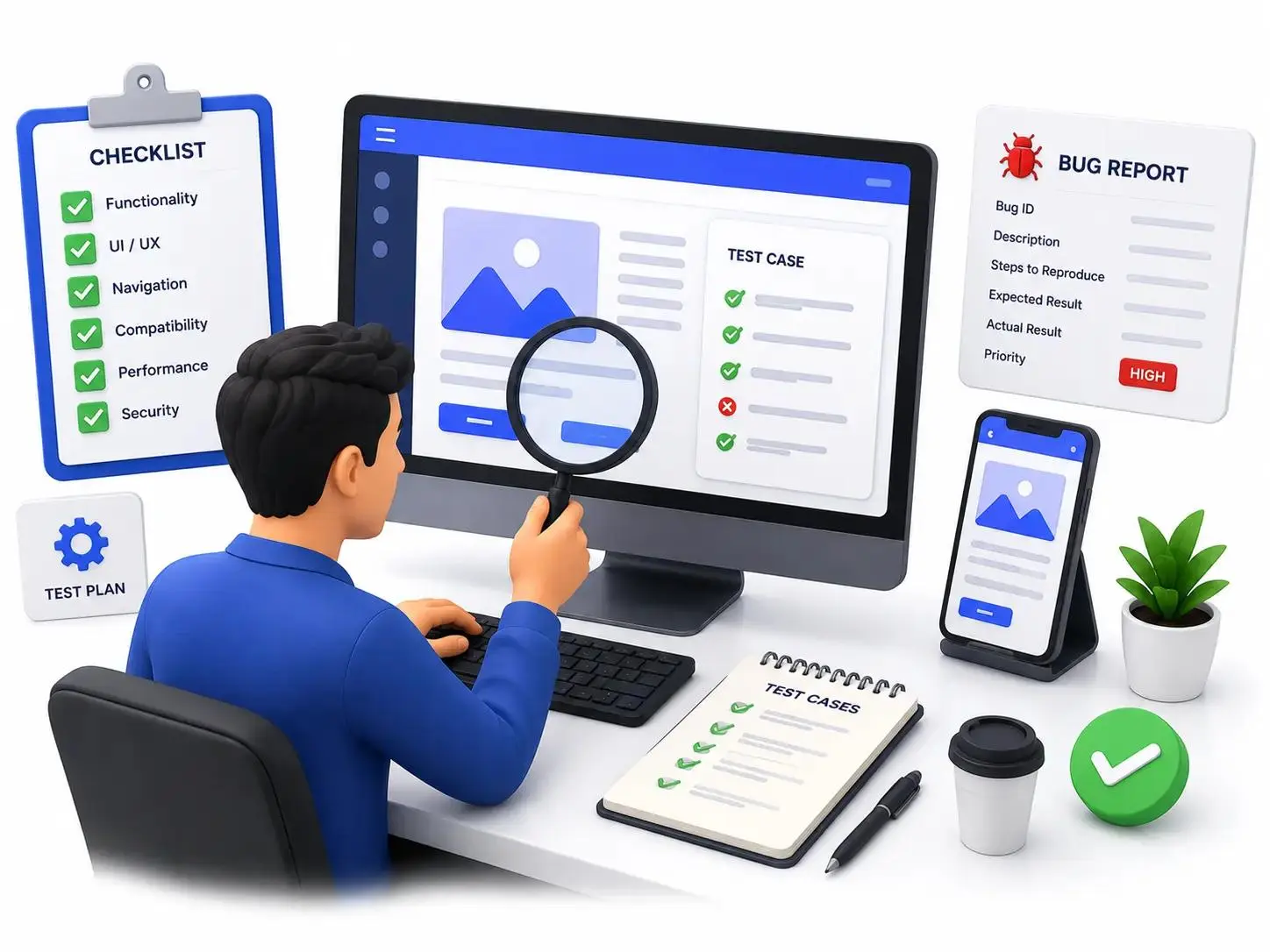
Software testing involves evaluating software through activities such as requirement reviews, test design, test execution, and result analysis. Testers compare actual behaviour with expected behaviour to identify defects and understand whether the application satisfies its requirements.
For example, when testing a login page, a tester may check whether valid credentials allow access, invalid credentials are rejected, required fields are validated, and appropriate messages appear when an error occurs.
Important Software Testing Concepts
- Requirement analysis: Understanding what the application should do.
- Test scenario: Identifying a feature or situation that needs to be tested.
- Test case: Documenting the steps, data, and expected result for a check.
- Test execution: Running the test and recording the observed result.
- Defect reporting: Documenting unexpected behaviour for investigation.
- Regression testing: Checking whether changes affect existing functionality.
Verification and Validation
Verification checks whether work products satisfy specified requirements. It may include reviews and inspections. Validation evaluates whether the software meets user needs and its intended purpose, often through executing tests against the application.
Types of Software Testing
Different types of software testing are used to evaluate functionality, integration, reliability, and other quality characteristics. The appropriate approach depends on the application, its requirements, and the risks being assessed.
Functional Testing
Functional testing checks whether application features behave according to their requirements. Examples include testing login forms, registration pages, search functions, shopping carts, and payment workflows.
Non-Functional Testing
Non-functional testing evaluates characteristics such as performance, usability, compatibility, security, and reliability. These checks help assess how well an application operates under different conditions.
Common Testing Types
- Unit testing: Checks individual units or components of code.
- Integration testing: Checks interactions between connected components.
- System testing: Evaluates the complete integrated application.
- Acceptance testing: Checks whether the solution meets agreed acceptance criteria.
- Regression testing: Checks existing functionality after changes.
- Smoke testing: Performs initial checks to determine whether important features are working.
- Performance testing: Evaluates application performance under specified conditions.
Manual Testing Tutorials
Manual Testing Tutorials explain how testers evaluate application behaviour by following planned steps and observing the results. Manual testing is a useful starting point because it teaches learners how to understand requirements, explore application features, and document defects clearly.
Manual Testing Process
- Understand the application requirements.
- Identify the features and scenarios that need testing.
- Prepare test cases and suitable test data.
- Execute the test cases in the application.
- Compare actual results with expected results.
- Record failures and report reproducible defects.
- Retest fixes and perform regression checks where necessary.
Example: Manual Testing of a Login Page
Consider a login page with username and password fields. A tester can prepare scenarios for valid credentials, invalid credentials, empty fields, and password visibility. Each scenario should have an expected outcome based on the application's requirements.
Test Scenario:
Verify login functionality

Test Steps:
1. Open the login page.
2. Enter valid registered credentials.
3. Click the Login button.
4. Observe the application response.

Expected Result:
The user is authenticated and redirected
to the expected page.

Actual Result:
Record the result observed during testing.

Status:
Pass or Fail
When Is Manual Testing Useful?
- When exploring a new feature for unexpected behaviour.
- When checking usability and user experience.
- When requirements are still changing.
- When investigating a reported problem.
- When a test requires human observation or judgement.
Software Testing Test Case Examples
Software Testing Test Case Examples help beginners understand how to document repeatable checks for an application's features. A test case specifies the conditions, actions, and expected results used to evaluate a particular behaviour.
Elements of a Test Case
- Test case ID: A unique reference for the test.
- Test scenario: The feature or behaviour being checked.
- Preconditions: Conditions that must be met before execution.
- Test data: Values used while executing the test.
- Test steps: Actions performed by the tester.
- Expected result: The behaviour required by the specification.
- Actual result: What happened during execution.
- Status: The recorded outcome, such as Pass or Fail.
Login Page Test Case Examples
Test Case ID: TC_LOGIN_001
Scenario: Login with valid credentials

Steps:
1. Open the login page.
2. Enter a registered username.
3. Enter the correct password.
4. Click Login.

Expected Result:
Login succeeds and the expected page opens.
Test Case ID: TC_LOGIN_002
Scenario: Login with an incorrect password
Steps:
1. Open the login page.
2. Enter a registered username.
3. Enter an incorrect password.
4. Click Login.
Expected Result:
Access is denied and an appropriate
error message is displayed.Test Case ID: TC_LOGIN_003
Scenario: Submit the login form with empty fields
Steps:
1. Open the login page.
2. Leave the required fields empty.
3. Click Login.
Expected Result:
The form displays the required validation
specified for the application.These are illustrative examples. Actual expected results should follow the application's requirements and security rules. Use authorised test accounts and never include real passwords in shared test reports.
Understanding the Bug Life Cycle
A defect is a problem where the observed application behaviour differs from the expected behaviour. A defect workflow helps testers and developers record, investigate, fix, and verify reported problems.
Common Defect Life Cycle Stages
- New: A tester reports the defect.
- Assigned: The defect is assigned for investigation.
- In Progress: The responsible developer investigates the issue.
- Fixed: A correction is reported as completed.
- Retest: The tester checks the correction.
- Closed: The defect is closed after successful verification.
- Reopened: The defect is reopened if the problem still occurs.
What Should a Bug Report Include?
- A clear defect title and description.
- Application and environment details.
- Steps to reproduce the problem.
- Expected and actual results.
- Relevant screenshots, logs, or other evidence.
- Severity and priority according to the team's process.
Teams may use different defect statuses and workflows. The important goal is to make the problem understandable and reproducible so it can be investigated efficiently.
Automation Testing Tutorials
Automation Testing Tutorials explain how scripts and testing tools execute repeatable checks. Automation can help teams run regression tests consistently and provide feedback when application code changes.
Automated tests are especially useful when the same scenarios must be executed frequently. However, automation requires maintenance and does not replace every form of manual testing.
When Should You Use Test Automation?
- For repeatable regression test cases.
- For stable workflows that need frequent verification.
- For supported checks that can run in a build pipeline.
- For tests where automated execution saves meaningful effort.
Basic Automation Testing Workflow
- Choose a suitable test scenario.
- Select a programming language and testing tool.
- Prepare the test environment and test data.
- Write the test script and expected-result checks.
- Execute the test and review the results.
- Maintain the script when the application changes.
Manual Testing vs Automation Testing
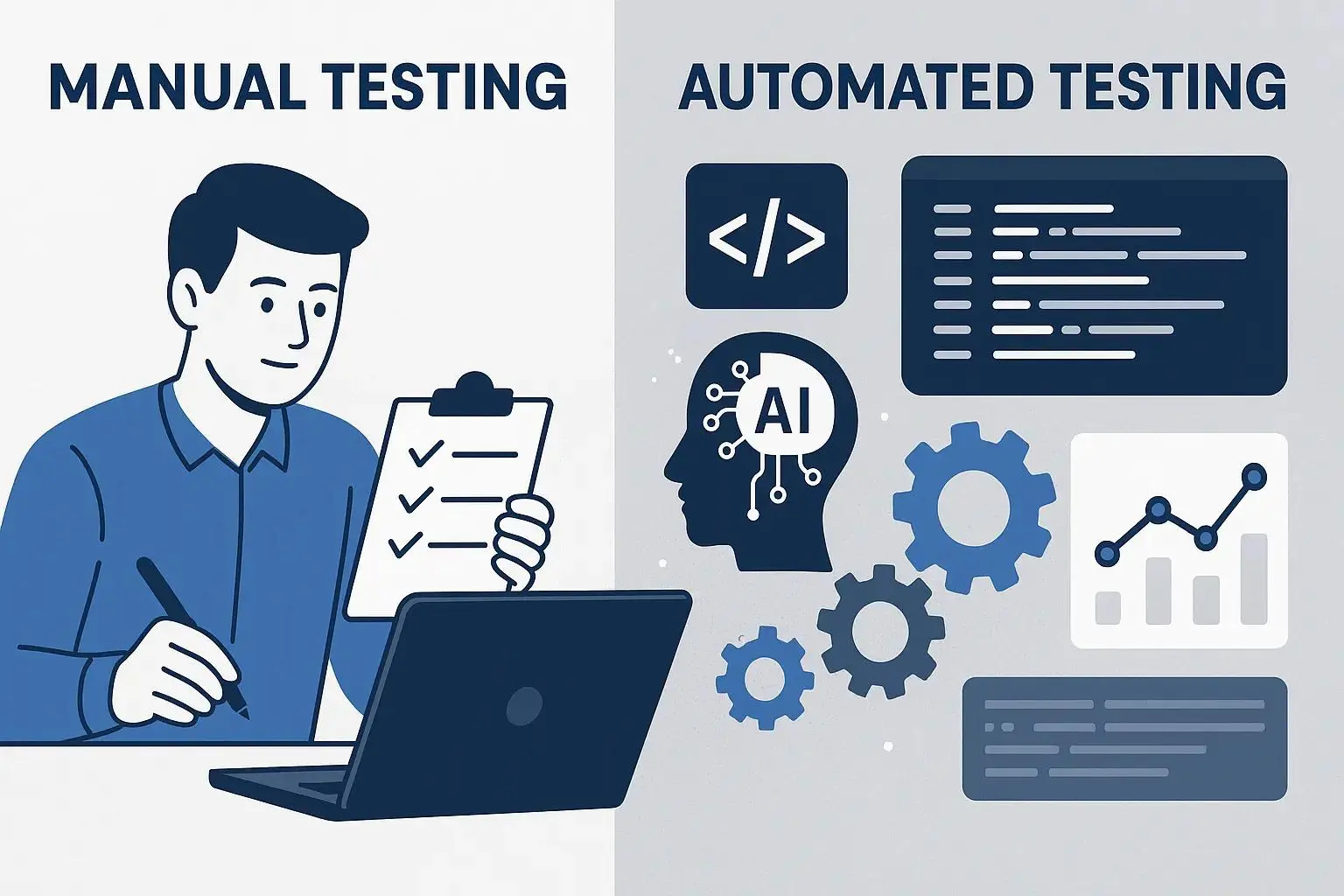
Manual Testing:
- A person executes the test steps.
- Useful for exploratory testing.
- Supports usability evaluation.
- Repeated execution can require more time.

Automation Testing:
- Scripts execute defined test steps.
- Useful for repeatable checks.
- Can run frequently in suitable environments.
- Requires setup, maintenance, and technical skills.
The best approach depends on the testing objective. Many teams use manual and automated testing together to improve coverage and maintain software quality.
Selenium Tutorials with Examples
Selenium Tutorials with Examples introduce browser automation for web applications. Selenium WebDriver allows supported programming languages to control browsers, interact with page elements, and verify expected behaviour.
What Can Selenium Be Used For?
- Opening websites and navigating between pages.
- Locating buttons, input fields, and other elements.
- Entering data into web forms.
- Checking page titles and visible messages.
- Automating repeatable browser-based test scenarios.
Basic Selenium Example Using Python
from selenium import webdriver
from selenium.webdriver.common.by import By

driver = webdriver.Chrome()

try:
    driver.get("https://example.com")

    heading = driver.find_element(
        By.TAG_NAME, "h1"
    )

    assert heading.is_displayed()

finally:
    driver.quit()
This example opens a browser, visits a sample website, checks whether an H1 element is displayed, and closes the browser. Install Selenium and configure a compatible browser environment before running the example.
Important Selenium Topics for Beginners
- Installing Selenium and setting up a browser.
- Understanding WebDriver and browser sessions.
- Locating elements by ID, name, CSS selector, or XPath.
- Interacting with buttons, text fields, and forms.
- Using waits to handle dynamic web elements.
- Writing assertions to verify expected results.
- Organising tests with a suitable testing framework.
Begin with small, independent browser tests. As your understanding improves, learn how to organise reusable test code and manage test data.
Popular Software Testing Tools
Testing tools help teams execute tests, manage defects, check APIs, and evaluate application performance. The appropriate tool depends on the application and the type of testing required.
Common Testing Tools
- Selenium: Browser automation for supported web application tests.
- Postman: Sending API requests and checking responses.
- Jira: Managing work items and tracking defects in teams that use it.
- JUnit and TestNG: Organising and executing tests in Java projects.
- Pytest: Writing and running tests in Python projects.
- Apache JMeter: Performing load and performance tests for supported scenarios.
How to Choose a Testing Tool
- Identify the application and testing objective.
- Check which platforms and programming languages are supported.
- Review the setup and maintenance requirements.
- Start with a small example relevant to the project.
- Evaluate whether the tool supports the team's testing process.
API Testing Basics
An Application Programming Interface (API) allows different software components to communicate. API testing checks whether endpoints accept appropriate requests, return expected responses, and handle invalid inputs correctly.
What Should You Check in API Testing?
- HTTP status codes and response messages.
- Response data, fields, and data types.
- Required parameters and validation rules.
- Authentication and authorisation behaviour.
- Error handling for invalid requests.
- Response times against defined requirements.
Example API Test Scenario
Scenario:
Retrieve a product using a valid product ID.

Request:
Send an authorised GET request to the
documented product endpoint.

Checks:
1. Verify the expected HTTP status.
2. Check the response structure.
3. Verify the product ID.
4. Check required product fields.
5. Confirm the response follows the API contract.
Use an authorised test API or a demo environment. The expected response and status code must follow the API documentation for the endpoint being tested.
Software Testing Life Cycle (STLC)
The Software Testing Life Cycle describes common activities used to plan, design, execute, and complete testing. The exact sequence may vary depending on the project, development method, and testing requirements.
Stages of the Software Testing Life Cycle
- Requirement analysis: Identify testable requirements and potential risks.
- Test planning: Define the scope, resources, schedule, and testing approach.
- Test design: Prepare test scenarios, cases, and test data.
- Environment setup: Prepare the systems and tools needed for testing.
- Test execution: Run the planned tests and record the results.
- Defect tracking: Report and follow up on problems discovered during testing.
- Test closure: Summarise test results, coverage, outstanding risks, and lessons learned.
STLC and SDLC
The Software Development Life Cycle (SDLC) covers the broader process of developing and maintaining software. The Software Testing Life Cycle focuses on testing activities within that process. Testing may occur throughout development rather than only after coding is complete.
Software Testing Exercises for Beginners
Practical exercises help learners apply testing concepts to realistic application scenarios. Start with simple features and gradually practise more detailed test design and reporting.
Exercise 1: Registration Form Testing
- Test the form with valid required information.
- Check behaviour when required fields are empty.
- Check invalid email formats.
- Check password validation rules.
- Check how duplicate registrations are handled.
Exercise 2: Search Function Testing
- Search for a keyword with matching results.
- Search for a term that returns no results.
- Check spaces and letter-case variations.
- Verify that the results match the search query.
- Check empty input according to the feature requirements.
Exercise 3: Shopping Cart Testing
- Add a product to the cart.
- Increase and decrease the product quantity.
- Remove an item from the cart.
- Verify subtotal and total calculations.
- Check the handling of unavailable products.
Exercise 4: Defect Reporting
Choose a reproducible issue in a demo application. Write a clear defect title, record the steps to reproduce the issue, describe the expected and actual results, and attach suitable evidence.
Software Testing Projects for Beginners
Software testing projects help learners practise requirement analysis, test design, execution, and reporting. Choose a demo application or a system you have permission to test.
1. Login Page Testing Project
Prepare test scenarios for valid and invalid credentials, empty fields, validation messages, and password visibility. Document expected results and record the outcome of each test.
2. E-Commerce Application Testing
Test product search, filters, product details, shopping cart operations, and price calculations. Prepare a test case document and record any reproducible defects.
3. API Testing Project
Use an authorised sample API to test request methods, response codes, required fields, validation behaviour, and error responses. Record the expected and actual responses for each scenario.
4. Selenium Automation Project
Create a small browser automation script that opens a demo website, interacts with a supported page element, and verifies an expected result. Include clear assertions and reliable browser cleanup.
5. Test Documentation Project
Create a test plan, write test cases, record execution results, and prepare sample defect reports. This project helps demonstrate a structured testing approach.
Software Testing Learning Roadmap
Follow this roadmap to develop your software testing knowledge step by step. Practise each concept before moving to more advanced tools and techniques.
- Step 1: Learn software testing fundamentals and terminology.
- Step 2: Practise requirement analysis and test scenario design.
- Step 3: Write test cases and understand defect reporting.
- Step 4: Learn regression testing, integration testing, and STLC.
- Step 5: Understand web application basics and HTTP requests.
- Step 6: Explore API testing and a suitable testing tool.
- Step 7: Learn a programming language if you plan to pursue automation testing.
- Step 8: Practise Selenium or another suitable automation tool.
- Step 9: Complete projects and document your testing results.
Beginners can start with manual testing without learning every tool at once. Build a strong understanding of test design first, then expand into automation and specialised testing areas according to your learning goals.
Frequently Asked Questions About Software Testing Tutorials
1. What are Software Testing Tutorials?
Software Testing Tutorials explain how to check software quality, identify defects, verify requirements, and evaluate application behaviour. They cover manual testing, automation testing, test cases, and practical testing techniques.
2. Are Software Testing Tutorials for Beginners suitable for students?
Yes. Software Testing Tutorials for Beginners introduce testing fundamentals, test scenarios, test case writing, defect reporting, and testing processes. Students can learn these concepts step by step through practical exercises.
3. What is the difference between manual testing and automation testing?
Manual testing involves a tester executing test steps and evaluating application behaviour. Automation testing uses scripts and tools to execute repeatable checks. Both approaches can complement each other.
4. What are Selenium Tutorials with Examples useful for?
Selenium Tutorials with Examples explain browser automation, locating web elements, interacting with forms, validating page behaviour, and automating repeatable tests for web applications.
5. What should software testing test cases include?
Software Testing Test Case Examples commonly include a test case ID, scenario, preconditions, test data, execution steps, expected result, actual result, and status.
6. Do I need programming skills to learn software testing?
You can begin learning manual testing without programming skills. Programming knowledge becomes useful when learning automation testing tools such as Selenium and writing automated test scripts.
Start Learning Software Testing
Explore Software Testing Tutorials for Beginners, practise manual testing, understand test case design, and learn how automation tools support repeatable checks. Work through the examples and build your software testing knowledge one topic at a time.