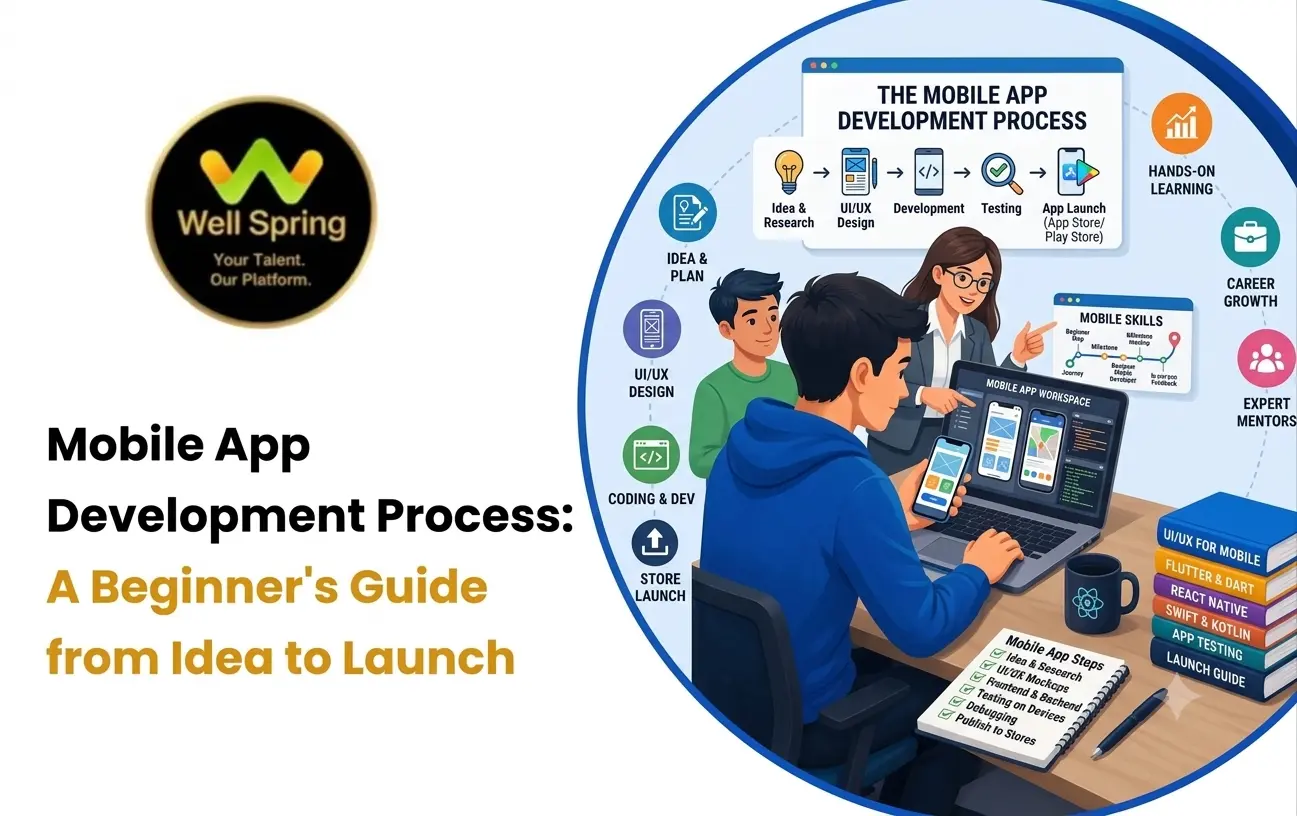

Mobile apps have become an important part of everyday life, from online shopping and food delivery to banking, education, healthcare, entertainment, and business services. Behind every successful app is a structured development process that turns an idea into a working digital product.
Understanding the mobile app development process can help beginners learn how apps are planned, designed, developed, tested, and launched.
Whether you are a student, aspiring developer, entrepreneur, or someone exploring technology careers, learning the basics of how mobile apps are developed gives you a clearer picture of what happens behind the scenes.
What Is the Mobile App Development Process?
The mobile application development process is a series of steps used to create, test, deploy, and maintain a mobile application.
A typical process includes:
- Idea and requirement planning
- Market and user research
- UI/UX design
- Technology selection
- App development
- Backend and API integration
- Testing
- Deployment
- Maintenance and updates
The exact workflow can vary depending on the type of application, target users, platform, features, and development approach.
For example, a simple calculator app may require only basic functionality, while a banking or e-commerce application may require authentication, databases, APIs, payment systems, security, and extensive testing.
Why Is a Structured App Development Process Important?
Following a structured process helps development teams understand what needs to be built before writing large amounts of code.
It can help teams:
- Define the purpose of the application
- Understand user requirements
- Plan features and functionality
- Reduce development errors
- Improve the user experience
- Test features systematically
- Prepare the application for release
- Maintain the application after launch
For beginners, understanding this workflow is also useful because mobile development involves more than programming alone.
1. Start With the App Idea
The first step is identifying what the application is supposed to do.
Before development begins, you should clearly define the problem the app will solve.
For example:
Problem: Students find it difficult to organise their daily study tasks.
Possible solution: A mobile application that allows students to create tasks, set reminders, track completion, and view their study progress.
At this stage, ask questions such as:
- What problem does the app solve?
- Who will use it?
- What is the main purpose?
- What features are essential?
- What makes the application useful?
A clear idea provides direction for the rest of the development process.
2. Research the Target Users
Once the idea is defined, the next step is understanding the intended users.
Different users may have different expectations from the same type of application.
For example, a fitness application may be designed for:
- Beginners
- Professional athletes
- Personal trainers
- People tracking daily activity
User research can help developers understand:
- User needs
- Common problems
- Expected features
- Device preferences
- User behaviour
- Competitor applications
This information can influence both the design and functionality of the app.
3. Define the Features and Requirements
The next stage is deciding what the application should actually contain.
Instead of trying to build every possible feature immediately, divide features into essential and optional requirements.
For example, an expense-tracking application may initially require:
- User registration
- Login
- Add expense
- Expense categories
- Monthly summary
- Data storage
Additional features such as reports, notifications, cloud synchronization, or advanced analytics can be added later.
This approach helps create a manageable first version of the application.
4. Choose the Development Approach
One of the important app development basics is understanding that mobile applications can be developed using different approaches.
Native App Development
Native development involves building an application specifically for a particular operating system.
For example:
- Android applications can use Kotlin and Android development tools.
- iOS applications commonly use Swift and Apple's development frameworks.
Native development can provide access to platform-specific features and APIs.
Cross-Platform App Development
Cross-platform development allows developers to create applications for multiple platforms using technologies such as:
- Flutter
- React Native
The appropriate approach depends on factors such as project requirements, target platforms, development resources, performance requirements, and team expertise.
5. Design the User Interface and User Experience
Before writing the complete application, developers and designers need to plan how users will interact with it.
This stage involves:
- Screen layouts
- Navigation
- Buttons
- Forms
- Menus
- Typography
- Colours
- Icons
- User flows
For example, a food-ordering app may have screens for:
Home → Restaurant → Menu → Cart → Payment → Order Confirmation
Designing this flow before development can help identify usability problems early.
UI focuses on the visual interface, while UX focuses more broadly on how easily and effectively users can complete tasks within the application.
6. Plan the Backend and Database
Many mobile applications need more than a mobile interface.
Applications that handle accounts, products, bookings, messages, payments, or other dynamic information often require backend services and databases.
For example, an e-commerce application may need to store:
- Customer information
- Product details
- Orders
- Payment information
- Inventory
- Delivery details
The mobile application can communicate with backend services through APIs.
A simplified architecture may look like:
Mobile App → API → Backend → Database
Understanding this relationship is an important part of learning how apps are created.
7. Start Mobile App Development
After planning and design, developers begin implementing the application.
This is where programming becomes a major part of the process.
Developers may work on:
- User interfaces
- Navigation
- Forms
- Authentication
- Business logic
- API integration
- Local storage
- Notifications
- Device features
Depending on the project, developers may also work with features such as:
- Camera
- GPS
- Push notifications
- Sensors
- File storage
- Biometric authentication
The development process is usually divided into smaller tasks rather than building the entire application at once.
8. Connect APIs and External Services
Modern mobile applications often communicate with external systems.
For example, a weather application may request weather information from an API.
A shopping application may use APIs for:
- Products
- Customer accounts
- Orders
- Payments
- Delivery tracking
Developers need to understand how data is requested, received, processed, and displayed inside the application.
API integration therefore becomes an important part of the mobile application development process.
9. Test the Application
Testing is an essential stage before an app is released.
Developers need to identify problems such as:
- Crashes
- Incorrect data
- Broken navigation
- Slow screens
- UI problems
- Login errors
- API failures
- Device compatibility issues
Testing may involve different devices, screen sizes, operating-system versions, and network conditions.
Common Types of Mobile App Testing
Functional Testing
Checks whether the application features work as expected.
UI Testing
Checks whether screens, buttons, forms, and other interface elements behave correctly.
Performance Testing
Examines application speed, responsiveness, memory usage, and stability.
Compatibility Testing
Checks whether the application works across supported devices and operating-system versions.
Security Testing
Helps identify potential security weaknesses and inappropriate handling of sensitive information.
Testing should not be treated as a final activity only. Developers often test features throughout the development process.
10. Fix Bugs and Improve the Application
Testing usually reveals issues that need to be corrected.
Developers may need to:
- Fix programming errors
- Improve performance
- Correct UI problems
- Resolve API issues
- Improve navigation
- Handle unexpected inputs
- Strengthen error handling
The application may go through several rounds of testing and improvement before it is ready for release.
11. Prepare the App for Deployment
Once the application has been tested, it needs to be prepared for distribution.
This may include:
- Creating the production build
- Configuring application settings
- Preparing app icons and screenshots
- Writing the app description
- Setting version information
- Checking platform requirements
- Preparing privacy and other required information
Developers also need to follow the relevant requirements of the platform where the application will be distributed.
12. Launch the Mobile App
After the application has been prepared, it can be submitted to the appropriate app distribution platform.
Depending on the development approach and target audience, an application may be released for Android, iOS, or multiple platforms.
Launching the app is not the end of the development process.
After release, developers need to monitor the application and respond to:
- User feedback
- Bugs
- Performance problems
- Security issues
- Compatibility changes
- New feature requests
13. Maintain and Update the App
Mobile applications require ongoing maintenance.
Operating systems change, devices evolve, and user expectations also change.
Regular maintenance can involve:
- Bug fixes
- Performance improvements
- Security updates
- UI improvements
- New features
- Compatibility updates
- Technical improvements
For example, an application may work correctly today but require changes after a major operating-system update.
This makes maintenance an important part of the complete mobile app development process.
How Mobile Apps Are Developed: Simple Workflow
For beginners, the complete process can be simplified into this workflow:
Idea → Research → Requirements → Design → Technology Selection → Development → API & Database Integration → Testing → Deployment → Maintenance
Each stage connects to the next.
For example:
Idea
A student wants to build a study-planning application.
↓
Research
Identify student requirements and common problems.
↓
Design
Create the application screens and navigation.
↓
Development
Build the mobile interface and application logic.
↓
Backend
Connect user accounts and study data.
↓
Testing
Check the application on different devices.
↓
Deployment
Prepare and release the application.
↓
Maintenance
Fix issues and introduce improvements.
This is the basic workflow beginners should understand before starting a mobile development project.
Mobile App Development Workflow for Beginners
If you are new to mobile development, you do not need to learn every technology at once.
A simple learning path can be:
Step 1: Learn Programming Fundamentals
Start with concepts such as:
- Variables
- Data types
- Conditions
- Loops
- Functions
- Arrays
- Objects
- Error handling
Step 2: Choose One Development Path
For example, you could explore:
- Android development
- iOS development
- Flutter
- React Native
Starting with one path can make learning more manageable.
Step 3: Learn UI Development
Understand how to create:
- Screens
- Buttons
- Forms
- Lists
- Navigation
- Responsive layouts
Step 4: Learn APIs and Data
Understand how applications communicate with backend services and databases.
Step 5: Build Small Projects
Start with simple applications such as:
- To-do app
- Calculator
- Notes app
- Expense tracker
- Weather app
Step 6: Build a Complete Project
Once you understand the basics, create an application that combines multiple concepts.
For example:
Login → Home → Data → API → Storage → Notifications
This provides practical experience with the complete development workflow.
Common Mistakes Beginners Should Avoid
1. Trying to Learn Multiple Frameworks at Once
Learning several frameworks simultaneously can make the learning process confusing.
Start with one technology and understand its fundamentals.
2. Skipping Programming Basics
Frameworks and development tools become easier to understand when you have a strong programming foundation.
3. Building a Large App Immediately
Your first project does not need to be a complete social media platform or e-commerce marketplace.
Start small and gradually increase the complexity.
4. Ignoring Testing
An application that works on one device may behave differently on another.
Testing should be part of the development workflow.
5. Focusing Only on the User Interface
A visually attractive application still needs reliable functionality, data handling, security, performance, and error handling.
6. Not Using Version Control
Learning Git and basic version-control practices can help developers track changes and manage projects more effectively.
What Tools Are Used for Mobile App Development?
The tools depend on the development approach.
Common technologies and tools include:
- Android Studio
- Kotlin
- Swift
- Xcode
- Flutter
- Dart
- React Native
- JavaScript or TypeScript
- Git and GitHub
- APIs
- Databases
You do not need to learn all of them at the beginning.
Choose a development path based on your goals and learn the technologies associated with that path.
How Long Does Mobile App Development Take?
The time required to develop an application depends on its complexity.
A simple application with a few screens may take considerably less time than an application involving:
- User accounts
- Payments
- Real-time communication
- Maps
- Multiple APIs
- Complex databases
- Advanced security
- Large-scale backend systems
The development timeline also depends on the number of developers, design requirements, testing requirements, and project scope.
Conclusion
The mobile app development process involves much more than writing code. It starts with identifying a problem and understanding users, followed by planning, design, development, testing, deployment, and continuous maintenance.
For beginners, the best way to understand how mobile apps are developed is to learn the fundamentals and gradually apply them through practical projects.
A simple learning path is:
Learn → Design → Build → Test → Deploy → Improve
Once you understand this workflow, you can begin exploring different mobile development technologies and work toward building complete applications of your own.