
Cantonment Branch
77, C4, St. Pauls Complex,
Pudukottai Main Road, Bharathiyar Salai,
Cantonment, Tiruchirappalli,
Tamil Nadu 620001

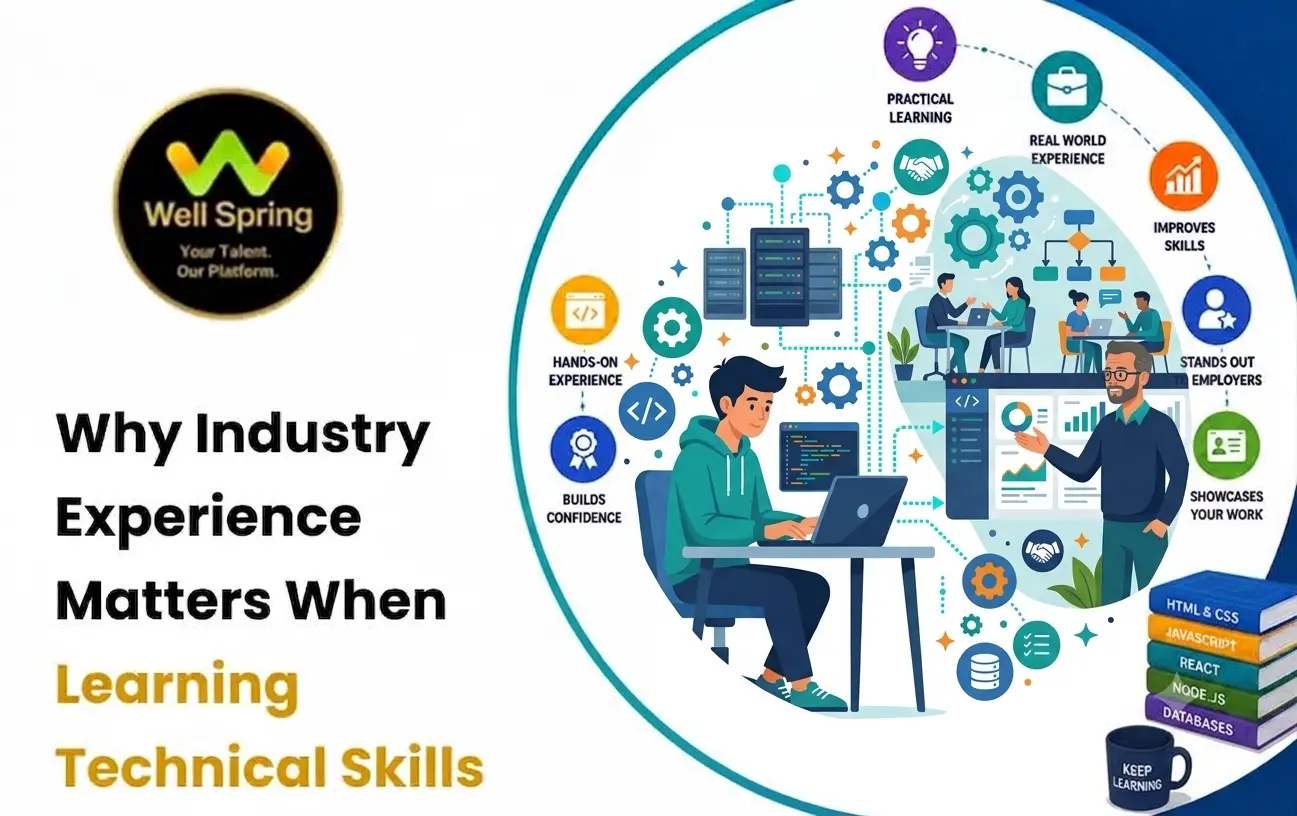
Learning a technical skill is often presented as a straightforward process: understand the concepts, practise the tools, complete a course, and start applying for jobs. However, knowing how a technology works and being able to use it in a real project are two different stages of learning.
A student may understand programming syntax but struggle when asked to debug an unfamiliar application. Someone may know how to create a database but have difficulty deciding how data should actually be structured for a business requirement. Another learner may understand design software but have little experience working from an unclear client brief.
This is where industry experience in IT training becomes valuable.
Industry exposure can help learners understand how technical knowledge is applied under real constraints such as deadlines, changing requirements, collaboration, debugging, quality checks, and user expectations. This article explores why industry experience matters in technical training and how practical learning can help students develop skills that are closer to workplace requirements.
Quick Answer: Industry experience in IT training helps learners connect technical concepts with real workplace situations. Practical projects, realistic assignments, mentorship, debugging, collaboration, and exposure to professional workflows can help students develop industry-relevant technical skills rather than relying only on theoretical knowledge.
Industry experience in IT training means exposing learners to the methods, expectations, tools, workflows, and problem-solving situations they are likely to encounter in professional technology environments.
It does not necessarily mean that every learner needs to work as a full-time employee before they can develop workplace skills.
Industry-oriented learning can include:
The important distinction is between learning about a technology and using that technology to produce something under realistic conditions.
For example:
Learning SQL syntax is knowledge.
Designing a database, writing queries, identifying inefficient queries, validating results, and connecting the database to an application is practical application.
Both matter, but they develop different capabilities.
Technical knowledge provides the foundation for a career, but professional work introduces variables that tutorials and textbooks cannot always reproduce.
Real Projects Are Rarely Perfectly Defined
A tutorial may tell you:
“Build a login page.”
A real requirement may say:
“Users should be able to securely access their accounts and recover access if they forget their credentials.”
The second statement leaves many questions unanswered.
A learner needs to think about:
This is where practical problem-solving begins.
Exposure to realistic working conditions can develop capabilities that are difficult to acquire through theory alone.
Real projects rarely provide a perfect sequence of instructions.
Learners have to investigate problems and decide what to do next.
For example:
“The API is returning the wrong customer information.”
Instead of immediately changing code, a learner can investigate:
Frontend request → API → Backend logic → Database query → Stored data
This develops diagnostic thinking.
Debugging is an essential part of technology work.
Learners may encounter:
A practical environment gives learners opportunities to understand how to isolate the actual cause rather than simply copying a solution from a search result.
Professional projects often involve constraints.
For example:
Learning how to make sensible technical decisions within constraints is a different skill from completing an unrestricted classroom exercise.
Theory and practical learning should not be treated as opposing approaches.
A strong technical learning process connects them.
|
Theory-Based Learning |
Practical IT Training |
|
Explains concepts |
Applies concepts |
|
Builds foundational knowledge |
Builds application ability |
|
Teaches syntax and principles |
Uses them to solve problems |
|
Often follows structured examples |
Requires decision-making |
|
Focuses on understanding |
Focuses on understanding plus execution |
|
Provides controlled exercises |
Introduces realistic constraints |
|
Can be easier to standardize |
Can reveal individual weaknesses |
Consider programming.
A learner may understand:
if condition:
perform action
But a real application may require deciding:
Practical work connects syntax with decisions.
Real-world technical skills usually develop through repeated cycles of application and feedback.
A useful learning loop is:
Learn → Practise → Build → Break → Debug → Review → Improve
Understand the concept.
Use the concept in small exercises.
Apply it to a meaningful project.
Encounter errors, unexpected inputs, or implementation problems.
Investigate why the expected behaviour did not occur.
Receive feedback on the implementation.
Refactor, redesign, test, or otherwise strengthen the result.
This cycle is more representative of professional technical work than simply completing a sequence of tutorials.
Industry relevant technical skills are not limited to knowledge of programming languages or software applications.
Useful skills can include:
Relevant practical skills can include:
Relevant skills can include:
Practical skills can include:
Useful skills include:
The tools differ by profession, but the underlying pattern remains similar:
Understand → Apply → Evaluate → Improve
Projects provide a bridge between classroom learning and professional application.
A useful project should contain more than a list of tasks.
It should introduce a problem that requires decisions.
Example: Full Stack Development Project
Instead of:
“Create a CRUD application.”
Use a scenario such as:
“Build an employee leave management system for a small company.”
Now the learner has to think about:
The technology is still being learned, but it is now connected to a business context.
Beginners do not need to start with a massive enterprise application.
A better progression is:
Build a simple form or component.
Connect several components.
Add frontend, backend, and database functionality.
Introduce:
Add:
This progression allows learners to develop complexity gradually instead of becoming overwhelmed.
Building a project alone is valuable, but external feedback can reveal problems the learner does not notice.
A mentor or experienced practitioner can ask:
“Why did you choose this approach?”
That question can expose whether the learner understands the implementation or simply followed a tutorial.
Feedback can also identify:
The objective is not to make every project perfect.
It is to help learners understand why improvements are necessary.
Technology jobs involve processes as well as technical tasks.
A learner may encounter workflows such as:
Requirement → Task → Development → Review → Testing → Fixes → Approval → Deployment
Understanding this workflow helps learners appreciate why professional projects require communication, documentation, version control, testing, and review.
For example, a developer may write technically correct code but still need to:
Technical ability becomes more useful when it fits into a larger workflow.
Students and freshers often face one particular challenge:
“I know the technology, but I have not worked professionally yet.”
Practical training cannot magically replace professional employment, but it can provide opportunities to develop evidence of applied ability.
A fresher can demonstrate:
Instead of saying:
“I know Python.”
A candidate can say:
“I used Python to build a small application, connected it to a database, handled input validation, debugged several issues, and documented the implementation.”
The second statement provides evidence of application.
When evaluating technical skills training, do not look only at the course title.
Ask what you will actually do during the program.
1. Are There Practical Projects?
Look for projects that require you to apply concepts rather than simply reproduce demonstrations.
2. Is There Feedback?
Assignments become more valuable when someone reviews the work and explains how it can improve.
3. Are Professional Tools Used?
Depending on the field, exposure to tools such as Git, Figma, API testing platforms, analytics tools, design software, or development environments can make learning more realistic.
4. Is There Debugging or Problem-Solving?
A practical course should give you opportunities to deal with mistakes rather than providing solutions immediately.
5. Is There an Internship or Industry Exposure?
Internships can provide additional exposure to professional expectations, workflows, communication, and deadlines.
However, evaluate the actual structure of the internship rather than assuming that every internship provides the same level of experience.
6. Can You Produce Portfolio Evidence?
By the end of the training, you should ideally have work that demonstrates what you can actually do.
One useful way to evaluate technical training is through six questions:
1. Can I Explain It?
This tests conceptual understanding.
2. Can I Build It?
This tests implementation.
3. Can I Debug It?
This tests problem-solving.
4. Can I Explain My Decisions?
This tests technical reasoning.
5. Can I Improve It?
This tests feedback and iteration.
6. Can I Demonstrate It?
This tests whether you can present your work through a project, portfolio, repository, or practical demonstration.
If training consistently moves through these stages, learners are more likely to develop transferable abilities rather than memorizing isolated procedures.
1. Completing Too Many Tutorials
Watching more tutorials can feel like progress, but passive consumption does not always translate into independent ability.
After learning a concept, try building something without following the tutorial step by step.
2. Copying Projects Without Understanding Them
A project on your computer is not necessarily evidence of your skill if you cannot explain how it works.
Understand every major component you include in your portfolio.
3. Avoiding Errors
Beginners sometimes become frustrated when their code or design does not work.
Errors are valuable learning opportunities when you investigate them systematically.
4. Learning Too Many Technologies at Once
Trying to learn multiple programming languages, frameworks, databases, and tools simultaneously can create shallow understanding.
Develop depth in one practical stack before expanding.
5. Ignoring Documentation
Professional technical work often involves reading documentation.
Learning how to find and interpret official documentation is itself an important technical skill.
6. Focusing Only on the Final Output
A working application is useful, but the development process also matters.
Understand:
The transition from learning to employment can be viewed as a gradual progression.
Stage 1 — Conceptual Knowledge
You understand terminology and fundamentals.
↓
Stage 2 — Guided Practice
You solve problems with examples and instructions.
↓
Stage 3 — Independent Projects
You make your own implementation decisions.
↓
Stage 4 — Practical Exposure
You work with realistic requirements, feedback, constraints, and workflows.
↓
Stage 5 — Portfolio Evidence
You can demonstrate completed work and explain your decisions.
↓
Stage 6 — Career Application
You use your skills in internships, interviews, freelance work, or entry-level roles.
The stages overlap. A learner can continue strengthening fundamentals while gaining practical experience.
Technical knowledge provides the foundation for an IT career, but applying that knowledge in realistic situations is what turns concepts into usable skills. Industry experience in technical training can help learners encounter the uncertainty, constraints, feedback, debugging, and decision-making that characterize professional technology work.
For students and freshers, the goal should not simply be to complete a course or collect certificates. Build projects, solve unfamiliar problems, learn from errors, receive feedback, and understand the workflow behind professional work.
When technical education combines strong fundamentals with practical application, learners can move from knowing a technology to demonstrating that they can actually use it.
31 Oct 2026
31 Oct 2026
30 Oct 2026
30 Oct 2026
29 Oct 2026
Industry experience in IT training refers to learning experiences that expose students to realistic projects, professional tools, workflows, problem-solving situations, feedback, and workplace-style requirements. It helps learners understand how technical knowledge is applied beyond theoretical exercises.
It helps learners understand how technical concepts are used to solve real problems. Practical exposure can also develop debugging, decision-making, communication, collaboration, and project management skills that are difficult to develop through theory alone.
Practical IT training is learning that emphasizes hands-on application through projects, assignments, exercises, debugging, tools, simulations, internships, or other activities that require learners to use technical concepts.
Real-world technical skills combine technical knowledge with the ability to apply it to practical problems. Depending on the field, this can include programming, database management, API integration, testing, design, analytics, debugging, version control, documentation, and other workplace-relevant abilities.
Yes. Internships, practical projects, industry-oriented assignments, freelance work, volunteer projects, and structured training can provide different forms of exposure to real-world workflows. They should be described accurately rather than presented as equivalent to full-time employment.
No. Theory provides the concepts needed to understand why a solution works, while practical experience helps learners apply those concepts. Strong technical education generally benefits from combining both.
Look for programs that include practical projects, feedback, realistic assignments, relevant tools, problem-solving, mentorship, and opportunities to demonstrate completed work. Also examine what learners actually do during the training rather than judging only by the course title.
Projects require learners to connect multiple concepts and make implementation decisions. They can also provide tangible evidence of practical ability and create opportunities to practise debugging, documentation, testing, presentation, and refinement.
We provide IT training, internships, and online learning for students in Trichy and across India.
Can't attend classes in person? Explore online IT training opportunities with Well Spring Talent Solutions, designed to help learners develop practical technology skills from different locations across India.
Get internship updates, IT training news, placement opportunities, and career tips directly to your inbox.
Join our WhatsApp community for internship updates, IT courses, placement support, and latest job opportunities.
Join NowVisit our branches in Tiruchirappalli for IT training and career guidance.
77, C4, St. Pauls Complex,
Pudukottai Main Road, Bharathiyar Salai,
Cantonment, Tiruchirappalli,
Tamil Nadu 620001
2nd Floor, C56, 4th Cross Rd W, opp. Poorvika Mobiles, Thillai Nagar, Tiruchirappalli,
Tamil Nadu 620018
YVD Complex, chatram bus stand, No. 15, Tiruchirappalli,
Tamil Nadu 620002, India
16, 1st Cross Road, Anna Nagar, Tiruchirappalli,
Tamil Nadu 620007