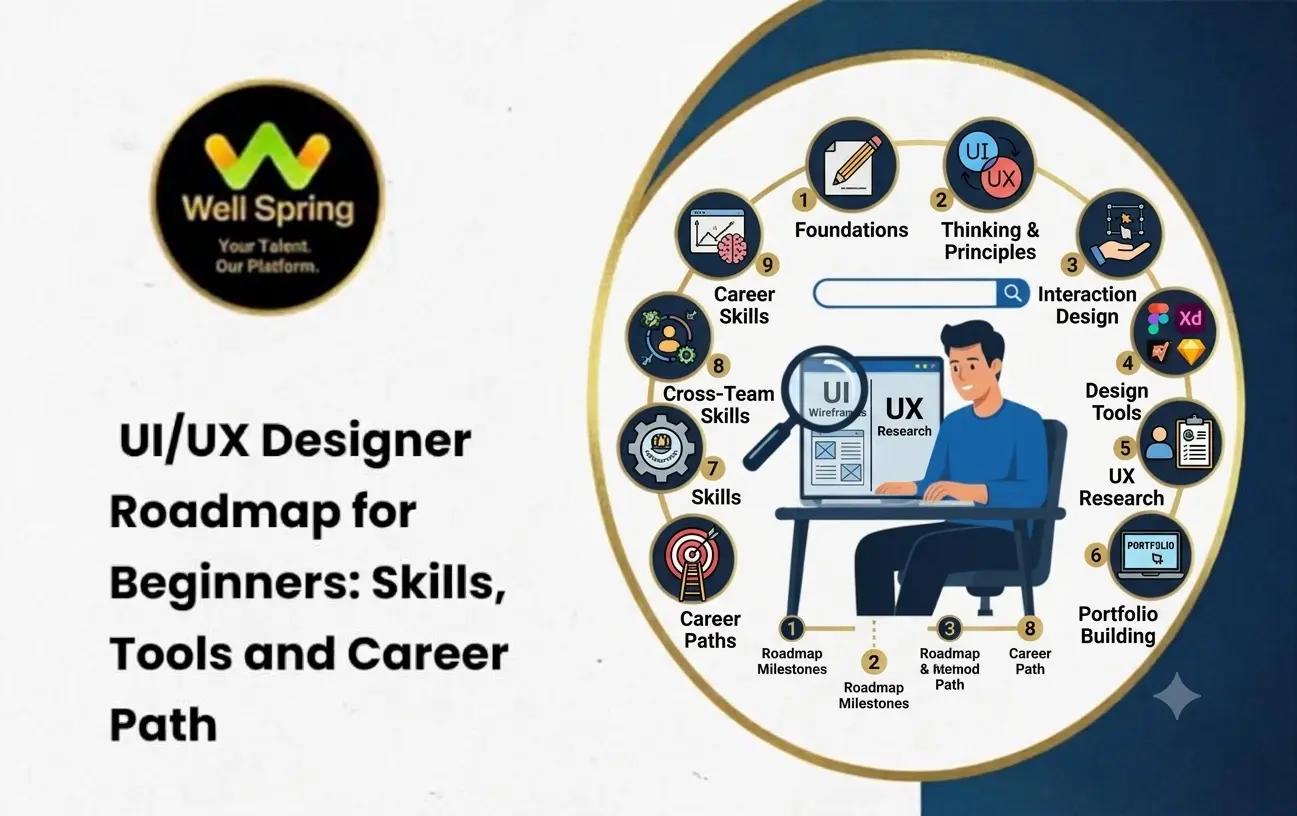

Quick Answer: How Can Beginners Become UI/UX Designers?
Beginners can become UI/UX designers by learning design fundamentals, understanding user behaviour, practising interface design, and developing skills in wireframing, prototyping and usability testing. Starting with a tool such as Figma, completing practical design projects and presenting them through a portfolio can help learners prepare for entry-level opportunities.
A practical learning sequence is:
Design Fundamentals → UX Principles → User Research → Information Architecture → Wireframing → UI Design → Prototyping → Usability Testing → Portfolio → Career Preparation.
You do not need to master every design tool before starting. Focus on understanding how digital products work and how thoughtful design can make them easier to use.
Introduction
Every digital product creates a series of decisions for its users. Someone booking a ticket needs to find the right journey, select a seat, enter passenger information and complete payment. If any step is confusing, the experience becomes frustrating.
This is where UI/UX design makes a difference.
UI/UX designers help create digital experiences that are visually organised, understandable and convenient. Their work involves more than selecting colours or arranging buttons. They study user requirements, identify problems, plan interactions and develop solutions that make websites and applications easier to use.
For beginners, however, entering this field can feel confusing. There are several concepts to understand, multiple tools to explore and different career opportunities to consider.
A structured UI/UX Design Roadmap for Beginners makes the learning process easier by dividing it into manageable stages. Instead of jumping between software tutorials, beginners can develop the right skills in the correct order and gradually build the confidence to work on real design problems.
1. Understand the Difference Between UI and UX Design
Before learning design software, understand what UI and UX actually involve. Although these areas work closely together, they address different aspects of a digital product.
What Is User Interface (UI) Design?
User Interface design focuses on the visual and interactive elements that people use when accessing a website, mobile application or software platform.
A UI designer works on elements such as:
- Typography: Selecting suitable fonts, font sizes and text styles to make information readable.
- Colour combinations: Choosing colours that support brand identity, readability and visual consistency.
- Buttons and icons: Designing clear interface elements that communicate their purpose.
- Layouts: Arranging content, images, forms and navigation in an organised manner.
- Visual hierarchy: Directing attention towards important information and actions.
For example, the layout of a shopping application, including its product cards, search bar, category menu and checkout button, forms part of its user interface.
What Is User Experience (UX) Design?
User Experience design focuses on how people interact with a product and whether they can complete their intended tasks without unnecessary difficulty.
UX designers consider:
- What users want to accomplish.
- Where users may experience confusion.
- How information should be organised.
- How many steps are required to complete a task.
- Whether the product is accessible and convenient to use.
Consider an online shopping website. If customers struggle to find products, understand delivery charges or complete payment, the problem may involve the overall user experience.
UI vs UX: Key Differences
Aspect
- UI Design
- UX Design
- Main focus: Visual interface; Overall user experience
- Primary concern: Appearance and interaction elements; Usability and user needs
- Activities: Layouts, typography and components; Research, journeys and testing
- Deliverables: Interface screens and UI components; User flows, wireframes and experience solutions
- Main objective: Create clear and consistent interfaces; Make products useful and easy to navigate
A beginner should learn both areas because many entry-level positions expect designers to understand the complete process, even when their responsibilities are more focused on UI or UX.
2. Build the Essential Design Fundamentals
Good design starts with understanding visual communication. Before creating advanced application screens, practise the principles that help users understand information quickly.
Typography and Readability
Typography influences how people read and understand digital content. Learn how to select font families, establish heading sizes, maintain suitable line spacing and create consistent text styles.
Practise designing a simple webpage with a clear heading, supporting description, body text and call-to-action button.
Colour Theory
Understand primary, secondary and complementary colours, contrast, colour relationships and how colours influence visual communication.
Do not choose colours only because they look attractive. A design should also maintain sufficient contrast and communicate important information clearly.
Spacing and Alignment
Consistent spacing helps interfaces feel organised. Learn how margins, padding, alignment and grids work together to create balanced layouts.
For example, product cards with inconsistent spacing can make an e-commerce page appear unstructured, even when the colours and typography are appropriate.
Visual Hierarchy
Visual hierarchy determines which information users notice first. Designers create hierarchy through size, contrast, position, spacing and typography.
A registration page should make its main heading, required fields and submission button easy to identify without competing visual elements.
Composition and Layout
Understand how content, images, navigation and interactive elements should be arranged within a screen. Practise common website layouts and mobile application structures before creating complex designs.
3. Learn the Core UI/UX Design Skills
Once the fundamentals are clear, begin developing the skills used throughout a professional design workflow.
User Research
User research helps designers understand the people who will use a product. It prevents design decisions from depending entirely on personal assumptions.
Beginners should learn how to conduct simple user interviews, create questionnaires, observe user behaviour and review competing products.
For example, before designing a food ordering application, speak with potential users to understand how they search for restaurants, compare menus and choose delivery options.
User Personas
A user persona is a research-based representation of a particular user group. It summarises relevant goals, needs, behaviours and difficulties.
A persona should be based on actual research rather than an imaginary profile created without evidence.
User Journey Mapping
A user journey map represents the stages a person follows while interacting with a product or service.
For an online appointment booking website, the journey might include:
- Finding the service.
- Reviewing available appointments.
- Selecting a suitable date and time.
- Entering personal information.
- Confirming the appointment.
At each stage, identify possible difficulties and opportunities to improve the experience.
Information Architecture
Information architecture involves organising content and navigation so users can locate what they need.
For a training institute website, this may involve arranging course details, internship information, registration forms, student resources and contact information into logical sections.
Wireframing
A wireframe is a simplified representation of a digital interface. It shows the structure and placement of elements without requiring detailed visual styling.
Learn to create low-fidelity wireframes using basic shapes, text placeholders and simple navigation elements.
Prototyping
A prototype demonstrates how a design behaves when users interact with it. It can include clickable buttons, navigation, transitions and form interactions.
Prototyping helps designers evaluate an idea before it moves into development.
Usability Testing
Usability testing involves observing people as they attempt to complete specific tasks using a product or prototype.
For example, ask a participant to find a course and submit an enquiry through your prototype. Observe where they hesitate, make mistakes or require additional guidance.
Use these findings to improve the design rather than assuming the first version is complete.
4. Explore UI/UX Design Tools for Beginners
Design tools help convert ideas into wireframes, visual interfaces and interactive prototypes. Beginners should start with a small number of tools and understand their practical applications.
Tool
- Figma: Interface design and prototyping; Create website and application screens.
- FigJam: Visual collaboration and brainstorming; Build user flows and journey maps.
- Miro: Whiteboarding and planning; Organise research and design ideas.
- Adobe Photoshop: Image editing; Prepare and adjust visual assets.
- Adobe Illustrator: Vector graphics; Create icons and illustrations.
- Maze: Usability testing; Collect feedback on prototypes.
- Notion: Documentation and organisation; Maintain research notes and project records.
Figma: A Practical Starting Point
Figma is a useful starting tool for beginners because it supports interface design, reusable components, collaboration and interactive prototyping.
Focus on learning these features:
- Frames: Create screen layouts for websites and mobile applications.
- Layers: Organise text, images, shapes and interface elements.
- Auto Layout: Build flexible components that adjust to their content.
- Components: Reuse consistent interface elements across multiple screens.
- Variants: Manage different states or versions of a component.
- Prototyping: Connect screens and demonstrate user interactions.
- Design Libraries: Maintain reusable styles and components.
You do not need to learn every feature immediately. Start with frames, shapes, text, alignment and basic prototyping, then gradually explore advanced capabilities.
5. Follow a Practical UI/UX Designer Roadmap
A structured roadmap helps beginners understand what to learn, what to practise and what they should be able to demonstrate at each stage.
Stage 1: Understand Design Principles
Begin with UI and UX concepts, visual hierarchy, typography, colour, spacing and layout.
Practical activity: Select a website you use regularly and identify three interface elements that could be easier to understand.
Stage 2: Develop User-Centred Thinking
Learn how to identify user problems, conduct basic research, create user personas and map user journeys.
Practical activity: Interview a few people about their experience using an online shopping or appointment booking platform. Record recurring difficulties.
Stage 3: Learn Wireframing and User Flows
Practise translating user requirements into logical navigation structures and simple screen layouts.
Practical activity: Create a user flow for a new user registering on a mobile application. Convert each major step into a low-fidelity wireframe.
Stage 4: Practise Interface Design
Learn Figma and apply your visual design knowledge to create consistent website and mobile application screens.
Practical activity: Design a five-screen mobile application with a consistent typography system, colour palette, buttons and navigation.
Stage 5: Create Interactive Prototypes
Connect your screens and add realistic interactions. Understand how users move between pages and how the interface responds to different actions.
Practical activity: Create a clickable prototype for a course registration process.
Stage 6: Test and Improve Your Designs
Ask other people to use your prototype and observe whether they can complete the intended tasks.
Practical activity: Give three participants the same task, note where they face difficulty and revise the relevant screens.
Stage 7: Build Your Portfolio
Select your strongest projects and present them as detailed case studies. Explain the problem, research, design decisions, testing and improvements.
Practical activity: Prepare two complete case studies and one smaller interface design project.
Stage 8: Prepare for Career Opportunities
Create a professional resume, organise your portfolio, practise explaining your design decisions and prepare for practical design assignments.
Practical activity: Present one project as though you are explaining it to a product manager or interviewer.
6. Build Portfolio Projects That Demonstrate Your Skills
A portfolio is one of the most important ways for beginners to demonstrate their design capabilities. Instead of collecting attractive screens without context, create projects that explain how you approached and solved a problem.
Here are some suitable project ideas.
Project 1: Online Course Registration Website
Design a website that helps students explore courses, compare programme details and submit enquiries.
Your project can demonstrate information architecture, navigation design, form usability, responsive layouts and clear call-to-action placement.
Project 2: Personal Finance Tracking Application
Create a mobile application that allows users to record expenses, organise transactions and review monthly spending.
This project can demonstrate dashboard design, data visualisation, categorisation and interaction design.
Project 3: Food Ordering Application
Develop an application that helps users discover restaurants, review menus, customise orders and complete checkout.
Focus on product discovery, filtering, cart management and reducing unnecessary steps during checkout.
Project 4: Healthcare Appointment Booking Platform
Design an interface that allows patients to find healthcare services, review available appointments and confirm bookings.
This project provides opportunities to practise accessibility, clear information presentation, form design and error prevention.
What Should Each Portfolio Case Study Include?
A useful case study should explain the complete design process:
- Project Overview: Describe the product, its purpose and the problem being addressed.
- Problem Statement: Explain the specific user difficulty you identified.
- Research: Present your research methods and the insights collected.
- User Flow: Show the steps users take to complete important tasks.
- Wireframes: Demonstrate how you explored the initial structure.
- Final Interface: Present the completed screens and design decisions.
- Prototype: Include an interactive demonstration where possible.
- Testing and Improvements: Explain the feedback received and the changes made.
If a project is self-initiated, clearly identify it as a concept project. Do not present fictional business results or invented user feedback as actual research findings.
7. Understand the UI/UX Designer Career Path
UI/UX design offers several professional directions. Your responsibilities can expand as you gain experience, develop stronger problem-solving abilities and work with different types of digital products.
Career Stage
- UI/UX Design Intern: Assist with research, wireframes, interface screens and design tasks.
- Junior UI/UX Designer: Create interface layouts, prototypes and basic user flows.
- UI/UX Designer: Manage design tasks and contribute to complete product experiences.
- Senior UI/UX Designer: Handle complex design challenges and guide design decisions.
- Lead Product Designer: Coordinate design direction and collaborate with product teams.
- UX Manager / Design Manager: Manage design teams, processes and broader experience strategies.
Alternative Career Specialisations
As you gain experience, you may choose to focus on a particular area.
- UI Designer: Concentrates on visual interfaces, typography, layouts and reusable components.
- UX Designer: Focuses on user research, information architecture, usability and experience improvement.
- UX Researcher: Studies user behaviour and gathers evidence to guide product decisions.
- Interaction Designer: Designs how users interact with digital products through actions, responses and transitions.
- Product Designer: Works across research, interaction, interface design and product problem-solving.
Your career direction does not need to be decided immediately. Practical experience will help you understand which responsibilities match your strengths and interests.
8. Develop Additional Skills That Improve Your Professional Readiness
Beyond design software, certain skills help beginners work more effectively with developers, product managers and other designers.
Responsive Design
Understand how layouts adapt to different screen sizes, including desktops, tablets and mobile devices. Learn about flexible grids, breakpoints and content prioritisation.
Accessibility
Design interfaces that can be used by people with different abilities and needs. Learn about colour contrast, readable text, keyboard navigation, visible focus indicators and meaningful labels.
The Web Content Accessibility Guidelines (WCAG) provide recognised guidance for improving digital accessibility.
Basic HTML and CSS Knowledge
Coding is not mandatory for most UI/UX design roles. However, understanding HTML and CSS can help designers communicate with developers and recognise practical implementation constraints.
Communication and Presentation
Designers must explain why they selected a particular layout, interaction or navigation structure. Practise presenting your decisions using evidence from user needs and testing.
Collaboration and Feedback
Learn how to receive constructive feedback, discuss design alternatives and work with people from different professional backgrounds.
These abilities become increasingly important when working on larger projects.
9. A Beginner-Friendly 12-Week Learning Plan
A 12-week plan can provide a useful starting structure for learners who want to develop their skills consistently. The schedule is flexible and should be adjusted according to your learning pace and available practice time.
Timeline
- Weeks 1–2: UI/UX concepts and design fundamentals; Interface analysis and basic design exercises.
- Weeks 3–4: User research and information architecture; User persona, journey map and user flow.
- Weeks 5–6: Wireframing and Figma fundamentals; Low-fidelity website or app wireframes.
- Weeks 7–8: Visual design and responsive layouts; Completed interface screens.
- Weeks 9–10: Prototyping and usability testing; Clickable prototype with improvements.
- Weeks 11–12: Portfolio and career preparation; Case studies, resume and portfolio presentation.
How to Make Progress During These 12 Weeks
Do not measure progress only by the number of tutorials completed. Measure it through the work you can produce independently.
By the end of the plan, aim to explain a design problem, demonstrate your research, present your wireframes, show an interactive prototype and discuss the improvements made after testing.
The objective is not to become an expert in twelve weeks. It is to establish a strong foundation and develop practical evidence of your abilities.
10. Common Mistakes Beginners Should Avoid
Many beginners spend considerable time learning design software but struggle to translate that knowledge into meaningful projects.
Avoid these common mistakes:
- Learning Tools Without Understanding UX: Knowing how to create screens in Figma does not automatically mean you understand user experience. Learn the reasoning behind each design decision.
- Copying Existing Designs Without Analysis: Recreating popular application screens can improve visual practice, but your portfolio should also show independent problem-solving.
- Ignoring User Feedback: A design that looks good to its creator may still confuse actual users. Test important interactions and improve the experience based on observations.
- Using Too Many Colours and Fonts: Inconsistent typography and colour choices can make an interface difficult to understand. Establish a simple visual system and use it consistently.
- Creating Only Desktop Designs: Many digital products are accessed through mobile devices. Practise designing for multiple screen sizes.
- Showing Only Final Screens in a Portfolio: Employers need to understand your thinking, not just see the finished interface. Include research, wireframes, iterations and design explanations.
- Trying to Learn Every Tool at Once: Begin with one primary design tool and add supporting tools when a project requires them.
11. How Can Beginners Prepare for Their First UI/UX Job?
After developing foundational skills and completing practical projects, start preparing for entry-level opportunities.
First, organise your strongest projects into a portfolio. Each case study should communicate your role, design process and contribution clearly.
Next, prepare a resume that highlights relevant skills, design tools, academic projects, internships and practical experience. Include portfolio links so recruiters can review your work.
Practise explaining common design decisions. For example, be prepared to answer why you selected a particular navigation structure, how you identified user problems and what you changed after usability testing.
You can also apply for internships, junior design positions and suitable project-based opportunities. These experiences can help you understand professional workflows and develop confidence in collaborative design environments.
For learners who want structured guidance, practical assignments and opportunities to apply their knowledge, Well Spring Talent Solutions can be considered as part of their UI/UX learning journey.
Remember that completing a course alone does not guarantee employment. Your practical ability, portfolio quality, communication skills and performance during the selection process all contribute to your career readiness.
Conclusion
Building a career in UI/UX design is a process of learning how people interact with technology and translating their needs into useful digital experiences.
A successful learning journey should begin with design fundamentals, followed by user research, wireframing, interface design, prototyping and usability testing. Practical projects then help beginners apply these concepts and demonstrate their abilities through a portfolio.
The most important part of this journey is not how many design tools you know. It is whether you can understand a problem, develop a suitable solution, explain your decisions and improve your work based on feedback.
Follow a structured UI/UX Designer Roadmap, practise consistently and build projects that demonstrate your thinking. With continuous learning and practical experience, beginners can work towards a rewarding career in UI/UX and digital product design.