Blog Details
Home Blog Details

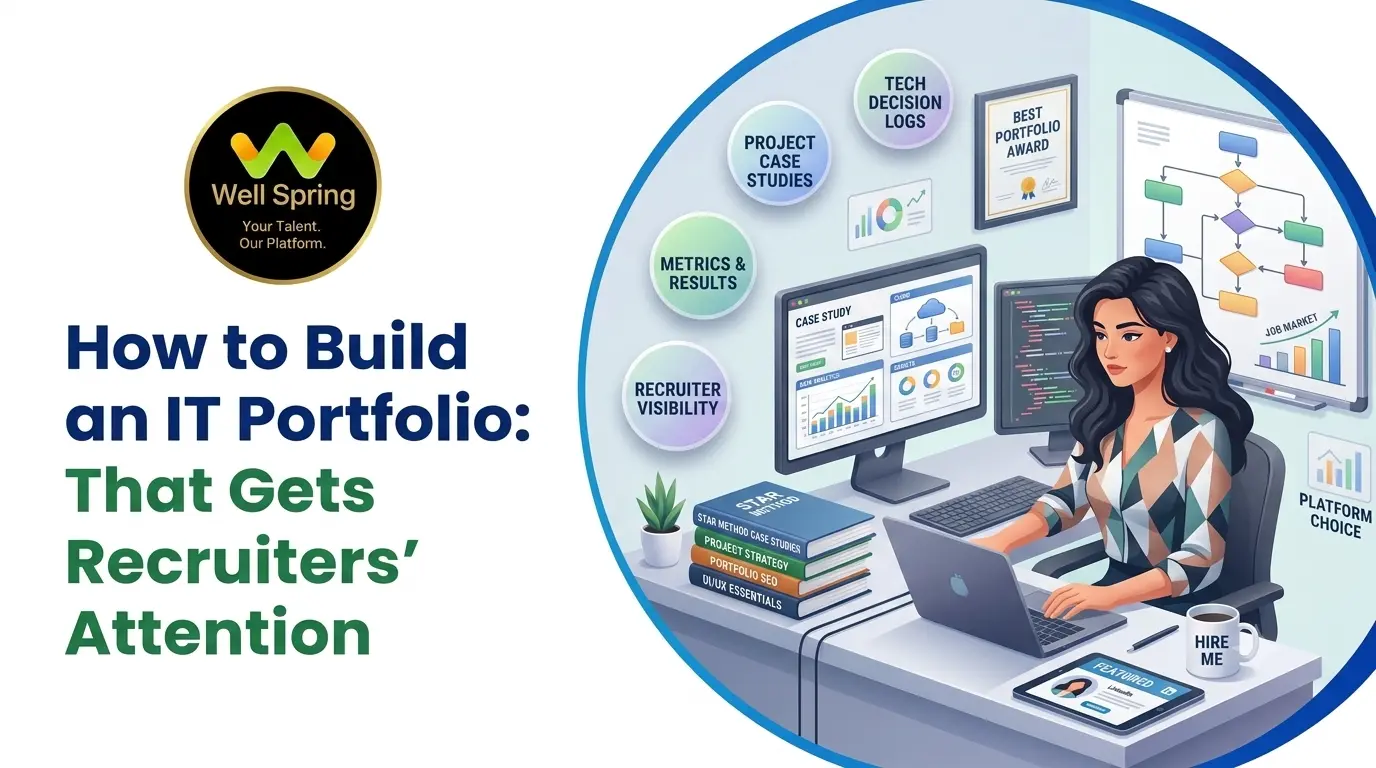
A developer portfolio gives recruiters something a resume cannot always provide: visible evidence of what you can actually build, solve, and contribute. A strong IT portfolio should connect your target job role with relevant projects, technical skills, GitHub repositories, project explanations, measurable results, and a clear professional story. This guide explains how to build an IT portfolio from scratch, choose projects that demonstrate real ability, create stronger case studies, improve your GitHub presence, and turn academic, personal, training, or internship projects into credible career evidence.
To build an IT portfolio that gets recruiters' attention, don't try to fill it with as many projects as possible.
Build a portfolio that makes five things obvious:
A useful formula is:
Target Role → Relevant Skills → Strong Projects → Technical Evidence → Clear Explanation → Professional Presentation
For a fresher, three well-documented and relevant projects can be more convincing than fifteen unfinished tutorial projects.
Your portfolio should not simply say, “I know Python.”
It should make it possible for a recruiter to see:
“Here is what I built with Python, why I built it, how it works, what I contributed, and what I learned.”
Imagine a recruiter opens your resume.
Under Technical Skills, they see:
Python | SQL | Git | JavaScript | React
That sounds promising.
But then comes the next question:
“What has this candidate actually done with those skills?”
If your resume provides no answer, the recruiter has to take your claims at face value.
Now imagine another candidate with a similar skill list.
Their application contains links to:
The second candidate has provided evidence.
That is where a developer portfolio becomes valuable.
A portfolio is not simply a website containing your photograph, biography and technology logos. For an IT professional, it can become a practical record of your development journey.
It can show how you approach problems, how you use technology, how you communicate technical decisions, and how your skills have progressed.
This is particularly useful for students and fresh graduates who may not yet have years of professional experience.
The challenge is knowing what to include and what to leave out.
An IT portfolio is a curated collection of technical work that demonstrates your skills, projects, experience and professional development.
Depending on your career path, it can include:
But there is an important distinction:
A portfolio is curated evidence, not a storage folder.
You don't need to publish everything you have ever created.
Instead, select work that supports the type of role you want.
If you're applying for backend development positions, five unrelated graphic-design projects will not strengthen your technical story.
If you're targeting data analysis, your portfolio should make your SQL, data-cleaning, analytical and visualisation abilities easy to identify.
The best portfolio is therefore not necessarily the biggest one.
It is the most relevant one.
Here's a useful test for your portfolio.
Imagine someone opens the homepage and spends only 30 seconds there.
Can they answer these five questions?
1. Who are you?
Your name and professional identity should be obvious.
2. What role are you targeting?
For example:
Junior Python Developer
or
Frontend Developer | React & JavaScript
3. What can you build?
Your strongest projects should be visible quickly.
4. Where can they see the evidence?
Provide obvious links to demos, GitHub repositories, or case studies.
5. How can they contact you?
Don't make a recruiter search for an email address.
This is the 30-Second Recruiter Test.
If someone has to explore five pages before understanding what you do, your portfolio needs simplification.
A resume summarises your background.
A portfolio can demonstrate it.
That difference is particularly important when your professional experience is limited.
There is a difference between:
“I know SQL.”
and:
“I built a sales dashboard using SQL to analyse customer and revenue data.”
The second statement gives context.
Your projects can become discussion points during interviews.
An interviewer might ask:
A genuine project gives you something concrete to discuss.
Students and fresh graduates may not have extensive employment histories.
Projects can demonstrate:
That's why your portfolio should focus on evidence of ability, not merely a collection of course certificates.
If you're searching for how to build an IT portfolio, start with your career direction—not your website design.
Pick one primary role first.
Examples include:
You can expand your direction later.
For your first portfolio, clarity is more valuable than trying to appear capable of everything.
Once you know your target role, look at several relevant job descriptions.
Create three lists:
Skills I Already Have
For example:
Skills I Need to Strengthen
For example:
Skills I Need to Learn
For example:
Now your portfolio has a purpose.
Your projects can demonstrate the skills from these lists.
Don't choose projects randomly.
Connect every major project to a skill.
|
Project |
Skills It Can Demonstrate |
|
Expense Tracker |
Python, CRUD, database |
|
E-commerce API |
Backend, REST APIs, authentication |
|
Analytics Dashboard |
SQL, data analysis, visualisation |
|
Task Management App |
Full-stack development |
|
Automation Tool |
Python, scripting, APIs |
This gives your portfolio a logical structure.
A recruiter should be able to look at your projects and understand why they are there.
You don't need five projects on day one.
Start with one.
Choose something that:
Then improve it.
Add validation.
Improve the interface.
Add authentication.
Write tests.
Connect an API.
Optimise a query.
Deploy it.
Document it.
The project becomes more valuable as your understanding improves.
Your portfolio should show progression.
Level 1: Foundation
A small application demonstrating programming fundamentals.
Level 2: Practical Application
A project involving user interaction, data or a database.
Level 3: Career-Focused Application
A more complete project involving APIs, authentication, testing, deployment, or multiple technologies.
This creates a visible progression:
I learned → I practised → I built → I solved more complex problems.
Before adding a project to your portfolio, evaluate it using five questions:
What technical skill does it demonstrate?
What real or realistic problem does it solve?
Why did you use these technologies?
What makes the project more than a basic tutorial?
Can someone verify that you built it?
Think of this as:
Skill → Problem → Technology → Complexity → Evidence
If a project cannot answer these questions, it may not deserve a prominent place in your portfolio.
When people search for IT portfolio examples, the best examples depend on the job they're targeting.
Frontend Developer Portfolio
Possible projects:
Demonstrate:
Backend Developer Portfolio
Possible projects:
Demonstrate:
Full-Stack Developer Portfolio
Possible projects:
Show the complete flow:
Frontend → API → Backend → Database
A strong full-stack project should make it clear how the different layers communicate.
Python Developer Portfolio
Projects could include:
Demonstrate:
Data Analyst Portfolio
Consider:
Show:
Raw Data → Cleaning → Analysis → Visualisation → Business Insight
The final insight is often more important than simply displaying a colourful dashboard.
AI/ML Portfolio
Possible projects:
Document:
Don't simply write:
“Built an AI model.”
Explain what the model actually accomplished.
The way you describe a project can significantly change how useful it is.
Weak
E-commerce Website
Created an e-commerce website using React and Node.js.
The recruiter knows the technology, but little else.
Stronger
E-commerce Platform
Developed a full-stack e-commerce application with user authentication, product search, cart management and order processing. Built the backend API, integrated the database, implemented authentication workflows, and tested key user journeys.
Now the reader understands:
That is much stronger evidence.
Your best project deserves more than a two-line description.
Create a short case study using this structure.
The Problem
What problem were you trying to solve?
The Goal
What did the application need to achieve?
Your Approach
How did you decide to build it?
Technology
What technologies did you use?
Architecture
How did the major components interact?
Challenge
What was difficult?
Solution
How did you solve it?
Result
What did the finished application achieve?
What You Learned
What would you improve if you built it again?
This structure demonstrates something many portfolios fail to show:
technical decision-making.
Use Metrics—But Only Real Ones
Numbers can make project outcomes easier to understand.
For example:
But never manufacture metrics to make a project sound impressive.
If you don't have a meaningful measurable result, describe the technical outcome honestly.
Credibility is more valuable than impressive-looking numbers.
For developers, your portfolio website and GitHub profile can complement each other.
The website provides the polished presentation.
GitHub provides technical evidence.
A recruiter opening a repository should be able to understand the project quickly.
A useful README can include:
What does it do?
Why was it created?
What can users do?
Which technologies were used?
How can someone run it?
What does it look like?
Where can it be tested?
What would you build next?
Good documentation demonstrates communication as well as technical organisation.
You don't need hundreds of repositories.
Curate your strongest work.
Before showcasing a repository, check:
A polished repository can make your portfolio feel substantially more credible.
Your personal website doesn't need twenty pages.
A simple structure can work extremely well:
Home
↓
About
↓
Skills
↓
Projects
↓
Experience
↓
Resume
↓
Contact
Your homepage should immediately communicate:
Who you are + what role you want + what you build.
For example:
Junior Python Developer building practical backend applications with Python, Django and SQL.
That's more useful than:
Passionate tech enthusiast who loves innovation and coding.
A developer portfolio should look professional.
It does not need to become a visual-effects showcase.
Prioritise:
Animations should support the experience, not distract from the work.
If a recruiter remembers your animation but forgets your projects, the design has failed its purpose.
Connect Your Resume, LinkedIn, GitHub and Portfolio
These four assets should tell the same story.
Resume
Summarises your qualifications and experience.
Establishes your professional identity.
Portfolio
Demonstrates your work.
GitHub
Provides technical evidence.
If your resume says:
Python Developer
but your portfolio shows mostly graphic-design work, your positioning becomes unclear.
Consistency creates credibility.
Use the same:
across your professional profiles.
You don't need years of employment experience.
You can build your portfolio around:
Choose the strongest ones and improve their documentation.
Build something because you identified a problem worth solving.
Where permitted, showcase your contribution without exposing confidential information.
Show the problem, solution and your contribution.
Contributions can demonstrate collaboration and real-world development practices.
Projects completed during structured training can become portfolio assets when you genuinely understand and contributed to the work.
The important thing is ownership.
If you copied a tutorial, don't present it as an independently developed product.
A portfolio becomes more credible when project work is connected to practical experience.
Internships can give students opportunities to:
WellSpring Talent Solutions describes its internship programs as involving practical learning, live project experience, mentor guidance, technical skill development, career preparation, and resume/portfolio building.
That creates a useful progression for learners:
Learn → Practise → Build → Intern → Document → Showcase → Prepare
Completing an assignment doesn't automatically make it a strong portfolio piece.
You need to improve it.
For example:
Training Version
A basic employee management application.
Portfolio Version
Improve it with:
Now the same basic concept demonstrates substantially more technical ability.
This is an important lesson:
A portfolio project doesn't always need to start as a complicated idea. It can become impressive through thoughtful development.
WellSpring Talent Solutions positions its training around practical, career-focused learning rather than classroom theory alone. Its current approach includes hands-on projects, practical assignments, internships, continuous mentor support and career guidance.
Its internship offering also specifically mentions live project experience, resume and portfolio building, mock interviews and placement assistance.
For a learner, that can create a practical portfolio-building cycle:
Learn a technology
↓
Apply it in an assignment
↓
Build a project
↓
Improve the project with mentor feedback
↓
Gain practical exposure through internship work
↓
Document the project
↓
Add it to GitHub and your portfolio
↓
Use it during interviews
This is much more useful than treating portfolio development as something to think about only after completing a course.
You can think about your portfolio in five stages.
Level 1: Presence
You have:
But there is little project evidence.
Level 2: Project Evidence
You have several relevant projects.
They demonstrate the technologies you claim to know.
Level 3: Technical Proof
Your projects have:
Now your skills are easier to verify.
Level 4: Professional Story
Your projects explain:
Now your portfolio demonstrates how you think.
Level 5: Recruiter Ready
Your entire profile aligns:
Target Role + Resume + LinkedIn + Portfolio + GitHub + Projects + Interview Story
At this stage, your portfolio is no longer just a website.
It is a career evidence system.
1. Publishing Too Many Tutorial Projects
Ten copied projects don't demonstrate ten times the ability.
2. Listing Technologies Without Evidence
If you claim React, Python, AWS and Docker, your projects should demonstrate meaningful use of those technologies.
3. Not Explaining Your Contribution
For team projects, explain exactly what you worked on.
4. Using Fake Metrics
Never invent performance or business results.
5. Having Broken Links
Test every demo and repository link before sharing your portfolio.
6. Leaving GitHub Repositories Undocumented
A recruiter shouldn't need to reverse-engineer your project.
7. Making the Portfolio Too Generic
“Passionate developer” doesn't tell recruiters what you actually do.
8. Overdesigning the Website
The technology and projects should remain the focus.
9. Ignoring Mobile Users
A broken mobile layout creates a poor first impression.
10. Adding Every Skill You Have Ever Touched
Only highlight skills you can confidently discuss.
11. Using AI-Generated Project Descriptions You Can't Explain
Polished wording doesn't compensate for weak technical understanding.
Your portfolio content should reflect what you genuinely built and learned.
If you currently have no portfolio, don't try to build everything in one weekend.
Use a staged approach.
Days 1–30: Foundation
Days 31–60: Evidence
Days 61–90: Professional Presentation
At the end of 90 days, you may not have a perfect portfolio.
But you can have something much more valuable:
a portfolio that demonstrates real progress.
Before sending your portfolio to an employer, check the following.
Professional Positioning
Projects
GitHub
Portfolio Website
Professional Profiles
Interview Readiness
A recruiter does not need to see everything you've ever learned.
They need to understand what you can actually do.
That's the real purpose of an IT portfolio.
Start with the role you want.
Study the skills employers expect.
Build projects that demonstrate those skills.
Document the problems you solved and the decisions you made.
Keep your GitHub repositories organised.
Connect your portfolio to your resume and professional profiles.
Then practise explaining your work as if an interviewer were sitting across from you.
The strongest developer portfolio isn't the one with the most animations, the most projects, or the longest technology list.
It is the one that makes your abilities easy to understand and easy to verify.
For students and fresh graduates, practical training and internships can provide useful material for that portfolio-building process. WellSpring Talent Solutions' current approach
15 Oct 2026
15 Oct 2026
14 Oct 2026
14 Oct 2026
13 Oct 2026
A developer portfolio is a curated collection of projects, technical work and professional information that demonstrates your programming abilities and practical experience.
Not every IT role requires one, but a strong portfolio can help freshers demonstrate practical skills when they have limited professional experience.
There is no universal number. For many students and freshers, three to five relevant and well-documented projects can provide a strong foundation.
Start with academic, personal, training, internship, hackathon or open-source projects. Choose work related to your target role and document your contribution clearly.
Examples include task management applications, expense trackers, student management systems, responsive websites, REST APIs, dashboards, automation tools and database-driven applications.
Yes. College projects can be useful for students and freshers, particularly when you explain the problem, technologies, your contribution and what you learned.
For software-development projects, a GitHub repository can provide useful technical evidence. However, the repository should be clean, documented and appropriate for public sharing.
GitHub is valuable technical evidence, but a personal portfolio can make it easier to present your projects, career direction and professional information in one place.
It should generally include a clear professional introduction, target role, technical skills, relevant projects, project explanations, GitHub links, demos where available, resume, professional profile links and contact information.
Focus on relevance and evidence. Build fewer but stronger projects, explain your technical decisions, document challenges, show working demos, maintain good GitHub repositories and create a clear professional story.
Yes, provided you have permission to showcase the work and do not expose confidential company information. Focus on your own contribution, skills and learning.
Certificates can support your learning history, but they do not replace practical evidence. Projects, technical work and demonstrable skills can provide stronger evidence of application.
Update it when you complete meaningful projects, gain relevant skills, improve existing work, complete internships, or change your target career direction. Remove weaker projects as your portfolio improves.
Get internship updates, IT training news, placement opportunities, and career tips directly to your inbox.
Join our WhatsApp community for internship updates, IT courses, placement support, and latest job opportunities.
Join Now