
Cantonment Branch
77, C4, St. Pauls Complex,
Pudukottai Main Road, Bharathiyar Salai,
Cantonment, Tiruchirappalli,
Tamil Nadu 620001

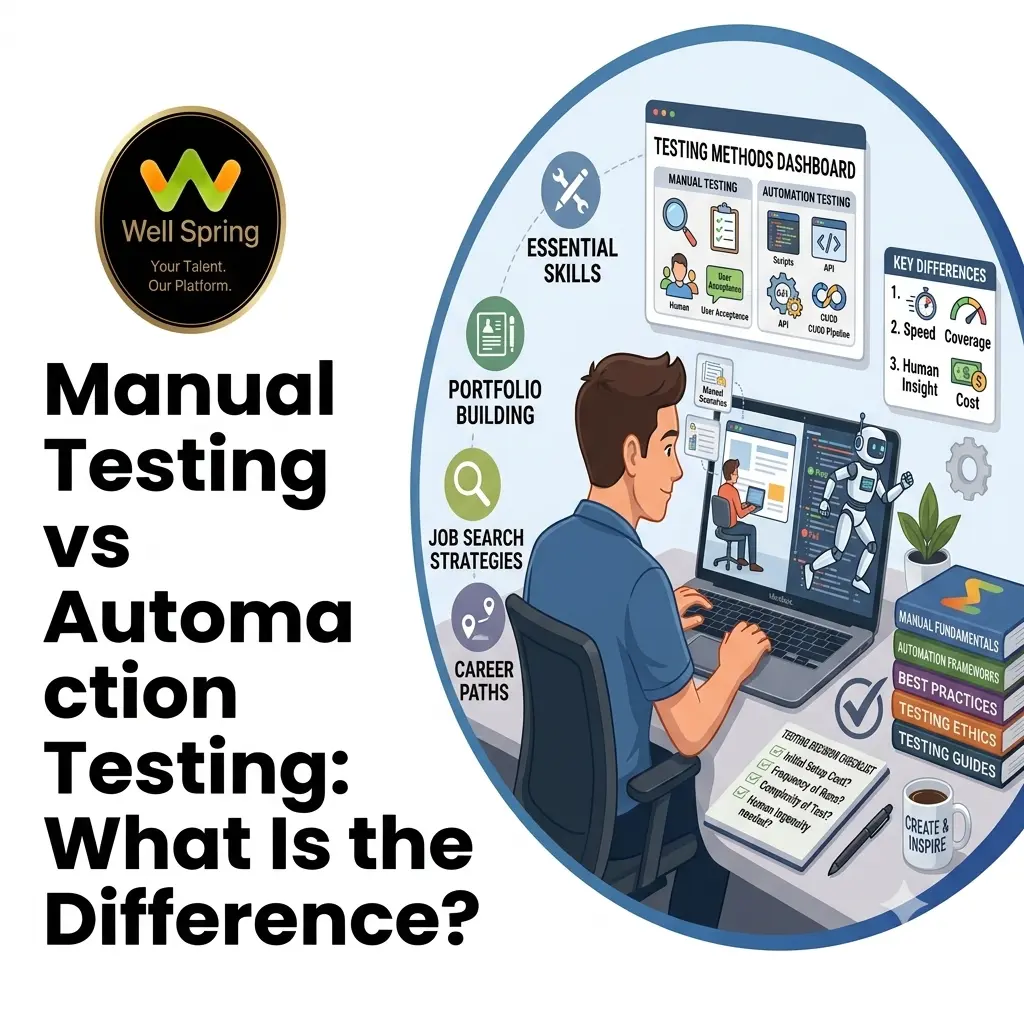
Software testing plays an important role in delivering reliable applications. Whether a company is developing a website, mobile application, e-commerce platform, or enterprise system, testing helps identify defects before they affect users.
Two commonly discussed approaches are manual testing and automation testing. Manual testing involves executing test scenarios primarily through human interaction, while automation testing uses software tools and scripts to execute predefined tests.
Understanding manual testing vs automation testing is important for students, freshers, testers, developers, and anyone planning a career in software testing. The two approaches have different strengths, limitations, costs, and use cases.
This guide explains the difference between manual and automation testing, compares their workflows, explores when to use each approach, and provides a practical learning path for beginners.
Quick Answer: Manual testing relies on human testers to execute test cases and evaluate application behaviour, while automation testing uses scripts and testing tools to execute repeatable checks. Manual testing is useful for exploratory, usability, and frequently changing scenarios, while automation is valuable for repeatable regression and large-scale test execution. Many real-world teams use both.
Manual testing is a software testing approach where a tester executes test scenarios without relying on automated scripts to perform the test steps.
The tester interacts with the application, compares actual behaviour with expected behaviour, records defects, and verifies fixes.
For example, imagine an online shopping website.
A manual tester might:
The tester may also deliberately enter invalid information to determine how the application responds.
Human judgement remains valuable for testing situations where the quality of an experience cannot be reduced to a simple pass/fail condition.
For example, a tester can notice that:
These observations may require human interpretation rather than simply checking whether a predefined assertion passed.
Automation testing uses software tools and scripts to execute test cases and verify expected application behaviour.
Instead of manually repeating the same test steps, a tester can create an automated test.
For example, an automated login test could:
Open application
↓
Enter username
↓
Enter password
↓
Click Login
↓
Verify dashboard appears
The test can then be executed repeatedly.
Automation is particularly useful when the same checks need to be performed across:
Depending on the technology stack and testing requirements, teams may use tools such as:
The appropriate tool depends on factors such as application technology, programming language, browser requirements, mobile testing needs, and team expertise.
The simplest distinction is:
Manual testing depends primarily on human execution, while automation testing uses scripts and tools to execute predefined tests.
However, the difference goes deeper than execution speed.
|
Factor |
Manual Testing |
Automation Testing |
|
Test execution |
Human tester |
Automated script/tool |
|
Human judgement |
High |
Limited to programmed checks |
|
Initial setup |
Usually lower |
Requires automation development |
|
Repetitive testing |
Time-consuming |
Well suited |
|
Exploratory testing |
Strong fit |
Limited |
|
Regression testing |
Possible but repetitive |
Strong fit |
|
Script maintenance |
Not applicable |
Required |
|
Execution consistency |
Can vary |
Generally consistent |
|
Programming requirement |
Not always required |
Usually required |
|
Large repetitive suites |
Less efficient |
More suitable |
|
Usability evaluation |
Strong |
Limited |
|
Cross-browser repetition |
Time-consuming |
Can be automated |
|
Best use |
Exploration and human judgement |
Repeatable verification |
The table explains why manual testing vs automated testing should not be treated as a simple competition.
The correct approach depends on what you are trying to test.
Manual testing requires a tester to perform the test steps.
Automation testing allows a script to execute predefined actions.
For a test that needs to run once during exploratory work, writing an automation script may create unnecessary overhead.
For a regression test that runs repeatedly after every build, automation may provide much greater value.
Automation can execute repetitive test cases faster than a person, particularly when the same workflow needs to be repeated many times.
However, automation is not automatically faster overall.
Creating, debugging, maintaining, and stabilizing automated tests also takes time.
Therefore, the useful question is not:
“Which testing method is always faster?”
It is:
“Will this test be repeated often enough for automation to provide a worthwhile return?”
Humans can make mistakes when repeatedly executing identical steps.
Automation scripts execute programmed steps consistently under the same conditions.
However, automation can also produce misleading results if:
Automation improves repeatability, but it does not replace thoughtful test design.
Manual testing has a significant advantage when human observation is part of the objective.
For example:
“Does the checkout process feel confusing to a first-time user?”
This is different from:
“Does clicking the checkout button navigate to the expected URL?”
The second question is easier to automate.
The first requires broader evaluation.
Manual testing can have lower initial technical setup requirements.
Automation may require investment in:
However, automation can become cost-effective when a large number of stable tests must be executed repeatedly.
The economic value therefore depends on frequency, stability, complexity, and maintenance effort.
Manual testing includes several approaches.
Checks whether application functionality behaves according to requirements.
Examples include:
The tester explores the application while learning about its behaviour and looking for unexpected problems.
Unlike a strictly scripted test, exploratory testing can adapt based on what the tester discovers.
Evaluates how easily users can understand and interact with the application.
A tester may examine:
Checks whether existing functionality still works after changes are introduced.
Regression testing can be performed manually, automatically, or through a combination of both.
A preliminary set of checks used to determine whether a build is stable enough for deeper testing.
Automation can be applied at different levels.
Tests individual functions, methods, or components in isolation.
For example:
function add(a, b) {
return a + b;
}
A unit test could verify that:
add(2, 3) = 5
Unit tests are usually fast because they test relatively small pieces of code.
Checks whether multiple components work correctly together.
For example:
An integration test might verify that creating a user through an API correctly stores the required information.
Tests a complete user workflow.
For example:
Login → Search → Add Product → Checkout → Confirmation
End-to-end tests can provide valuable coverage but may require more maintenance than smaller tests.
Stable regression scenarios can be automated so they can be repeatedly executed after changes.
This is one of the common areas where automation can provide significant value.
Manual testing is particularly useful when human observation or flexible exploration is important.
Consider manual testing for:
When a feature is still changing frequently, automated scripts may require repeated modifications.
Manual exploration can help testers understand the feature before automation is introduced.
If you do not know exactly where defects may occur, human exploration can reveal unexpected behaviours.
Human testers can identify confusing interactions and presentation problems.
Some visual evaluations benefit from human judgement, although automated visual testing can also support specific aspects.
If a test will rarely be repeated, automation development may not justify the effort.
Automation is particularly useful when tests are:
For example, suppose a development team deploys a web application frequently.
Running the same login, registration, checkout, and account-management tests manually after every change can become expensive.
Automating suitable regression checks can allow the team to receive faster feedback.
If you are completely new to software testing, begin with manual testing concepts.
You should understand:
Learn how software moves from:
Requirements → Development → Testing → Release → Maintenance
Understand activities such as:
Requirement Analysis → Test Planning → Test Case Design → Test Execution → Defect Reporting → Retesting → Closure
Learn how to write test cases with:
Learn how to report a defect clearly.
A useful defect report should communicate:
Begin with:
Build this foundation before moving heavily into automation.
Once you understand testing fundamentals, automation becomes easier to learn because you already understand what should be tested and why.
Choose a language supported by your intended automation ecosystem.
Common choices include:
You do not need to become a software architect before starting automation, but you should understand programming fundamentals.
Understand:
Choose a framework based on your target applications and job requirements.
For browser testing, examples include:
For mobile testing, Appium is one commonly used option.
Do not attempt to master every framework simultaneously.
Start with simple workflows such as:
Open Website → Login → Verify Dashboard
Then progress to:
Search → Filter → Add to Cart → Checkout
This gives you experience with real testing flows instead of isolated commands.
The most practical approach in many software teams is not:
Manual OR Automation
but:
Manual AND Automation
Consider a new e-commerce feature.
During Early Development
A tester may manually explore the feature to understand:
After Stabilization
Frequently repeated regression scenarios can be automated.
During Continuous Development
The automated suite can run regularly while testers continue performing exploratory testing on new or changed functionality.
This creates a complementary workflow:
Human exploration → Stable test cases → Automation → Continuous regression → Human investigation of new risks
Automation can handle repeatability while manual testing provides adaptability and human observation.
A Practical Example
Imagine an online banking application.
A tester needs to verify login functionality.
Manual Approach
The tester may manually try:
The tester can also observe whether the interface is understandable.
Automated Approach
Stable checks can be automated, such as:
Open login page
Enter valid credentials
Click Login
Verify dashboard
Log out
The same test can potentially run repeatedly after application changes.
Combined Approach
Automation verifies stable expected behaviour, while manual testing explores scenarios that require broader judgement.
This illustrates why the difference between manual and automation testing is primarily about the method of execution and the types of problems each approach handles effectively.
Before automating a test, ask these questions:
1. Will This Test Be Repeated Frequently?
If yes, automation may be worth considering.
2. Is the Feature Stable?
If the interface changes constantly, automation maintenance can become expensive.
3. Is the Expected Result Clearly Defined?
Automation works particularly well when the expected outcome can be expressed through reliable assertions.
4. Does the Test Require Human Judgement?
If yes, manual testing may be more appropriate or may need to complement automation.
5. How Much Maintenance Will the Test Require?
Consider future changes before automating.
6. What Is the Business Value?
Prioritize automation where faster and more reliable feedback matters most.
This prevents teams from making the common mistake of trying to automate everything.
Automating Everything
Automation is not a replacement for all manual testing.
Exploratory testing, usability evaluation, and certain visual or rapidly changing scenarios may still benefit from human involvement.
Automating Unstable Features Too Early
If a UI changes every few days, automated tests may require constant updates.
Stabilize the workflow where practical before investing heavily in automation.
Writing Tests Without Assertions
A script that clicks through an application without verifying meaningful outcomes does not provide useful test coverage.
Every automated test should have clear validation points.
Using Fragile Locators
Automation can become unreliable when selectors depend on unstable page structures.
Use robust locator strategies appropriate to the application.
Ignoring Test Maintenance
Automated tests are software and need maintenance.
Application changes can require:
Learning Automation Without Testing Fundamentals
Knowing how to write Selenium or Playwright scripts does not automatically mean you understand software testing.
First learn what makes a test valuable.
If you are starting a software testing career, a practical sequence is:
Testing Fundamentals
↓
Manual Testing
↓
Test Case & Defect Management
↓
SQL Basics
↓
API Testing
↓
Programming Fundamentals
↓
Automation Framework
↓
Automation Projects
↓
CI/CD & Advanced Testing
This progression helps you understand the purpose behind automation instead of learning tools mechanically.
Both manual and automation testing skills can be relevant to software testing careers.
A beginner may start by learning manual testing fundamentals and gradually add automation skills.
As experience grows, testers may move toward areas such as:
The exact role titles and responsibilities vary between organizations.
For students and freshers, the goal should not be to memorize a list of tools. Build an understanding of testing principles, then develop technical skills that match the roles you want to pursue.
Understanding manual testing vs automation testing is an important step for anyone entering software quality assurance. Manual testing provides flexibility, exploration, and human judgement, while automation can provide efficient and repeatable verification for suitable test cases.
Rather than viewing the two approaches as competitors, understand what each contributes to the testing process. Start with testing fundamentals, practise writing and executing test cases, learn how to identify defects, and then develop programming and automation skills. This combination can give beginners a stronger foundation for progressing toward modern software testing and QA roles.

31 Oct 2026

31 Oct 2026

30 Oct 2026
30 Oct 2026

29 Oct 2026
Manual testing involves a human tester executing and evaluating test scenarios, while automation testing uses software tools and scripts to execute predefined checks. Manual testing provides greater flexibility for exploration and human judgement, while automation is particularly useful for repeatable regression testing.
Manual testing can have a lower technical entry barrier because it does not always require programming. Automation testing usually requires additional knowledge of programming, frameworks, test design, and debugging. However, effective manual testing also requires strong analytical and testing skills.
No single testing approach covers every testing need. Automation is excellent for repeatable checks, but exploratory testing, usability evaluation, and situations requiring human judgement may still benefit from manual testing.
Learning manual testing fundamentals first can provide a useful foundation because it teaches test cases, defect reporting, test scenarios, expected results, and testing principles. Beginners can then use that knowledge when learning automation.
There is no universal best language. Java, JavaScript/TypeScript, Python, and C# are all used in different automation environments. Choose based on the framework, application technology, job requirements, and your existing programming knowledge.
No. Automation can be used for different types of testing, including web, mobile, API, desktop, and other application environments. The appropriate tools and frameworks depend on the system being tested.
Yes. Many testers develop both manual testing and automation skills. Understanding manual testing can help an automation engineer decide which scenarios are worth automating and how those tests should be designed.
We provide IT training, internships, and online learning for students in Trichy and across India.
Can't attend classes in person? Explore online IT training opportunities with Well Spring Talent Solutions, designed to help learners develop practical technology skills from different locations across India.
Get internship updates, IT training news, placement opportunities, and career tips directly to your inbox.
Join our WhatsApp community for internship updates, IT courses, placement support, and latest job opportunities.
Join NowVisit our branches in Tiruchirappalli for IT training and career guidance.
77, C4, St. Pauls Complex,
Pudukottai Main Road, Bharathiyar Salai,
Cantonment, Tiruchirappalli,
Tamil Nadu 620001
2nd Floor, C56, 4th Cross Rd W, opp. Poorvika Mobiles, Thillai Nagar, Tiruchirappalli,
Tamil Nadu 620018
YVD Complex, chatram bus stand, No. 15, Tiruchirappalli,
Tamil Nadu 620002, India
16, 1st Cross Road, Anna Nagar, Tiruchirappalli,
Tamil Nadu 620007