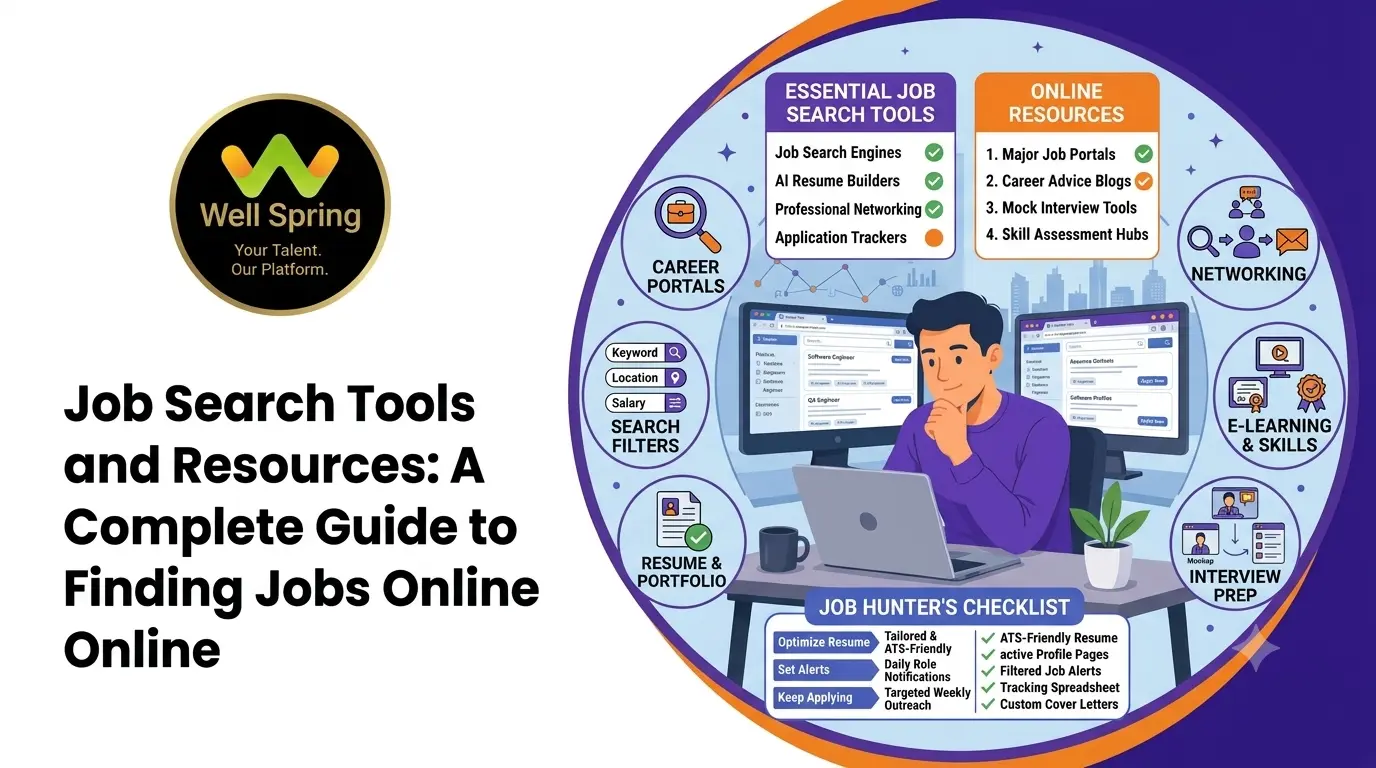

Finding a job online involves more than visiting job portals and applying for vacancies. A successful job search requires the right tools to discover opportunities, prepare application documents, organise applications, research employers and prepare for interviews.
Job search tools can make this process easier by helping candidates manage different stages of their job search. Whether you are looking for your first job, planning a career change or exploring new opportunities, using the right resources can help you approach your search in a more organised way.
This guide explains the different types of job search tools and resources, how to use them effectively and how to manage your job search from beginning to end.
1. What Are Job Search Tools?
Job search tools are online platforms, applications and resources that help people find employment and manage the application process.
They are not limited to websites that display job vacancies. Some tools help you create a professional resume, identify suitable companies, receive vacancy alerts, track applications, practise interview questions and improve your professional profile.
For example, a candidate searching for a software development role may use a job search platform to identify opportunities, a resume builder to prepare an application, a spreadsheet to track applications and an interview preparation tool to practise technical questions.
Using these resources together can make the job search process more structured and manageable.
2. Different Types of Job Search Tools and Resources
There are several categories of tools that support different stages of finding employment. Understanding their purpose can help you choose the resources that match your requirements.
Job Search and Vacancy Discovery Tools
These tools help candidates discover employment opportunities based on job titles, skills, experience, location and other requirements.
You can use them to:
- Search for vacancies in your preferred industry.
- Explore opportunities based on your qualifications.
- Identify companies recruiting for specific roles.
- Compare job requirements across different employers.
- Discover opportunities in different locations.
Instead of applying to every available vacancy, use search filters to identify positions that match your skills and career goals.
Company Career Pages
Many organisations publish vacancies directly on their official websites. These pages are commonly known as career pages or careers sections.
Checking company career pages can help you:
- Find vacancies published directly by employers.
- Understand the organisation's departments and job roles.
- Learn about company culture and working opportunities.
- Check the official application process.
- Discover internship and graduate recruitment programmes.
Create a list of companies where you would like to work and check their career pages regularly.
Resume and CV Building Tools
A resume is one of the most important documents in a job application. Resume-building tools help candidates create, edit and organise their professional information.
These tools can assist with:
- Selecting a suitable resume format.
- Organising educational qualifications.
- Presenting technical and professional skills.
- Writing work experience descriptions.
- Checking spelling and grammar.
- Creating different resume versions for different roles.
Your resume should clearly explain what you know and what you can contribute to an organisation. Avoid adding skills or experience that you cannot confidently explain during an interview.
Professional Networking Tools
Professional networking platforms help candidates connect with recruiters, industry professionals, former colleagues and other people working in their preferred field.
Networking can help you learn about:
- Industry developments.
- Career opportunities.
- Professional events and discussions.
- Skills required for different roles.
- Experiences shared by people working in your target industry.
Keep your professional profile updated and communicate respectfully when contacting recruiters or professionals.
Job Alert and Notification Tools
Job alerts notify candidates when new vacancies matching their selected requirements become available.
You can usually configure alerts using details such as:
- Job title.
- Preferred location.
- Experience level.
- Industry.
- Employment type.
- Relevant skills.
For example, someone interested in entry-level web development positions can create alerts for suitable job titles and locations.
Job alerts reduce the need to repeat the same searches every day. However, always review the full job description before applying.
3. Resume Preparation Resources for Job Seekers
Preparing a resume can take time, particularly when you are applying for different types of positions. Resume preparation resources can help you present your qualifications in a clear and professional format.
Choose the Right Resume Format
Select a format that suits your career stage.
- Fresh graduates: Highlight education, academic projects, internships and relevant skills.
- Experienced professionals: Focus on employment history, responsibilities and measurable achievements.
- Career changers: Emphasise transferable skills, relevant training and projects related to the new field.
Use Relevant Keywords
Read the job description carefully and identify the skills, qualifications and responsibilities mentioned by the employer.
Include relevant terms naturally in your resume when they accurately describe your abilities. For example, a web development candidate may mention HTML, CSS, JavaScript, PHP or Laravel if they have practical knowledge of those technologies.
Do not add keywords simply to match a vacancy. Your resume should reflect your actual experience and capabilities.
Keep Your Resume Easy to Read
A professional resume should have clear headings, consistent formatting and concise descriptions.
Before submitting it, check:
- Contact information is correct.
- Educational details are accurate.
- Skills match your actual knowledge.
- Project descriptions are understandable.
- There are no spelling or grammar mistakes.
- The file opens correctly and has an appropriate filename.
4. Tools to Organise and Track Job Applications
Applying for multiple vacancies can become confusing if you do not maintain a record of your applications.
An application tracking system helps you remember where you applied, when you applied and what action is required next.
You do not need specialised software to begin. A spreadsheet or a simple task-management application can be enough.
What Should You Track?
Maintain the following information for every application:
| Information | What to record |
|---|---|
| Company name | Organisation you applied to |
| Job title | Position you applied for |
| Application date | Date you submitted your application |
| Application source | Where you found the vacancy |
| Job link | Original vacancy or careers page |
| Current status | Applied, shortlisted, interview or rejected |
| Follow-up date | When to check for an update |
| Notes | Recruiter communication or interview details |
Understand Your Application Status
Use consistent status labels to understand your progress.
- Saved: You found a suitable vacancy but have not applied.
- Applied: Your application has been submitted.
- Under review: The employer is reviewing applications.
- Shortlisted: You have been selected for the next stage.
- Interview scheduled: An interview date has been confirmed.
- Completed: The recruitment process has ended.
Update your tracker whenever you receive a response. This helps you avoid duplicate applications and missed follow-ups.
5. Online Resources to Research Companies
Before applying for a position, spend some time understanding the organisation. Company research helps you decide whether the opportunity matches your expectations and prepare for interviews.
Useful company research activities include:
Visit the Official Website
Read the organisation's About Us, Services, Products and Careers sections. This gives you an overview of what the company does and the type of work it offers.
Review the Job Description
Check the responsibilities, required qualifications, technical skills, experience and employment conditions.
Compare these requirements with your current abilities. Identify areas where you already meet the expectations and areas where you may need additional preparation.
Check the Company's Professional Presence
Review the organisation's professional profiles, announcements and recent updates. This can provide useful information about its activities, projects and work environment.
Prepare Questions Before Applying
Consider questions such as:
- What products or services does the company provide?
- Which department is hiring?
- What skills are required for the position?
- Does the role offer training or professional development?
- What responsibilities will the selected candidate handle?
Researching these details helps you make informed decisions rather than applying based only on the job title.
6. Learning Resources to Improve Job-Related Skills
Sometimes, candidates discover that they do not meet every requirement mentioned in a vacancy. This does not mean they should stop applying. It can be an opportunity to identify skill gaps and plan further learning.
Online learning resources can help candidates improve their knowledge in areas related to their preferred careers.
Technical Learning Resources
Candidates interested in IT and software-related careers can explore learning materials covering:
- Programming languages.
- Website development.
- Database management.
- Software testing.
- Data analytics.
- Cloud computing.
- Cybersecurity.
- Version control and development tools.
Choose learning topics based on the responsibilities of the jobs you want to pursue.
Practical Project Resources
Practical projects help you demonstrate how you apply your knowledge.
For example:
- A web development learner can build a responsive website.
- A Python learner can create a small automation project.
- A database learner can design a basic database application.
- A data analytics learner can prepare a report using a sample dataset.
Keep project descriptions, screenshots and source code organised so that you can present them when employers request examples of your work.
Certification and Course Resources
Some candidates use online courses and certifications to strengthen their knowledge. Before enrolling, check the course syllabus, practical components, instructor details and relevance to your career goals.
A certificate alone does not guarantee employment. Employers may also evaluate practical knowledge, communication, problem-solving and the ability to perform the responsibilities of the role.
7. Interview Preparation Tools and Resources
Getting shortlisted is an important step, but candidates should also prepare for the interview process.
Interview preparation resources can help you practise answering questions, revise technical concepts and communicate your experience clearly.
Common Interview Preparation Activities
Practise general interview questions
Prepare answers for questions such as:
- Tell me about yourself.
- What are your strengths?
- Why are you interested in this position?
- What do you know about our company?
- What are your career goals?
Revise role-specific knowledge
Review the technical concepts and practical skills mentioned in the job description. For technical roles, practise coding exercises, programming fundamentals and project explanations where relevant.
Practise communication
Try explaining your projects, previous responsibilities and problem-solving approach in simple language.
Prepare questions for the interviewer
You can ask about the role's responsibilities, team structure, training process and expectations during the initial months.
Use Mock Interviews
A mock interview is a practice session that follows a real interview format. You can practise with a mentor, trainer, friend or through suitable online interview practice resources.
After each session, identify areas that need improvement, such as unclear answers, lack of examples or difficulty explaining technical concepts.
8. How to Find Jobs Online More Effectively
Using several resources without a clear plan can waste time. A structured job search helps you focus on relevant opportunities and maintain consistency.
Follow these steps:
Step 1: Define Your Career Goal
Decide which type of position you want to pursue. Consider your qualifications, skills, interests and preferred industry.
Avoid searching for unrelated job titles at the same time without a clear reason.
Step 2: Prepare Your Application Documents
Create an updated resume and keep important documents ready. Depending on the vacancy, you may also need a cover letter, portfolio, certificates or project links.
Step 3: Build a Target Company List
Identify organisations that recruit for the roles you are interested in. Include their official career pages and other reliable vacancy sources in your list.
Step 4: Create Relevant Job Alerts
Set alerts using specific job titles, locations and skills. Review the notifications regularly and remove alerts that are no longer relevant.
Step 5: Review Each Vacancy Carefully
Before applying, check the eligibility criteria, required experience, job responsibilities, location and application instructions.
Step 6: Customise Your Application
Make sure your resume highlights the qualifications and skills relevant to the position. Use a suitable cover letter when requested or when it adds value.
Step 7: Record Your Applications
Update your application tracker immediately after submitting an application. Record any follow-up dates and interview details.
Step 8: Continue Improving Your Skills
Use the time between applications to practise relevant skills, work on projects and prepare for interviews.
9. How to Identify Fake Job Opportunities Online
Online job searches can expose candidates to fraudulent recruitment messages and misleading vacancies. Always verify an opportunity before sharing personal information or making payments.
Look out for these warning signs:
- A recruiter asks for money to confirm a job.
- The vacancy promises unusually high pay for very little work.
- The sender uses an unofficial or suspicious email address.
- The company name cannot be verified through reliable sources.
- The recruiter requests sensitive banking details.
- You receive an offer without a proper interview or selection process.
- The job description is vague and does not explain the responsibilities.
How to Verify a Job Opportunity
- Visit the organisation's official website.
- Check whether the vacancy appears on its careers page.
- Verify the recruiter's identity through official company contact details.
- Read the job description and recruitment conditions carefully.
- Avoid paying registration, interview or job-confirmation fees.
- Do not share passwords, OTPs or banking credentials.
If something appears suspicious, stop the application process and verify the information independently.
10. Common Mistakes to Avoid During an Online Job Search
Even with useful resources, certain habits can reduce the effectiveness of your job search.
Applying without reading the job description: Check the responsibilities and eligibility requirements before submitting an application.
Using the same resume for every role: Highlight relevant skills and experience for each position.
Ignoring company research: Understand the employer and the role before attending an interview.
Not tracking applications: Maintain a record of submitted applications and follow-up dates.
Depending on only one resource: Explore official company career pages, professional networks and suitable vacancy platforms.
Ignoring skill development: Use your job search period to improve relevant technical and professional abilities.
Sharing personal information carelessly: Verify recruiters and employers before providing documents or sensitive details.
11. A Simple Daily Job Search Routine
A consistent routine can help you manage your time without spending the entire day searching for vacancies.
| Activity | Suggested time |
|---|---|
| Review new job alerts | 15 minutes |
| Search for relevant opportunities | 20 minutes |
| Research companies and vacancies | 15 minutes |
| Prepare and submit applications | 30 minutes |
| Practise job-related skills | 30 minutes |
| Review application status | 10 minutes |
These timings are only a sample. Adjust them based on your availability, career stage and application requirements.
The important point is to balance job applications with skill improvement and interview preparation.
12. How to Choose the Right Job Search Resources
Not every tool is necessary for every candidate. Select resources based on the stage of your career and the type of employment you are looking for.
| Your requirement | Useful resource |
|---|---|
| Discover vacancies | Job search platforms |
| Find direct employer openings | Company career pages |
| Prepare a resume | Resume builders and document editors |
| Connect with professionals | Professional networking platforms |
| Receive vacancy updates | Job alert services |
| Manage applications | Spreadsheets and task trackers |
| Improve technical knowledge | Online learning platforms |
| Prepare for interviews | Mock interview and practice resources |
| Present practical work | Portfolio and project-hosting platforms |
Start with a few reliable resources instead of signing up for every available service. Choose tools that solve a specific problem in your job search.
Conclusion
Finding a suitable job online requires a combination of planning, research and consistent effort. Job search tools can help you discover opportunities, prepare application documents, organise your progress and improve your interview readiness.
Rather than depending on a single platform, build a simple job search process using reliable vacancy sources, company career pages, resume preparation resources, application trackers and learning tools.
Keep your applications organised, verify opportunities before sharing personal information and continue developing skills that match your career goals. A structured approach can make your job search more focused and help you prepare confidently for the next opportunity.