
Introduction
Learning to write code is only the beginning of becoming a software developer. Students may understand programming syntax, complete coding exercises, and follow tutorials, yet still find real development projects challenging.
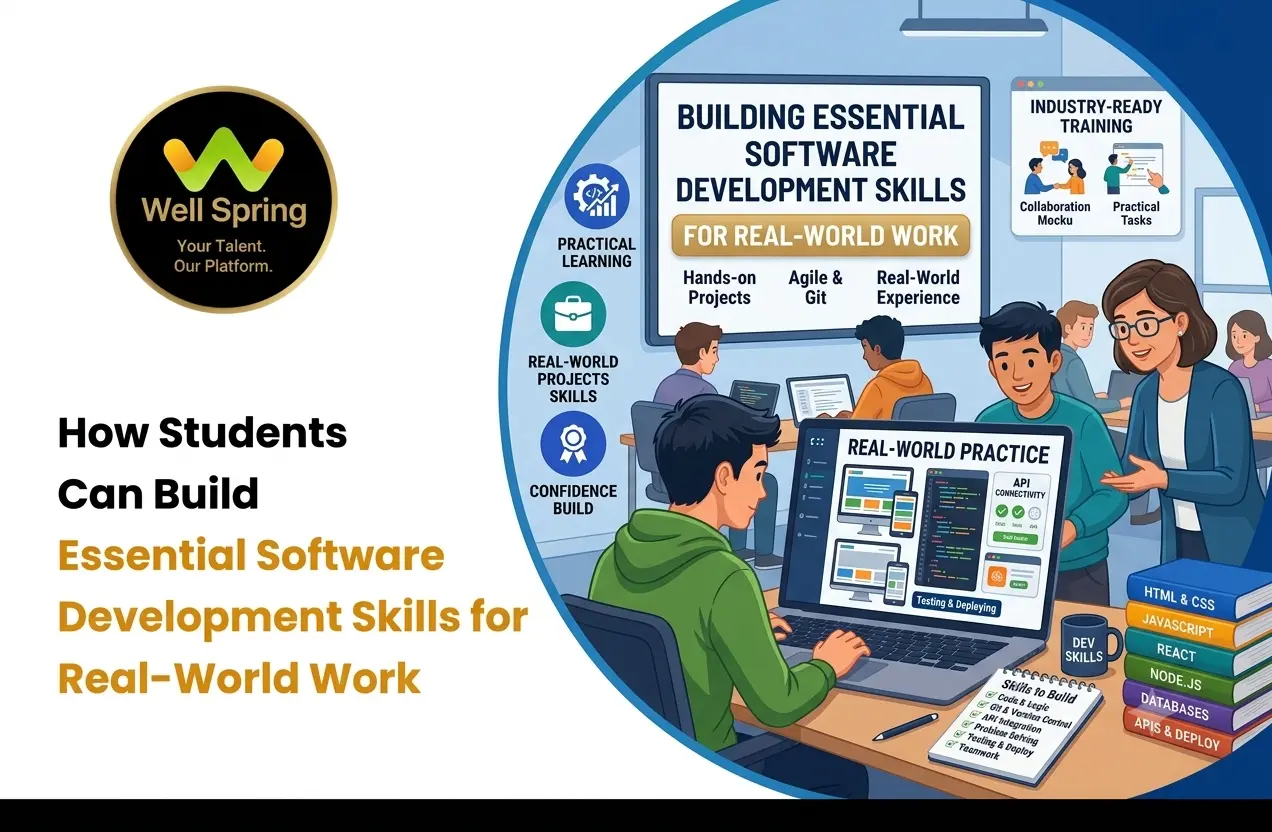
Real-world software development requires a broader set of abilities. Developers need to understand requirements, structure solutions, work with databases and APIs, debug unexpected problems, use development tools, collaborate with others, test their work, and communicate technical decisions.
This is why students should build software development skills progressively rather than focusing only on programming languages.
The goal is not to learn every technology available. It is to develop a strong foundation and repeatedly apply it through practical work.
Quick Answer
Students can build software development skills by strengthening programming fundamentals, practising problem-solving, building complete projects, learning databases and APIs, using Git, testing and debugging applications, collaborating with others, and gaining real-world development experience through internships and project-based learning.
What Are Software Development Skills?
Software development skills are the technical and professional abilities required to design, build, test, maintain, and improve software applications.
Programming is an important part of development, but it is not the entire process.
A developer may need to:
- Understand a problem or requirement.
- Break the problem into smaller tasks.
- Choose an appropriate technical approach.
- Write and organise code.
- Work with databases.
- Connect applications through APIs.
- Test functionality.
- Debug errors.
- Use version control.
- Review and improve existing code.
- Communicate with team members.
- Document relevant work.
For students, developing these abilities gradually can make the transition from academic learning to professional development much easier.
Why Do Students Need More Than Coding Skills?
Coding exercises usually provide clearly defined problems.
Real applications can be different.
A requirement might be incomplete. Existing code may already be difficult to understand. An API may return unexpected data. A database query may produce incorrect results. A feature may work on one device but fail on another.
These situations require more than syntax knowledge.
Consider a student who knows JavaScript well.
That student may still need to learn how to:
Understand the requirement → plan the solution → write the feature → connect data → test it → debug problems → review the implementation → improve it.
This is why students should think of coding as one component of a broader development skill set.
Essential Software Development Skills for Students
A strong foundation can be divided into several connected areas.
Programming Fundamentals
Students should understand concepts such as:
- Variables and data types.
- Conditions.
- Loops.
- Functions.
- Arrays and collections.
- Error handling.
- Object-oriented concepts where appropriate.
- Data structures and algorithms.
- Modular programming.
The specific concepts will vary by language, but the underlying ability to reason about programs is transferable.
Problem-Solving
Students need to learn how to break an unfamiliar problem into smaller, manageable parts.
Debugging
Developers need to identify why something is not working and determine how to correct it.
Database Knowledge
Many applications depend on storing, retrieving, updating, and managing data.
API Knowledge
Modern applications frequently communicate with other systems through APIs.
Version Control
Git and similar systems help developers track changes and collaborate.
Testing
Students should learn to verify whether software behaves as expected.
Communication
Developers need to explain requirements, technical decisions, issues, progress, and solutions.
These skills work together rather than functioning as isolated topics.
Building Strong Coding Skills
Coding skills for students should develop through a combination of understanding, practice, and application.
Start With One Language
Beginners often try to learn several programming languages simultaneously.
It can be more useful to develop strong fundamentals in one language before expanding.
For example, a student may choose Java, Python, JavaScript, or another suitable language depending on their goals.
The language matters, but the ability to understand programming logic matters more in the early stages.
Write Code Regularly
Programming improves through active practice.
Instead of watching a tutorial from beginning to end, students can:
- Learn one concept.
- Write a small example.
- Change the example.
- Test different inputs.
- Introduce a small modification.
- Fix the resulting errors.
This encourages active understanding.
Avoid Copying Solutions Too Quickly
Searching for solutions is a normal part of development.
However, students should first attempt to understand the problem and develop a solution.
If they use an external example, they should examine:
- Why the solution works.
- What each important part does.
- Whether the approach has limitations.
- How the solution could be changed.
The objective is to learn the reasoning rather than merely reproduce the output.
Developing Problem-Solving Ability
Strong developers are not simply people who remember many programming commands.
They are also able to approach unfamiliar problems systematically.
Suppose a student is asked to create a login system.
Instead of immediately writing code, they can break the requirement into questions:
What information does the user provide?
How is the information validated?
Where are credentials stored?
How is authentication handled?
What happens when the credentials are incorrect?
What happens when the server is unavailable?
How should the application respond after successful login?
This approach turns a large problem into smaller technical decisions.
Students can practise this way of thinking even before working on professional projects.
Learning Full Stack Development
Full stack development for students can provide a broader understanding of how modern web applications work.
A full stack application generally involves multiple layers.
Frontend
The frontend is the part of the application users interact with.
Students may learn:
- HTML.
- CSS.
- JavaScript.
- Responsive design.
- Frontend frameworks.
- Components.
- Forms.
- Client-side validation.
Backend
The backend handles application logic and communicates with data sources and other services.
Students may learn:
- Server-side programming.
- Routing.
- APIs.
- Authentication.
- Validation.
- Business logic.
- Error handling.
Database
The database stores application information.
Students may learn:
- Data modelling.
- Queries.
- CRUD operations.
- Relationships.
- Data validation.
- Database optimisation fundamentals.
Integration
Students also need to understand how the layers communicate.
A simplified application flow might look like:
User → Frontend → API → Backend → Database → Backend → API → Frontend
Understanding this flow helps students see how individual programming concepts contribute to a complete application.
Essential Full Stack Development Skills
Students pursuing full stack development can gradually develop the following skill areas.
Frontend Development
Learn how to create responsive, accessible, interactive interfaces.
Backend Development
Understand how servers process requests, apply business logic, communicate with databases, and return responses.
Database Management
Learn how application data is structured and manipulated.
API Development and Integration
Understand HTTP methods, request-response cycles, data formats, authentication concepts, and error handling.
Version Control
Learn how to create commits, branches, pull requests, and manage changes using Git-based workflows.
Testing
Develop the habit of verifying functionality rather than assuming that code works because it runs.
Deployment
Understand the basic process of making an application available in an appropriate environment.
Security Awareness
Learn fundamental concepts such as input validation, authentication, authorisation, secure handling of credentials, and common application security risks.
Students do not need professional-level expertise in every area immediately.
The objective is to build progressively broader competence.
Why Projects Matter for Skill Development
Projects provide a context in which multiple skills need to work together.
For example, a student might build a simple appointment booking application.
The project could require:
- Designing the interface.
- Creating forms.
- Validating user input.
- Building backend routes.
- Storing appointment information.
- Connecting frontend and backend.
- Handling errors.
- Testing different scenarios.
- Deploying the application.
A project like this is more demanding than completing ten isolated programming exercises because the student needs to make multiple parts work together.
Projects also reveal knowledge gaps.
A student may discover:
“I understand how APIs work, but I struggle when I have to handle authentication.”
That discovery is useful because it tells the student what to learn next.
Learning Databases and APIs
Many beginners focus heavily on frontend coding and postpone databases and APIs.
However, these areas are important for understanding how applications actually exchange and manage information.
Database Practice
Students can create small projects involving:
- Student records.
- Product catalogues.
- Employee information.
- Appointment systems.
- Library management.
They can practise creating, reading, updating, and deleting data.
API Practice
Students can build or consume simple APIs.
For example:
Frontend: Requests product information.
API: Receives the request.
Backend: Processes the request.
Database: Provides the required information.
API: Returns the response.
Frontend: Displays the result.
Once students understand this flow, many modern application concepts become easier to connect.
Testing and Debugging Skills
Testing should not be treated as something that happens only after development is complete.
Students can test while they build.
Suppose a registration form requires:
- Name.
- Email.
- Password.
A developer should consider more than the successful case.
What happens if:
- The name is empty?
- The email format is invalid?
- The password is too short?
- The user already exists?
- The server returns an error?
Thinking about these cases helps students develop a more reliable development mindset.
Debugging Requires Investigation
When something fails, students should learn to:
- Reproduce the problem.
- Identify where the problem occurs.
- Read the error message.
- Inspect relevant data.
- Test a hypothesis.
- Make a controlled change.
- Test again.
This is more useful than repeatedly changing code without understanding the cause.
Git and Development Workflows
Students should become familiar with version control before entering professional development environments.
Git can help them:
- Track changes.
- Create branches.
- Experiment safely.
- Collaborate.
- Review modifications.
- Return to earlier versions.
A basic workflow might be:
Create branch → Develop → Test → Commit → Push → Review → Update → Merge
The exact process differs between teams, but understanding the purpose behind each step is more important than memorising a particular command sequence.
Students can practise Git by using it for their own projects.
Communication and Collaboration Skills
Software development is often collaborative.
A developer may work with:
- Other developers.
- Designers.
- Testers.
- Project managers.
- Product teams.
- Clients or stakeholders.
Students should therefore develop the ability to communicate clearly.
For example, instead of saying:
“The application is broken.”
a more useful update would be:
“The login request is returning an authentication error after the latest change. I reproduced the issue locally and am checking whether the problem is related to the request payload.”
The second explanation provides useful context.
Documentation Also Matters
Students can practise writing:
- Project setup instructions.
- Feature descriptions.
- API documentation.
- Technical notes.
- Troubleshooting information.
Clear documentation makes technical work easier for others to understand.
Building Real-World Development Experience
Real world development experience does not necessarily begin with a full-time software developer position.
Students can gain practical exposure through:
- Personal projects.
- Academic projects.
- Internships.
- Open-source contributions.
- Hackathons.
- Student technology clubs.
- Freelance projects where appropriate.
- Volunteer development work.
- Collaborative projects.
The important factor is the quality of the experience.
A student who builds one complete application, understands its architecture, fixes its bugs, documents it, and can explain the decisions may learn more than someone who starts ten projects and completes none.
Internships
Internships can expose students to existing codebases, team workflows, project requirements, feedback, debugging, and professional development practices.
Collaborative Projects
Working with other students can introduce version control, task allocation, communication, code reviews, and integration problems.
Open-Source Work
Contributing to suitable open-source projects can expose students to existing code and community development practices.
Students should choose contributions appropriate to their current skill level.
How Students Can Create Practical Projects
A good student project should solve a defined problem.
Instead of choosing a project simply because it uses a popular technology, start with a problem.
For example:
Problem: Students need a simple way to track assignments.
Possible solution: Assignment management application.
Step 1: Define the Users
Who will use the application?
Step 2: Define the Core Features
For example:
- User registration.
- Login.
- Assignment creation.
- Due dates.
- Status tracking.
- Notifications.
Step 3: Design the Data
Determine what information needs to be stored.
Step 4: Build the Interface
Create the primary screens and user flows.
Step 5: Build the Backend
Create the required application logic and APIs.
Step 6: Connect the Database
Store and retrieve application information.
Step 7: Test
Check expected scenarios and error conditions.
Step 8: Deploy and Document
Make the project accessible where appropriate and explain how it works.
This approach gives students a complete development experience rather than a collection of disconnected exercises.
Common Mistakes Students Should Avoid
Learning Too Many Technologies
Trying to learn multiple languages, frameworks, databases, and cloud platforms simultaneously can create shallow knowledge.
Focusing Only on Syntax
Memorising commands does not automatically develop problem-solving ability.
Avoiding Debugging
Students sometimes look for a new solution immediately instead of investigating why their current approach failed.
Building Only Tutorial Projects
Following a tutorial is useful for learning, but students should eventually modify the project or create something independently.
Ignoring Testing
A project that works for one successful scenario may still contain serious problems.
Neglecting Git
Students who wait until their first job to learn version control may have to learn both the development task and the workflow simultaneously.
Not Finishing Projects
Completing a smaller application is often more useful than leaving a large project half-built.
Ignoring Code Quality
Students should gradually learn to write code that is readable, maintainable, organised, and understandable by others.
A Practical Roadmap for Building Development Skills
Students can use a gradual progression rather than trying to become full stack developers immediately.
Stage 1: Programming Foundation
Choose one suitable programming language and learn core programming concepts.
Stage 2: Problem-Solving Practice
Solve increasingly complex problems and focus on understanding the reasoning behind solutions.
Stage 3: Frontend Development
Learn how websites and user interfaces are structured, styled, and made interactive.
Stage 4: Backend Development
Understand servers, application logic, APIs, and request-response cycles.
Stage 5: Database Skills
Learn how applications store and manipulate information.
Stage 6: Build Complete Projects
Connect frontend, backend, and database components.
Stage 7: Add Professional Practices
Introduce Git, testing, documentation, code reviews, and structured project management.
Stage 8: Gain Practical Exposure
Work on internships, collaborative projects, open-source contributions, or other suitable opportunities.
Stage 9: Build a Portfolio
Document selected projects, technical decisions, challenges, solutions, and lessons learned.
This progression gives students a clearer path from basic coding to broader development capability.
Key Takeaways
Strong software developers are built through repeated application of knowledge, not through programming theory alone.
- Students should develop programming fundamentals before rapidly expanding into numerous technologies.
- Problem-solving and debugging are as important as knowing programming syntax.
- Full stack development can help students understand how frontend, backend, databases, and APIs work together.
- Projects provide a practical environment for combining multiple technical skills.
- Git, testing, documentation, and communication should become part of development practice early.
- Real-world development experience can come through internships, collaborative projects, open-source contributions, and other practical opportunities.
- Students should focus on completing meaningful projects rather than collecting unfinished tutorials.
- A strong portfolio should demonstrate what was built, why decisions were made, how problems were solved, and what was learned.
- The best learning progression is gradual: foundation → practice → projects → professional workflow → practical experience.
Conclusion
Building software development skills is a gradual process. Students do not need to master every programming language or framework before they can begin creating useful software.
A stronger approach is to build a solid programming foundation, practise problem-solving, create complete projects, understand how databases and APIs work, learn version control, test and debug applications, and gradually experience collaborative development.
For students interested in full stack development, the most valuable step is to move beyond isolated coding exercises and start building applications that require different skills to work together.
When students combine consistent practice with projects, feedback, and real world development experience, they begin developing something more valuable than theoretical knowledge: the ability to approach unfamiliar development problems and work toward practical solutions.