

Introduction
Automation testing has become an important part of modern software development. Instead of manually repeating the same test steps every time an application changes, testers can use automation testing tools to execute predefined checks consistently and quickly.
But beginners often face a difficult question:
Which automation testing tool should I learn first?
You may come across Selenium, Playwright, Cypress, Appium, and several other tools. Each has different strengths, supported technologies, workflows, and learning requirements.
The answer depends on what you want to test, which programming language you prefer, the type of applications you plan to work with, and the kind of testing environment you want to enter.
This guide explains the major automation testing tools beginners should know, with particular attention to Playwright vs Selenium, so you can understand what each tool does and how to plan your learning path.
Quick Answer: Which Automation Testing Tool Should a Beginner Learn?
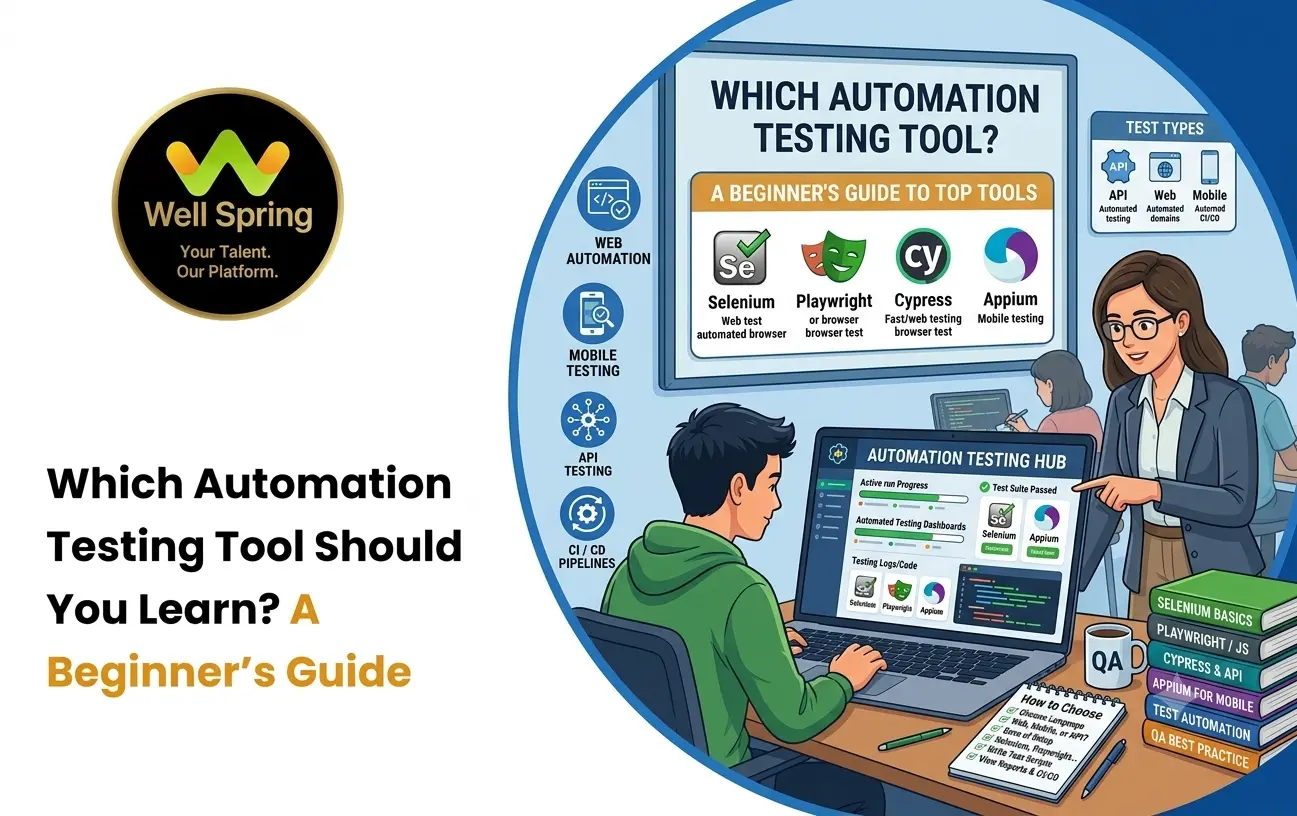
There is no single automation testing tool that is suitable for every tester or project. Selenium is widely used for browser automation and supports multiple programming languages, while Playwright provides a modern browser automation approach with built-in capabilities for several common testing tasks. Cypress is another option for web application testing, while Appium is commonly used for mobile application automation. Beginners should choose based on the applications, languages, and testing environments they want to work with.
What Are Automation Testing Tools?
Automation testing tools are software frameworks or platforms that allow testers and developers to automate test execution.
Instead of manually performing a sequence such as:
Open website → Login → Search product → Add product → Checkout
an automation script can perform those steps and verify expected results.
For example, a test might check whether a user can successfully log in:
- Open login page
- Enter username
- Enter password
- Click Login
- Verify dashboard appears
The automation framework executes these instructions and reports whether the expected behavior occurred.
Automation does not eliminate the need for human testers. Testers still need to decide:
- What should be tested?
- What is the expected result?
- Which scenarios are important?
- Which tests should be automated?
- How should failures be investigated?
- What risks remain after testing?
The tool handles execution, while testing expertise determines what should be executed and how the results should be interpreted.
Why Should Testers Learn Automation?
Automation can be useful when testing involves repetitive, predictable, and frequently repeated scenarios.
Repeated Regression Testing
When an application changes, previously working features may break. Automated tests can repeatedly check important workflows.
Faster Test Execution
A large collection of automated tests can run without a tester manually performing every individual step.
Consistency
A properly designed automated test executes the same instructions each time.
Continuous Testing
Automation can be integrated into development and CI/CD workflows so that tests run as part of software delivery.
Better Test Coverage
Automation can make it practical to execute many combinations of scenarios that would be time-consuming to repeat manually.
However, automation also requires maintenance. Tests can fail because the application changed, selectors became outdated, test data changed, or the automation itself contains a problem.
What Should You Learn Before Automation Testing?
Beginners sometimes start with a testing framework immediately and try to memorize commands.
A better approach is to build a foundation first.
1. Software Testing Fundamentals
Understand:
- Test cases.
- Test scenarios.
- Test conditions.
- Expected results.
- Defect reporting.
- Regression testing.
- Smoke testing.
- Functional testing.
- Exploratory testing.
Without testing fundamentals, you may know how to write an automation script without knowing whether you are automating the right scenario.
2. Basic Programming
You do not need to become an advanced software engineer before learning automation.
However, you should understand:
- Variables.
- Data types.
- Conditions.
- Loops.
- Functions.
- Classes and objects.
- Error handling.
- Collections.
- Basic debugging.
3. Web Fundamentals
For browser automation, understand basic:
- HTML.
- CSS.
- DOM.
- URLs.
- Forms.
- Buttons.
- Links.
- Browser behavior.
- HTTP basics.
These concepts make it much easier to understand how automation tools interact with web applications.
Popular Automation Testing Tools
Several tools are commonly encountered when learning automation testing.
The right choice depends on the testing requirement rather than the popularity of a particular framework.
Selenium
Selenium is a long-established browser automation ecosystem that supports browser-based testing and multiple programming languages.
It is commonly associated with:
- Web application testing.
- Multiple browser environments.
- Multiple programming languages.
- Large existing automation projects.
- Integration with broader testing frameworks.
Because Selenium has been used extensively across the industry, beginners may encounter it when studying existing automation projects or job requirements.
Playwright
Playwright is a modern browser automation framework developed by Microsoft.
It supports browser automation across Chromium, Firefox, and WebKit and provides features designed for modern end-to-end testing.
Playwright can be used with languages such as:
- JavaScript/TypeScript.
- Python.
- Java.
- .NET.
It includes capabilities for actions such as browser navigation, page interaction, assertions, screenshots, tracing, and handling multiple browser contexts.
For beginners interested in modern web application testing, Playwright is therefore an important tool to understand.
Cypress
Cypress is another popular option for web application testing.
It provides an interactive testing experience and is particularly associated with JavaScript and TypeScript-based web development workflows.
Cypress can be useful for:
- End-to-end testing.
- Component testing.
- Web application testing.
- Frontend-focused development environments.
Its architecture and workflow differ from Selenium and Playwright, so learning Cypress is not simply learning another version of the same tool.
Appium
Appium is commonly used for automating mobile applications.
It can be relevant when your testing work involves:
- Android applications.
- iOS applications.
- Mobile browser testing.
- Native mobile applications.
- Hybrid mobile applications.
If your goal is specifically mobile automation, browser-focused tools alone may not cover your requirements.
Playwright vs Selenium: What Is the Difference?
The Playwright vs Selenium discussion is common among beginners because both can be used for browser automation.
However, they approach browser automation differently.
| Area | Selenium | Playwright |
|---|---|---|
| Primary use | Browser automation | Modern browser automation and end-to-end testing |
| Browsers | Broad browser ecosystem | Chromium, Firefox and WebKit |
| Languages | Multiple languages | JavaScript/TypeScript, Python, Java and .NET |
| Web testing | Yes | Yes |
| Auto-waiting | Available through Selenium APIs and framework practices | Built into Playwright's interaction model |
| Parallel testing | Supported through ecosystem/tools | Supported |
| Network control | Available through integrations and browser capabilities | Built-in capabilities |
| Mobile app automation | Not primarily a native mobile framework | Not primarily a native mobile framework |
| Existing ecosystem | Very mature | Modern and rapidly evolving |
| Learning consideration | Useful for established Selenium environments | Useful for modern web testing workflows |
The table gives a broad comparison, but the actual choice should depend on your project.
Selenium vs Playwright: Which One Should You Learn First?
The Selenium vs Playwright decision becomes easier when you start with your intended use case.
Selenium May Be Relevant If:
- You want to work with established Selenium-based automation projects.
- You want exposure to a widely used browser automation ecosystem.
- You need to work across multiple supported programming languages.
- You are studying existing automation frameworks that use Selenium.
- A target organization specifically uses Selenium.
Playwright May Be Relevant If:
- You are interested in modern web application testing.
- You want built-in support for several modern browser-testing workflows.
- You prefer JavaScript/TypeScript, Python, Java, or .NET.
- You want features such as automatic waiting and browser contexts.
- You are building a new web automation project and the project requirements fit Playwright.
Neither comparison should be reduced to "old tool versus new tool."
The more useful question is:
Which tool fits the application and testing environment you expect to work with?
Automation Testing Tools Comparison
Here is a broader comparison of commonly encountered tools.
| Tool | Main Focus | Suitable For |
|---|---|---|
| Selenium | Browser automation | Web application testing |
| Playwright | Browser automation and end-to-end testing | Modern web applications |
| Cypress | Web application testing | Frontend and web testing |
| Appium | Mobile automation | Mobile applications |
| Postman | API testing and API workflows | API testing and validation |
This comparison should not be interpreted as a ranking.
For example, Appium serves a different primary purpose from Selenium, while Postman focuses heavily on API testing rather than browser UI automation.
Selenium: Skills Beginners Should Learn
If you choose Selenium, do not focus only on memorizing Selenium commands.
Build your learning around a complete testing workflow.
Learn a Programming Language
Common options include Java, Python, JavaScript, and C#.
Understand Web Elements
Learn how automation interacts with:
- IDs.
- Names.
- Classes.
- CSS selectors.
- XPath.
- Buttons.
- Forms.
- Links.
Learn Locators
A reliable locator strategy is important because the automation script needs to identify the correct element.
Learn Browser Interactions
Practice:
- Opening pages.
- Entering text.
- Clicking elements.
- Selecting options.
- Handling alerts.
- Working with windows and frames.
Learn Assertions
Automation should verify whether the expected result actually occurred.
Learn Test Frameworks
Depending on the programming language, Selenium can be combined with testing frameworks and supporting libraries.
Learn Page Object Model
Page Object Model is a common design approach for organizing UI automation code.
Playwright: Skills Beginners Should Learn
If you choose Playwright, focus on understanding its testing model rather than simply copying scripts.
Browser and Page Concepts
Understand the relationship between:
- Browser.
- Browser context.
- Page.
- Locator.
Locators
Learn how to identify elements using reliable selectors and user-facing attributes.
Assertions
Understand how to verify expected application behavior.
Auto-Waiting
Learn how Playwright handles many synchronization situations automatically rather than requiring testers to add arbitrary delays.
Multiple Browser Contexts
Understand how isolated browser contexts can help create independent test environments.
Screenshots and Traces
Learn how debugging artifacts can help investigate failed tests.
Network Handling
Understand how test workflows can work with network requests and responses when the test requires it.
Parallel Execution
Learn how tests can be structured to run independently and execute efficiently.
Why Auto-Waiting Matters in Automation
One common beginner mistake is using fixed delays such as:
Wait 5 seconds
Click button
This can make tests unnecessarily slow and still does not guarantee that the application is actually ready.
Modern automation frameworks provide synchronization mechanisms that can wait for relevant conditions.
For example, the desired behavior is closer to:
Wait until the element is ready
Perform the interaction
Verify the expected result
The exact implementation depends on the framework.
The important lesson is:
Do not use arbitrary delays as a substitute for understanding application synchronization.
What Makes an Automation Test Reliable?
Learning an automation tool is only part of automation testing.
A reliable test should generally have:
Clear Purpose
Every test should verify a specific behavior or risk.
Stable Locators
Element identification should avoid unnecessary dependence on fragile page structures.
Independent Execution
Tests should avoid relying heavily on another test having already run successfully.
Controlled Test Data
The test should use predictable and appropriate data.
Meaningful Assertions
The test should verify the actual expected behavior rather than simply checking that a page opened.
Useful Error Information
When a test fails, the output should help a tester understand what happened.
Maintainable Structure
Repeated code should be organized rather than copied into dozens of tests.
A Practical Example: Testing an E-Commerce Website
Imagine you are testing an online shopping website.
A basic purchase workflow might be:
Login → Search Product → Open Product → Add to Cart → Checkout → Verify Order
With automation, you could create separate tests for each important behavior.
Login Test
Verify that valid credentials allow the user to access the account.
Search Test
Verify that searching for a product returns relevant results.
Cart Test
Verify that the selected product appears in the shopping cart.
Checkout Test
Verify that the checkout process accepts valid information.
Order Test
Verify that a successful purchase generates the expected order confirmation.
The automation framework executes the steps, but the tester decides what behavior needs to be verified and what constitutes a meaningful failure.
Should You Learn Selenium, Playwright or Both?
Beginners often worry that choosing one tool means they can never learn another.
That is not the case.
The underlying testing concepts transfer between frameworks.
For example, if you understand:
- Test cases.
- Locators.
- Assertions.
- Test data.
- Page objects.
- Synchronization.
- Debugging.
- Regression testing.
learning another automation framework later becomes easier.
A sensible progression is:
Testing fundamentals → Programming → One automation framework → Projects → Framework concepts → Second tool when required
You generally gain more from becoming comfortable with one tool than from superficially learning five tools at the same time.
How to Choose the Right Automation Testing Tool
Before selecting an automation framework, ask these questions.
1. What Are You Testing?
Is it:
- A website?
- A web application?
- A mobile application?
- An API?
- A desktop application?
The answer immediately narrows your options.
2. Which Programming Language Do You Prefer?
Your existing programming knowledge can influence which framework feels more accessible.
3. What Does the Target Organization Use?
If you are learning automation for a specific job or internship, understanding the tools used by that organization can be more useful than choosing based only on general popularity.
4. What Browser Support Is Required?
Different projects have different browser requirements.
5. How Will Tests Run?
Consider whether tests will run:
- Locally.
- In CI/CD pipelines.
- In parallel.
- Across multiple browsers.
- Against different environments.
6. How Will Tests Be Maintained?
A framework should be evaluated not only by how quickly you can write the first test but also by how easily the test suite can be maintained as the application changes.
A Beginner Roadmap for Automation Testing
If you are completely new to automation, follow a structured progression.
Step 1: Learn Software Testing Fundamentals
Understand test cases, defects, test levels, regression testing, and basic testing techniques.
Step 2: Learn Programming Fundamentals
Choose one language and learn variables, conditions, loops, functions, collections, classes, and error handling.
Step 3: Learn Web Fundamentals
Understand HTML, CSS, DOM, browsers, forms, and basic web behavior.
Step 4: Choose One Automation Tool
Start with Selenium or Playwright based on your target environment and learning goals.
Step 5: Automate Simple Scenarios
Begin with:
- Login.
- Search.
- Form submission.
- Navigation.
- Basic validation.
Step 6: Learn Test Organization
Move into:
- Test suites.
- Page Object Model.
- Reusable functions.
- Test data.
- Configuration.
Step 7: Learn Debugging
Understand screenshots, logs, traces, error messages, and failed assertions.
Step 8: Learn CI/CD Basics
Understand how automated tests can run as part of software development pipelines.
Step 9: Build a Realistic Project
Create an automation project around an e-commerce site, booking system, learning platform, or another application.
Step 10: Document Your Work
Explain:
- What you tested.
- Why you tested it.
- Which tool you selected.
- How the framework is organized.
- What problems you encountered.
- How you solved them.
This gives you something meaningful to discuss during interviews.
Common Mistakes Beginners Make
Trying to Learn Every Tool at Once
Learning Selenium, Playwright, Cypress, Appium, and several programming languages simultaneously can create shallow understanding.
Start with one relevant tool.
Focusing Only on Commands
Knowing how to click a button with a framework does not make someone a strong automation tester.
Testing knowledge remains important.
Using Poor Locators
Fragile selectors can cause tests to break whenever the application's HTML structure changes.
Adding Fixed Waits Everywhere
Hard-coded delays can make tests slow and unreliable.
Automating Everything
Not every test needs automation.
Some scenarios are better suited to manual or exploratory testing, particularly when human observation and investigation are central to the task.
Ignoring Maintenance
A test suite is software. It needs refactoring, debugging, updates, and maintenance.
Building Only Tiny Demo Scripts
Small scripts are useful for learning syntax, but larger projects teach framework organization, test data management, debugging, and maintainability.
What Should You Learn After Your First Automation Tool?
Once you are comfortable with one automation framework, expand your skills gradually.
A useful next stage can include:
- API testing.
- SQL.
- Git and version control.
- CI/CD.
- Test reporting.
- Test data management.
- Framework design.
- Cross-browser testing.
- Performance testing fundamentals.
- Basic cloud testing concepts.
The goal is to develop into a tester who understands the broader quality process rather than someone who only knows one automation library.
Automation Testing Skills That Matter in a Job
Employers may look beyond your ability to write a basic script.
Testing Knowledge
You should understand why and what you are testing.
Programming
You need enough programming knowledge to create, modify, debug, and maintain automation scripts.
Web Knowledge
Understanding how web applications work makes browser automation easier.
Debugging
Failed tests require investigation rather than simply rerunning them.
Git
Version control is commonly used for managing automation code.
API Testing
Understanding APIs helps testers validate application behavior beyond the user interface.
SQL
Database knowledge can help testers verify whether application actions produce the expected data.
Communication
Testers need to explain defects, test results, risks, and technical problems clearly.
How to Build an Automation Testing Portfolio
A beginner portfolio does not need dozens of projects.
A well-documented project can demonstrate several skills.
For example, create an automation project for an e-commerce application containing:
Project Objective
Automate important shopping workflows.
Test Scenarios
- User login.
- Product search.
- Product filtering.
- Add to cart.
- Checkout.
- Order confirmation.
Technical Skills
- Programming language.
- Automation framework.
- Test framework.
- Git.
- Reporting.
- Basic CI/CD.
Documentation
Explain the test strategy, project structure, important test cases, failures encountered, and improvements made.
This demonstrates both automation knowledge and testing thinking.
Key Takeaways
The right automation testing tool depends on what you are testing, how you want to build your tests, and the environment in which those tests will run.
- Learn software testing fundamentals before focusing heavily on automation commands.
- Build basic programming skills before choosing an automation framework.
- Selenium remains relevant for browser automation and established automation ecosystems.
- Playwright provides a modern approach to browser automation and end-to-end web testing.
- Cypress is another option for web application testing, particularly in JavaScript-oriented environments.
- Appium is relevant when mobile application automation is the primary requirement.
- Do not treat the Selenium vs Playwright discussion as a universal winner-versus-loser comparison.
- Learn one relevant automation tool properly before adding another.
- Focus on reliable locators, meaningful assertions, synchronization, debugging, and maintainability.
- Build realistic projects rather than only copying tutorial scripts.
- Expand into API testing, SQL, Git, CI/CD, and broader QA practices as your skills grow.
Conclusion
Choosing among automation testing tools becomes much easier when you stop looking for a universally "best" framework and start with your actual testing goal.
For web automation, Selenium and Playwright are important technologies to understand, while Cypress and other tools may fit specific environments. For mobile applications, tools such as Appium become relevant.
If you are a beginner, focus first on testing fundamentals and programming. Then learn one automation framework deeply, build realistic projects, practice debugging, and gradually expand into APIs, SQL, Git, and CI/CD.
The most valuable skill is not simply knowing how to operate an automation tool. It is understanding what to automate, why to automate it, how to make the tests reliable, and how to use the results to improve software quality.



