
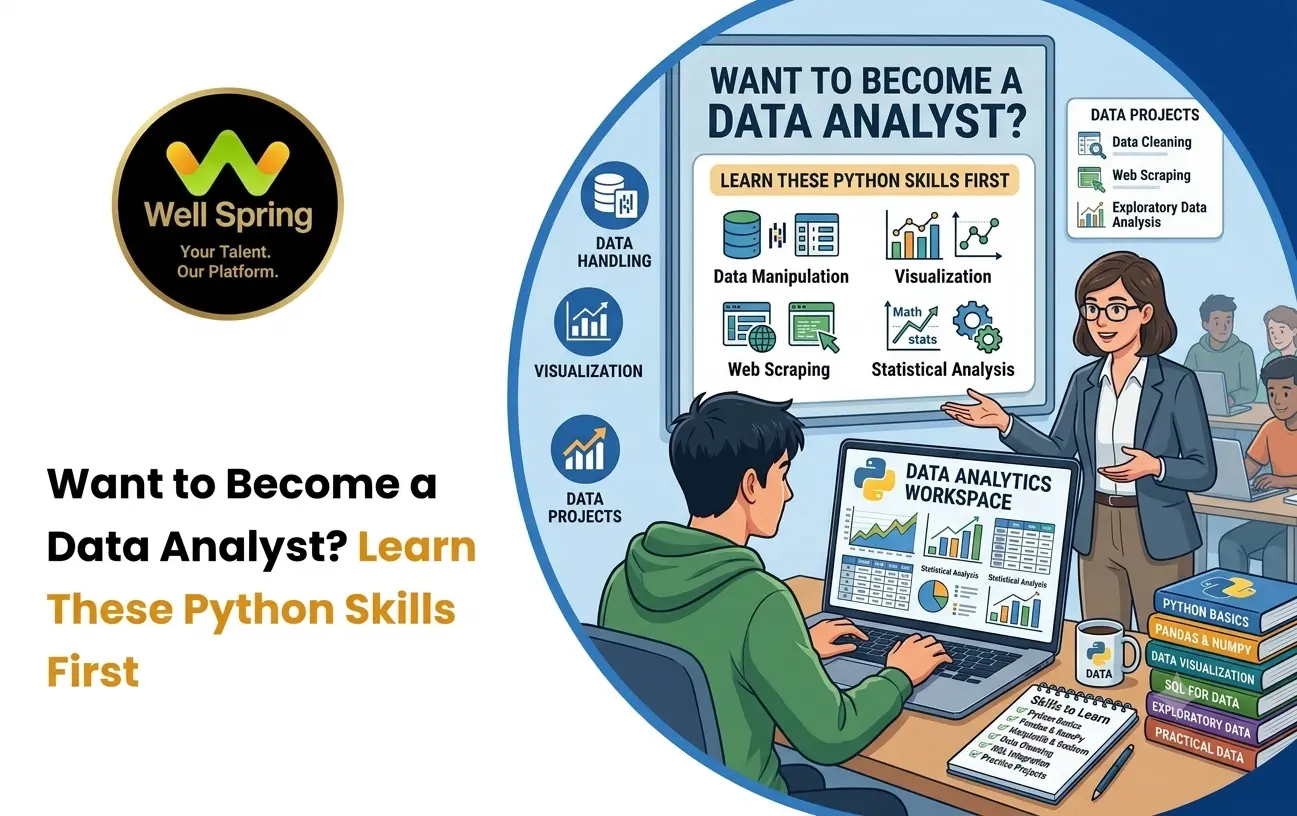

Introduction
Data analysts work with large amounts of information to identify patterns, answer business questions, and support better decisions. While spreadsheets and SQL remain important tools, Python has become a valuable skill for analysts who need to clean, transform, explore, and visualize data more efficiently.
However, beginners do not need to learn every part of Python before starting data analysis.
The important thing is to learn the right Python skills in the right order.
Understanding variables, lists, dictionaries, loops, functions, and basic problem-solving gives you the foundation needed to work with libraries such as Pandas and NumPy. From there, you can learn how to clean datasets, analyze trends, create visualizations, and build practical projects.
This guide explains what you should learn first if your goal is to use Python for data analysis.
Quick Answer: What Python Skills Do Data Analysts Need?
Python for data analysis mainly requires a strong understanding of Python fundamentals followed by data-focused libraries and practical techniques. Beginners should learn variables, data types, lists, dictionaries, conditional statements, loops, functions, file handling, NumPy, Pandas, data cleaning, data visualization, and basic statistical thinking. These skills can then be applied through real datasets and projects.
What Is Python for Data Analysis?
Python for data analysis refers to using the Python programming language and data-focused libraries to collect, clean, transform, explore, analyze, and visualize data.
Instead of manually performing repetitive operations on thousands of rows, an analyst can write Python code to perform those operations consistently.
For example, imagine a company has a sales dataset containing:
- Customer names.
- Product categories.
- Order dates.
- Quantities.
- Prices.
- Locations.
- Total sales.
A data analyst could use Python to answer questions such as:
- Which products generate the most revenue?
- Which month had the highest sales?
- Which locations contribute the most revenue?
- Are there missing or incorrect values?
- What is the average order value?
- Which products are frequently purchased together?
The goal is not simply to write Python code. The goal is to use Python to turn raw data into useful information.
Why Do Data Analysts Learn Python?
Data analysis often involves repetitive data preparation and large datasets. Python can make many of these tasks easier to organize and reproduce.
1. It Helps Automate Repetitive Work
An analyst may repeatedly perform tasks such as removing unwanted columns, filtering records, calculating totals, or generating summary tables.
Python allows these operations to be written as repeatable instructions.
2. It Works With Large Datasets
Manually examining thousands of rows can become inefficient. Python libraries provide tools for filtering, transforming, grouping, and summarizing structured data.
3. It Supports Data Cleaning
Real-world datasets are rarely perfect. They may contain missing values, duplicates, inconsistent formats, or incorrect data types.
Python can help analysts identify and handle these problems systematically.
4. It Supports Visualization
Python can be used to create charts that help analysts understand trends, distributions, comparisons, and relationships within datasets.
5. It Connects With Other Data Tools
Python can work alongside databases, files, APIs, notebooks, and various data-processing workflows.
For this reason, learning Python can complement skills such as SQL, Excel, statistics, and data visualization.
Python Basics You Should Learn First
Before jumping directly into Pandas or data visualization, beginners should understand the Python fundamentals that make data analysis code easier to read and write.
You do not need to become an advanced software developer first.
You need enough Python knowledge to understand how data is represented, manipulated, processed, and reused.
Variables and Data Types
Variables are one of the first concepts beginners should understand.
A variable allows you to store a value and refer to it later.
For example:
sales = 25000
```

product = "Laptop"
quantity = 15Here, Python stores different types of information:
- sales contains a number.
- product contains text.
- quantity contains another number.
For data analysis, understanding data types is particularly important because datasets commonly contain:
- Integers.
- Decimal numbers.
- Text.
- Boolean values.
- Dates and times.
If you do not understand the type of data you are working with, you may perform the wrong operation on it.
For example, treating a date as ordinary text can make date-based analysis more difficult.
Lists, Tuples, Dictionaries and Sets
Python provides several built-in data structures for storing information.
Understanding them gives beginners a better foundation for working with data.
Lists
Lists store multiple values in an ordered collection.
sales = [1200, 1500, 1800, 2100]Lists are useful for understanding collections of data and basic iteration.
Tuples
Tuples are ordered collections that are generally used when the stored values should not be changed.
location = ("Trichy", "Tamil Nadu")Dictionaries
Dictionaries store information as key-value pairs.
customer = {
"name": "Arun",
"city": "Trichy",
"orders": 8
```

}Dictionaries are especially useful for understanding structured information.
Sets
Sets store unique values.
cities = {"Trichy", "Madurai", "Chennai"}Learning these structures helps beginners understand how information can be organized before moving into specialized data-analysis libraries.
Conditional Statements and Loops
Data analysis frequently involves making decisions based on values.
For example:
if sales > 10000:
print("High sales")
```

else:
print("Low sales")Loops allow Python to repeat operations.
for sale in sales:
print(sale)
Although libraries such as Pandas often allow analysts to perform operations without writing traditional loops, understanding loops is still valuable.
It helps you understand the underlying logic behind repeated operations and makes basic Python scripts easier to write and troubleshoot.
Functions and Reusable Code
A function is a reusable block of code designed to perform a particular task.
For example:
def calculate_average(values):
return sum(values) / len(values)
You can then use the function whenever you need to calculate an average.
For data analysts, functions become useful when the same transformation or calculation needs to be performed repeatedly.
More importantly, learning functions encourages you to organize your code rather than placing every instruction into one long script.
Working With Strings and Dates
Data analysts frequently work with text and dates.
A customer dataset might contain names, locations, product descriptions, email addresses, and other text fields.
You should therefore understand basic string operations such as:
- Converting text to lowercase or uppercase.
- Removing unnecessary spaces.
- Finding specific characters or words.
- Splitting text.
- Replacing values.
- Combining text.
Dates are equally important.
Sales, website traffic, employee records, transactions, and customer activity are often analyzed over time.
You should understand concepts such as:
- Date formats.
- Year, month, and day.
- Date differences.
- Sorting by dates.
- Filtering records by date ranges.
These fundamentals become particularly useful when working with Pandas.
Working With Files and CSV Data
Many beginner data-analysis projects start with a CSV file.
CSV stands for Comma-Separated Values and is commonly used to store tabular information.
For example, a sales file might look conceptually like this:
- Date
- Product
- Quantity
- Revenue
- 2026-01-05
- Laptop
- 2
- 90000
- 2026-01-07
- Mouse
- 10
- 7500
- 2026-01-10
- Keyboard
- 5
- 12500
A beginner should learn how to:
- Open a data file.
- Read its contents.
- Understand columns and rows.
- Identify missing information.
- Save processed data.
- Work with different file paths.
This provides a practical bridge between basic Python programming and actual data-analysis tasks.
NumPy for Data Analysis
NumPy is a Python library designed for numerical computing.
You do not need to master every feature of NumPy before starting your data-analysis journey.
However, understanding its basic concepts can be useful because many data-analysis operations involve numerical data.
You should become familiar with:
- Arrays.
- Numerical operations.
- Array dimensions.
- Indexing.
- Basic mathematical calculations.
- Aggregation operations.
For example, instead of manually calculating values one by one, numerical operations can be applied efficiently across collections of data.
NumPy also provides foundational concepts that appear in the wider Python data ecosystem.
Pandas for Data Analysis
Pandas is one of the most important tools to learn when studying python data analysis.
It provides structures and functions designed for working with tabular data.
A common Pandas structure is the DataFrame, which can be thought of as a table containing rows and columns.
For example:
import pandas as pd
```

data = pd.read_csv("sales.csv")

print(data.head())Once a dataset is loaded, Pandas can help you perform operations such as:
- Selecting columns.
- Filtering rows.
- Sorting records.
- Grouping data.
- Calculating summaries.
- Handling missing values.
- Removing duplicates.
- Combining datasets.
- Creating new columns.
For aspiring analysts, becoming comfortable with Pandas is one of the major steps from basic Python programming toward practical analysis.
Data Cleaning With Python
One of the most important Python skills for data analysis is data cleaning.
Real-world data often contains problems.
For example, a customer dataset might contain:
- Trichy
- trichy
- TRICHY
- Trichy
Although these values may represent the same location, Python could initially treat them as different text values.
Other common problems include:
- Missing values.
- Duplicate records.
- Incorrect data types.
- Inconsistent spelling.
- Extra spaces.
- Invalid dates.
- Unexpected values.
- Incorrect numerical entries.
A data analyst needs to identify these problems before drawing conclusions.
A useful beginner workflow is:
Inspect → Identify → Clean → Validate → Analyze
The important point is that cleaning is not simply about deleting problematic rows. You should first understand why the data is inconsistent and decide how it should be handled.
Exploring and Analyzing Data
Once the dataset is clean, the next step is exploration.
Exploratory data analysis involves asking questions and investigating the available information.
For example, with a sales dataset, you might calculate:
- Total revenue.
- Average order value.
- Number of transactions.
- Highest-selling product.
- Lowest-selling product.
- Sales by location.
- Sales by month.
- Quantity sold by category.
Pandas provides operations such as filtering, grouping, aggregation, and sorting that make these tasks easier.
The important skill here is not memorizing commands.
It is learning to translate a business question into a data question.
For example:
Business question: Which products perform well?
Data questions:
- What metric defines performance?
- Should performance be measured by revenue or quantity?
- What time period should be considered?
- Should products be compared across locations?
- Are there unusual values affecting the result?
This thinking separates data analysis from simply manipulating tables.
Data Visualization With Python
Numbers are useful, but visualizations can make patterns easier to recognize.
Python supports several visualization libraries and approaches.
Common chart types include:
Bar Charts
Useful for comparing categories.
For example, you could compare revenue across product categories.
Line Charts
Useful for showing changes over time.
For example, monthly sales can be plotted to identify trends.
Histograms
Useful for understanding the distribution of numerical values.
Scatter Plots
Useful for exploring relationships between two numerical variables.
Box Plots
Useful for examining distributions and identifying potential outliers.
A good analyst should not choose a chart simply because it looks attractive.
The visualization should match the question being asked.
Basic Statistics for Python Data Analysis
Python skills are important, but data analysts also need statistical thinking.
You should understand fundamental concepts such as:
- Mean.
- Median.
- Mode.
- Range.
- Percentages.
- Distribution.
- Variance.
- Standard deviation.
- Correlation.
- Outliers.
For example, suppose two stores have the same average monthly sales.
That does not necessarily mean their sales patterns are identical.
One store may have consistent sales every month, while another may have several very high months and several very low months.
Understanding basic statistics helps analysts avoid drawing conclusions from a single number.
What Python Skills Should a Beginner Learn in Order?
A practical learning sequence can look like this:
Stage
Skills to Learn
- 1
Python syntax and variables - 2
Data types and operators - 3
Lists, tuples, dictionaries and sets - 4
Conditions and loops - 5
Functions - 6
Strings and dates - 7
File handling and CSV files - 8
NumPy fundamentals - 9
Pandas - 10
Data cleaning - 11
Exploratory data analysis - 12
Data visualization - 13
Basic statistics - 14
Real-world projects
This progression prevents beginners from jumping directly into advanced libraries without understanding the programming concepts underneath them.
Practical Python Projects for Aspiring Data Analysts
Projects are where your knowledge starts becoming practical.
Instead of only following tutorials, beginners can build small projects around realistic datasets.
1. Student Performance Analysis
Use student information to analyze:
- Average marks.
- Subject performance.
- Attendance patterns.
- Grade distribution.
- Performance differences between groups.
2. Sales Data Analysis
Analyze a sales dataset to identify:
- Best-selling products.
- Monthly revenue.
- Regional performance.
- Average order value.
- Product categories.
3. Customer Data Analysis
Explore customer information to understand:
- Customer locations.
- Purchase frequency.
- Average spending.
- Customer segments.
4. Expense Analysis
Create a personal expense dataset and analyze:
- Spending categories.
- Monthly expenses.
- Highest spending areas.
- Changes in spending patterns.
5. Website Traffic Analysis
Use website traffic data to investigate:
- Visitors by date.
- Traffic sources.
- Popular pages.
- Conversion-related metrics.
The purpose of these projects is not to create complicated software.
The goal is to demonstrate that you can take raw data, investigate it, find meaningful patterns, and communicate what you discovered.
How to Make a Python Data Analysis Project Portfolio-Worthy
A project becomes more useful for your portfolio when you document the reasoning behind it.
Instead of presenting only a screenshot of a chart, explain:
1. The Problem
What question were you trying to answer?
2. The Dataset
Where did the data come from, and what does it contain?
3. The Cleaning Process
What problems did you identify and how did you handle them?
4. The Analysis
What calculations, filters, and comparisons did you perform?
5. The Visualization
Why did you select particular charts?
6. The Findings
What patterns did you discover?
7. The Limitations
What could the dataset or analysis fail to explain?
This makes the project demonstrate analytical thinking rather than simply showing Python syntax.
Common Mistakes Beginners Make When Learning Python for Data Analysts
Learning Python Without Applying It
Watching tutorials for weeks without working with actual datasets can create a gap between understanding concepts and applying them.
Jumping Directly Into Pandas
Pandas is powerful, but beginners who skip Python fundamentals can struggle to understand what their code is doing.
Memorizing Code Instead of Understanding It
Copying commands from tutorials does not necessarily develop problem-solving ability.
Try changing the dataset, modifying the question, and testing what happens.
Ignoring Data Cleaning
Beginners sometimes focus on charts and calculations while treating data preparation as an unimportant step.
In practice, understanding the quality and structure of the dataset is essential before interpreting results.
Creating Charts Without a Question
A chart should communicate something useful.
Creating many visualizations without knowing what you want to discover can make an analysis harder to understand.
Building Only Tutorial Projects
Tutorial projects can help you learn, but independent projects demonstrate whether you can apply the same concepts without step-by-step instructions.
A Practical Learning Roadmap for Python Data Analysis
If you are starting from zero, you can organize your learning into stages.
Stage 1: Learn Python Fundamentals
Start with:
- Variables.
- Data types.
- Operators.
- Conditions.
- Loops.
- Functions.
- Data structures.
Your goal should be to write small programs independently.
Stage 2: Start Working With Data
Learn:
- CSV files.
- Basic file handling.
- Strings.
- Dates.
- Basic numerical operations.
Start asking questions about real datasets.
Stage 3: Learn NumPy and Pandas
Focus on understanding how data is represented and manipulated.
Practice:
- Loading datasets.
- Selecting columns.
- Filtering rows.
- Sorting data.
- Grouping information.
- Aggregating values.
Stage 4: Learn Data Cleaning
Practice identifying:
- Missing values.
- Duplicate records.
- Inconsistent text.
- Incorrect data types.
- Unusual values.
Stage 5: Learn Visualization
Create charts that answer specific questions.
Practice selecting appropriate visualizations rather than simply learning how to create every available chart type.
Stage 6: Apply Basic Statistics
Learn how to summarize and interpret numerical information.
Stage 7: Build Independent Projects
Choose datasets related to topics you understand or find interesting.
Start with a question and work backward toward the analysis.
Stage 8: Document Your Work
Keep your code organized and explain the problem, process, findings, and limitations.
This gives you material that can later become part of a data-analysis portfolio.
How Well Spring Talent Solutions Can Fit Into Your Learning Journey
For students exploring data-related careers, Well Spring Talent Solutions can be relevant as part of a practical learning approach where programming fundamentals are connected with projects and career preparation.
The key idea is to avoid treating Python as a subject that ends after learning syntax.
Instead, use Python to progressively work with data, solve problems, analyze information, and build projects that demonstrate what you can actually do.
What Else Should You Learn Alongside Python?
Python is only one part of becoming a data analyst.
A broader skill set can include:
SQL
SQL is important for retrieving and filtering information stored in relational databases.
Excel
Excel remains useful for spreadsheet-based analysis, reporting, calculations, and quick exploration.
Statistics
Statistical knowledge helps you interpret data rather than simply calculate numbers.
Data Visualization
You should understand how to communicate findings clearly through charts and dashboards.
Business Understanding
An analyst needs to understand what the organization is trying to achieve and which metrics actually matter.
Communication
A technically correct analysis has limited value if the findings cannot be explained clearly to other people.
The long-term goal is therefore not simply to become someone who knows Python.
It is to become someone who can use data to answer meaningful questions.
How to Know When You Are Ready for Data Analysis Projects
You do not need to know every Python feature before starting.
You are ready to begin beginner-level data-analysis projects when you can:
- Write basic Python programs without copying every line.
- Work comfortably with common Python data structures.
- Use conditions and loops.
- Create and use simple functions.
- Read basic files such as CSV datasets.
- Understand basic numerical and text operations.
- Load a dataset using Pandas.
- Select and filter data.
- Perform basic calculations and aggregations.
- Identify simple data-quality problems.
- Create basic visualizations.
- Explain what your analysis shows.
You can then learn more advanced techniques as your projects become more challenging.
Key Takeaways
Python for data analysis is not about learning every part of Python. It is about learning enough Python to work confidently with data and then developing the analytical skills needed to interpret it.
- Start with Python fundamentals before moving into specialized data libraries.
- Learn data structures because they help you understand how information is organized.
- Learn functions so your code becomes reusable and easier to manage.
- Become comfortable working with CSV files and structured datasets.
- Learn NumPy for numerical computing fundamentals.
- Give special attention to Pandas because it is central to many Python-based data workflows.
- Treat data cleaning as an essential part of analysis rather than an optional step.
- Learn visualization by connecting charts to analytical questions.
- Develop basic statistical knowledge alongside programming.
- Build independent projects to turn concepts into practical experience.
- Learn SQL, spreadsheets, visualization, and communication alongside Python.
- Focus on explaining your findings, not just writing code.
Conclusion
Learning python for data analysis is best approached as a progression rather than a race to learn as many libraries as possible.
Start with Python fundamentals. Then learn how to work with files and structured data before moving into NumPy, Pandas, data cleaning, visualization, and statistics. Most importantly, apply every stage through practical datasets and projects.
The real milestone is not being able to say, “I know Python.” It is being able to take a dataset, ask a useful question, analyze the information, explain what you found, and communicate the result clearly.
That is the foundation on which a strong data-analysis skill set can be built.



