Blog Details
Home Blog Details

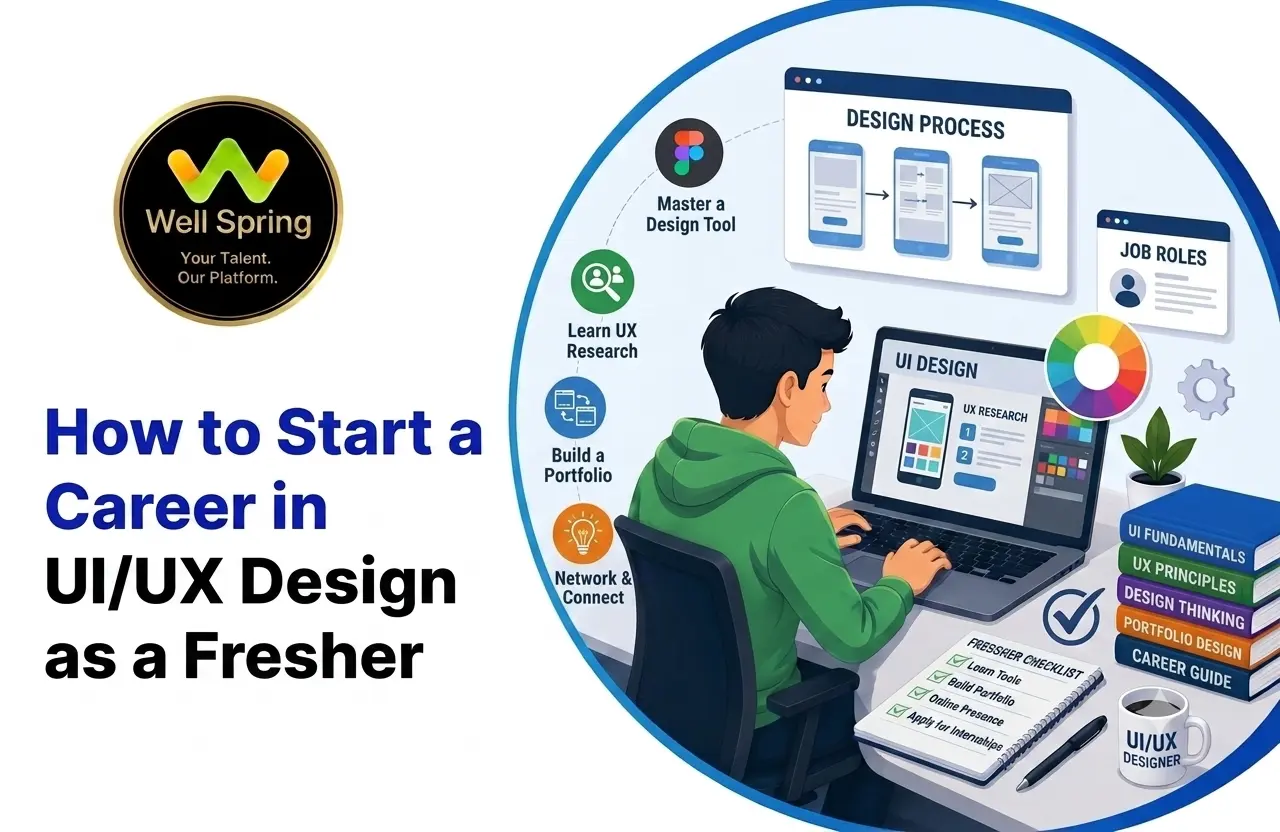
Starting a UI/UX career as a fresher requires more than learning Figma or creating attractive screens. You need to understand users, solve design problems, create intuitive interfaces, test your ideas, communicate design decisions, and demonstrate your process through practical projects.
This guide explains how to become a UI/UX designer, which UI UX skills for freshers to develop, how to choose projects, create strong case studies, build a portfolio, gain practical exposure, and prepare for your first UI UX jobs for freshers.
To start a UI/UX design career as a fresher, learn UX and UI fundamentals, become proficient with a professional design tool such as Figma, practise solving realistic user problems, create 2–3 strong case studies, build a portfolio, gain practical experience through projects or internships, and prepare to explain your design decisions during interviews.
A practical career path is:
Understand UX → Learn UI Fundamentals → Learn Figma → Solve Problems → Build Projects → Test Designs → Create Case Studies → Build a Portfolio → Gain Practical Experience → Apply for Roles
The goal is not simply to collect certificates or create attractive screens. You need to build evidence that demonstrates how you think, solve problems, make design decisions, and improve your work based on feedback.
You don't need a design job to start building a design career.
For many freshers, the first step begins with learning a tool such as Figma. Soon after, they discover that professional UI/UX design involves much more than arranging buttons, colours, images, and typography on a screen.
A designer may need to understand why users struggle with a product, determine what information they need, map their journey, create possible solutions, test those solutions, and communicate why one approach is better than another.
That's why two candidates can know the same design software but have very different levels of job readiness.
One may know how to create polished screens.
The other can explain:
Who the user is → What problem they have → Why the design solves it → How it was tested → What changed after feedback.
The second candidate has something more valuable: design reasoning backed by evidence.
For freshers, that difference can shape the quality of their portfolio, interviews, and early career opportunities.
Every digital product has an experience.
A website needs to help people find information.
An e-commerce platform needs to make purchasing understandable.
A banking application needs to make important actions clear.
An education platform needs to help learners navigate content.
A poorly designed experience can create confusion, errors, frustration, or abandonment.
UI/UX professionals work on these problems from different perspectives.
For someone starting out, the field can therefore offer several directions, including:
However, entering the field requires more than knowing design terminology or design software.
The important question is:
Can you demonstrate that you can understand a user problem and design a thoughtful solution?
That evidence can come from projects, case studies, practical training, internships, and a well-structured portfolio.
UI and UX are closely related, but they focus on different aspects of a digital experience.
User Experience (UX) design focuses on how people interact with a product and whether the experience helps them accomplish their goals effectively.
UX work can involve:
UX designers think about the problems users experience and how the product can make those experiences clearer and easier.
User Interface (UI) design focuses more heavily on how the interface looks and behaves.
It includes areas such as:
A good UI should not only look attractive. It should also help users understand what they can do and where they are within the experience.
In many companies, the same designer may work across both areas.
That's why job titles can include:
Responsibilities vary from organisation to organisation.
A practical UI/UX career path does not require you to master everything at once. Build your skills progressively and use projects to turn what you learn into practical evidence.
Learn:
These principles help you create interfaces that communicate clearly.
Understand:
These concepts help you move from simply creating screens to solving user problems.
Start with a tool such as Figma.
Learn how to create:
You don't need to learn every design tool available.
Focus on understanding one primary tool deeply before expanding your toolkit.
Redesign existing experiences for practice or create original concepts based on realistic user problems.
Don't focus only on making the interface visually attractive.
Ask:
Move beyond isolated screens.
Create projects that demonstrate a complete design process, from understanding the problem to developing and improving a solution.
Turn your strongest projects into case studies.
Show the important steps behind the final design rather than displaying only polished screens.
Create your portfolio, resume, LinkedIn profile, and interview preparation around the skills you can actually demonstrate.
The goal is to move from:
Learning → Practising → Building → Demonstrating → Applying
A strong fresher does not need to master every specialised design skill.
Start by developing a balanced foundation across UX, UI, product thinking, and professional communication.
Important UX skills include:
Develop knowledge of:
A designer should also understand:
Good design often involves balancing what users need with technical and business requirements.
Develop:
These skills work together.
A designer might create a beautiful screen but still fail to solve the user's actual problem.
Don't try to learn every design tool at the beginning.
Start with one primary tool and understand it deeply.
Figma is a useful starting point for learning:
Then explore additional tools based on the roles you're targeting.
Depending on the organisation, designers may use tools for:
The important distinction is:
Tool proficiency ≠ design proficiency.
A design tool helps you express a solution.
It doesn't decide whether the solution is good.
Don't begin with:
“What is the most impressive app I can design?”
Begin with:
“What user problem can I investigate?”
For example, college students may find it difficult to discover and register for campus events.
Instead of immediately designing the interface, investigate the problem first.
Ask:
Then follow a structured process:
Research → User Flow → Wireframe → UI → Prototype → Test → Improve
This produces a stronger project than simply creating a collection of attractive screens.
Choose projects that allow you to demonstrate different skills.
Don't build all of them.
Choose projects strategically.
For example:
Project 1: Demonstrate research and UX thinking.
Project 2: Demonstrate UI systems and responsive design.
Project 3: Demonstrate complex interaction or product thinking.
This gives your portfolio range without filling it with repetitive projects.
A portfolio case study should answer one central question:
What problem did you solve, and how did you arrive at the solution?
A strong case study can include the following:
What did you design?
What user problem were you addressing?
What did you want to improve?
What did you learn about the users and their needs?
Who are you designing for?
How does the user move through the experience?
How did you structure the solution?
Why did you choose particular layouts, interactions, or components?
How does the experience work?
What feedback did you receive?
What did you change based on feedback?
What does the final experience look like?
What would you improve next time?
Before considering a project portfolio-ready, check six elements:
Can you clearly define the user problem?
Can you explain how you approached it?
Can you justify important design choices?
Did you test or evaluate the solution?
Did feedback influence the design?
Can another person understand the project without you explaining every detail?
Think of it as:
Problem → Process → Decisions → Validation → Iteration → Communication
This framework helps you decide whether your project demonstrates real design thinking rather than only visual execution.
Food Delivery App
Designed a modern food delivery app in Figma with home, restaurant and checkout screens.
This focuses almost entirely on the final output.
Food Discovery and Ordering Experience
Explored how users discover restaurants, compare options, and complete an order. Mapped the ordering journey, identified opportunities to reduce unnecessary steps, created low-fidelity wireframes, developed a reusable component system, built an interactive prototype, and refined the experience after usability feedback.
The second description demonstrates:
That's the type of evidence a fresher should aim to build.
There is no magic number of portfolio projects.
For many beginners, 2–3 strong case studies can provide a useful foundation if each project demonstrates a different capability.
| Project | Main Skill Demonstrated |
|---|---|
| Education platform | UX research and user flows |
| Finance dashboard | UI systems and data presentation |
| E-commerce experience | Complex interaction and responsive design |
Three well-developed projects can be more useful than ten repetitive screen-design exercises.
The goal should be depth, variety, and evidence, rather than simply increasing the number of projects.
Your portfolio should make your work easy to evaluate.
Clearly introduce who you are and the role you're targeting.
Briefly explain your background and design interests.
Show your strongest case studies.
List the relevant design capabilities you can demonstrate.
Provide your current career information.
Give recruiters a simple way to reach you.
Include relevant:
Don't only say what you changed.
Explain why you made the change.
Real design rarely happens without limitations.
Mention relevant constraints such as:
Show how feedback changed the design.
Your portfolio itself is a design experience.
If navigation is confusing, it can undermine the presentation of your work.
A recruiter should be able to quickly understand:
Who you are → What role you want → What you've designed → How you think → How to contact you
Digital products rarely exist on only one screen size.
Freshers should understand how layouts behave across:
Think about:
You don't need to become a frontend developer to understand responsive design.
However, you should understand how your designs behave across different devices.
Accessibility should be considered from the beginning of the design process.
Build awareness of:
Designing for different users can improve the overall quality and usability of a product.
A UI UX Designer Career can develop in different directions depending on your interests and strengths.
Focuses heavily on visual interfaces, layouts, components, and design systems.
Focuses more strongly on user needs, research, flows, usability, and problem-solving.
Often combines UI, UX, interaction design, product thinking, and problem-solving.
Focuses on how people interact with digital products and interfaces.
Focuses primarily on understanding users through research and insights.
Focuses on reusable components, patterns, consistency, and scalable interface systems.
Job titles and responsibilities vary between organisations.
Always review the actual job description rather than relying only on the job title.
Getting your first UI/UX role requires more than learning design software.
Prepare 2–3 strong case studies that demonstrate how you solve design problems.
Understand:
Practise design challenges and explain your reasoning rather than focusing only on the final visual result.
Be able to explain your work clearly to:
Practise answering questions about:
Before putting a project in your portfolio, ask yourself:
If you can't answer these questions, the project may not yet be ready for an interview.
A good case study should make your thinking visible.
One of the biggest differences between learning design concepts and working on practical projects is context.
Realistic projects can introduce:
For someone pursuing a UI/UX career as a fresher, practical exposure can help connect classroom or self-learning with real-world design situations.
Well Spring Talent Solutions provides training and internship opportunities focused on practical learning, project exposure, mentor guidance, portfolio development, and career preparation.
When students work on projects, they can use relevant experience as portfolio evidence while respecting confidentiality and avoiding the publication of proprietary information.
A certificate shows that you completed learning.
A project can demonstrate that you applied what you learned.
A stronger progression is:
Learn → Practise → Build → Receive Feedback → Improve → Document → Present → Discuss in an Interview
The objective should not simply be to complete a course.
It should be to develop skills that you can demonstrate and explain.
Problem: You become comfortable operating software without developing design reasoning.
Better approach: Learn the principles behind the tool.
Problem: Recruiters cannot see how you think.
Better approach: Show relevant research, wireframes, decisions, testing, and iterations.
Problem: Recreating an existing app can demonstrate tool practice but may not demonstrate original problem-solving.
Better approach: Use redesigns for learning, but clearly identify practice work and explain what you changed and why.
Problem: Repetitive projects provide limited evidence of range.
Better approach: Choose projects that demonstrate different skills.
Problem: A visually attractive interface can still be difficult to use.
Better approach: Start with the user problem before designing the interface.
Problem: You may miss usability problems that another person immediately notices.
Better approach: Test prototypes and use feedback to improve them.
Problem: Important users may be excluded.
Better approach: Consider accessibility throughout the design process.
Problem: A confusing portfolio can undermine your presentation.
Better approach: Keep the journey simple:
Projects → Case Study → Resume → Contact
Don't start with colours.
Start with the problem you're trying to solve.
Tools change.
Design principles remain useful.
Focus on depth and variety.
Explain important decisions.
Don't assume your first solution is correct.
Design improves through feedback.
Analyse why interfaces work—or don't work.
Learn enough about implementation to communicate effectively with developers.
Replace weaker portfolio work as your skills develop.
Never claim research, testing, client work, or professional experience that didn't happen.
| Area | UI Design | UX Design | Product Design |
|---|---|---|---|
| Visual Design | High | Medium | High |
| User Research | Lower | High | High |
| Wireframing | High | High | High |
| Prototyping | High | High | High |
| Interaction Design | High | High | High |
| Business Context | Medium | Medium | High |
| Product Strategy | Lower | Medium | High |
| Design Systems | High | Medium | High |
These boundaries are not universal.
A company may expect one designer to handle responsibilities across multiple areas.
Always review the actual job description.
A student knows Figma but has never worked with a company.
Instead of waiting for professional experience, they can create a realistic product case study.
The process could be:
Research → User Flow → Wireframe → UI → Prototype → Testing → Iteration
The finished case study can demonstrate their design process and problem-solving ability.
The student can then use the project as part of their portfolio while being transparent that it is a self-initiated project.
A candidate has completed several design courses but has little practical work.
The priority should not necessarily be another certificate.
A stronger progression is:
Course Knowledge → Project → Case Study → Portfolio
The candidate needs evidence that they can apply what they learned.
The same principle applies to career changers.
Transferable skills such as communication, research, analysis, and problem-solving can be connected to UI/UX work through relevant projects.
Focus on:
Complete small exercises.
Create:
Develop prototypes and seek feedback.
Create:
Then begin applying for relevant entry-level roles and internships.
The roadmap is flexible.
Your actual timeline will depend on your starting skill level, learning pace, available practice time, and project quality.
Starting a UI UX Designer Career as a fresher doesn't require you to know everything before you begin.
What matters is building your skills progressively and creating evidence that you can apply what you learn.
Learn the fundamentals.
Understand users, design principles, accessibility, and interaction.
Learn the tools.
Become comfortable creating interfaces, components, and prototypes.
Build.
Work on realistic problems instead of creating only isolated screens.
Test and improve.
Use feedback to challenge and refine your first solution.
Document.
Turn your strongest projects into case studies that explain your reasoning.
Showcase.
Build a portfolio and resume around your actual capabilities.
Prepare.
Practise explaining your decisions and solving design problems.
For students and aspiring designers, practical projects, internships, mentoring, and portfolio development can help bridge the gap between learning concepts and applying them in realistic situations.
The most useful mindset is:
Don't try to look like an experienced designer. Build evidence that you're becoming one.
A strong UI/UX career for freshers can begin with a single well-researched problem, a thoughtful solution, and a case study that clearly shows how you arrived there.
Explore practical UI/UX training and internship opportunities with Well Spring Talent Solutions to develop relevant skills, work on projects, strengthen your portfolio, and prepare for your next career step in the IT industry.

21 Oct 2026
21 Oct 2026

20 Oct 2026

20 Oct 2026

19 Oct 2026
Yes. Freshers can enter UI/UX through education, self-learning, structured training, practical projects, internships, and portfolio development. The key is demonstrating relevant ability rather than relying only on qualifications.
Learn UX and UI fundamentals, practise with a professional design tool such as Figma, build realistic projects, document your process through case studies, create a portfolio, gain practical exposure, and prepare for interviews.
It can be suitable for people who enjoy problem-solving, visual communication, user-centred thinking, research, and iterative design.
Requirements vary by employer. A design-related degree can be useful, but practical skills, portfolio quality, relevant experience, and the ability to explain design decisions can also be important.
No. Figma is an important tool, but UI/UX roles also require design fundamentals, UX thinking, problem-solving, communication, and practical evidence.
Important skills include user research fundamentals, wireframing, user flows, prototyping, visual hierarchy, typography, colour, responsive design, accessibility awareness, communication, and design critique.
There is no universal number. For many beginners, 2–3 strong case studies demonstrating different capabilities can provide a useful portfolio foundation.
Include selected case studies that explain the problem, users, research, user flow, wireframes, design decisions, final interface, prototype, testing, iterations, and learning.
Redesign projects can be useful for practice, particularly when they demonstrate thoughtful analysis. Clearly identify them as redesign or practice work and explain what you changed and why.
Yes. Coding isn't required for every UI/UX role. However, understanding basic web concepts and development constraints can make collaboration with developers easier.
UX focuses on the broader user experience, including user needs, research, flows, usability, and problem-solving. UI focuses more on the visual and interactive interface.
They can be valuable because they provide exposure to requirements, feedback, collaboration, deadlines, and practical design constraints. However, the value depends on the quality and relevance of the work involved.
We provide IT training, internships, and online learning for students in Trichy and across India.
We also welcome enquiries from students in these neighbourhoods, towns, and surrounding locations.
Can't attend classes in person? Explore online IT training opportunities with Well Spring Talent Solutions, designed to help learners develop practical technology skills from different locations across India.
Get internship updates, IT training news, placement opportunities, and career tips directly to your inbox.
Join our WhatsApp community for internship updates, IT courses, placement support, and latest job opportunities.
Join Now