Blog Details
Home Blog Details

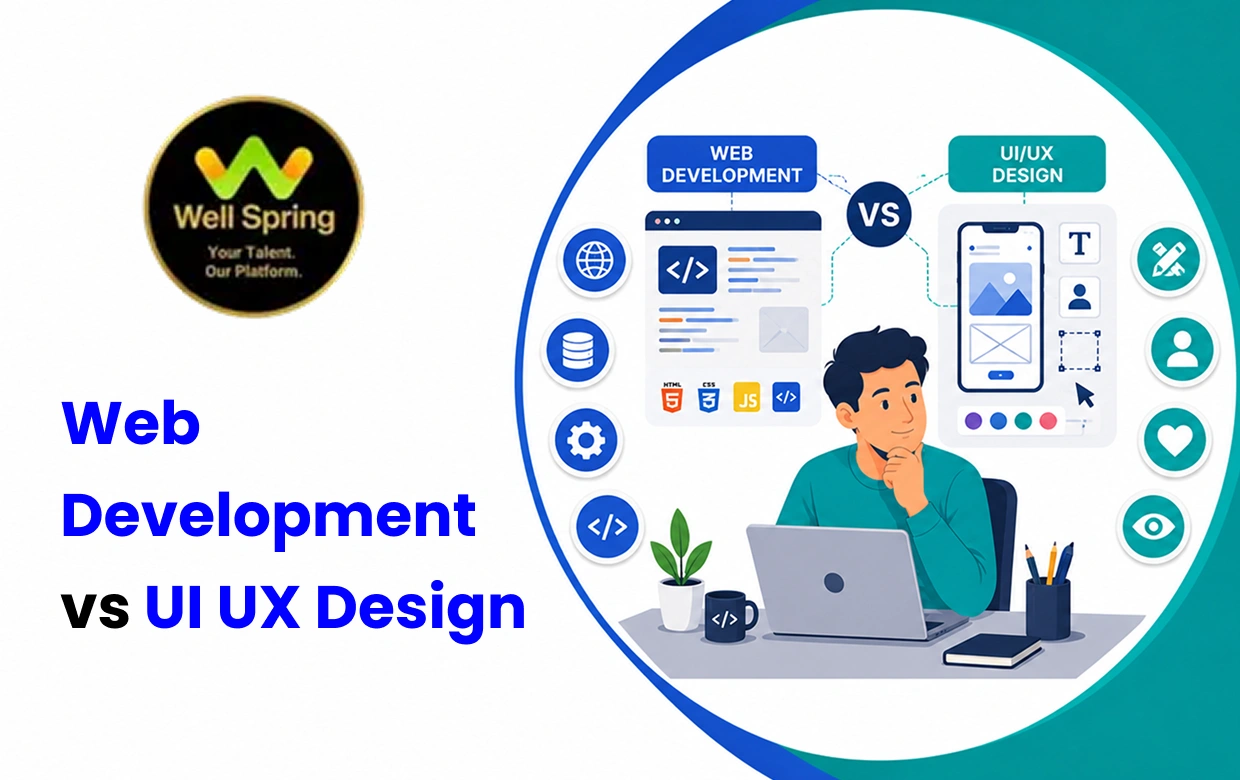
Choosing between Web Development and UI UX Design can be confusing because both careers are involved in creating digital products, but they approach the product from very different directions. Web Development focuses on building the functional side of websites and web applications through code, while UI UX Design focuses on how a digital product looks, feels and works from the user's perspective. A developer may ask whether a feature can be built efficiently and reliably, while a UI UX Designer may ask whether users can understand and use that feature easily. Both fields require creativity and problem-solving, but the type of thinking, tools, projects and career paths involved are different. This guide compares Web Development and UI UX Design across skills, career scope, salary factors, learning paths, portfolios, AI, job roles and course selection to help students and beginners choose a path that genuinely fits them.
If you enjoy coding, logic, technology, debugging and building functional websites or applications, Web Development may suit you better.
If you enjoy visual design, user behaviour, layouts, research, creativity and improving digital experiences, UI UX Design may be a better fit.
A simple way to remember the difference is:
Web Development → builds how the product works.
UI UX Design → plans how the product looks, feels and works for the user.
Neither is automatically better.
The right choice depends on whether you are more interested in building the technology or designing the experience around it.
Web Development is the process of creating and maintaining websites and web applications.
Depending on the role, a developer may work on:
Website structure
Front-end interfaces
Back-end systems
Databases
APIs
Authentication
Website performance
Security
Integrations
Testing and debugging
Web Development is commonly divided into different areas.
Front-end developers build the parts users interact with directly.
They commonly work with technologies such as:
Back-end developers work behind the interface.
Their responsibilities may include:
Server-side logic
Databases
APIs
Authentication
Application architecture
Full-stack developers work across both front-end and back-end areas.
This can provide broader technical exposure, although becoming proficient across the entire stack requires significant learning and practice.
UI UX Design is concerned with creating digital products that are useful, understandable and pleasant to use.
Although UI and UX are closely connected, they are not exactly the same.
UX, or User Experience, focuses on the user's overall interaction with a product.
It can involve:
User research
User journeys
Information architecture
Wireframes
Usability
User flows
Testing
Problem identification
UI, or User Interface Design, focuses more on the visual and interactive layer.
It can involve:
Layouts
Typography
Colour
Buttons
Components
Spacing
Visual hierarchy
Responsive interfaces
A UI UX Designer therefore thinks beyond individual screens.
The goal is to make the product easy to understand, efficient to use and visually consistent.
The two disciplines are closely connected, but their responsibilities usually begin at different points.
Imagine a company wants to create an online shopping website.
A UI UX Designer may determine:
How customers find products
How categories are organised
Where search should appear
How the checkout process should work
What each screen should look like
How the interface responds to different actions
The Web Developer then turns the approved design and requirements into a functioning website.
That involves:
Writing code
Connecting systems
Building functionality
Handling data
Making the site responsive
Testing and fixing technical problems
In a professional project, they are not competing roles.
They are often two parts of the same product-development process.
| Factor | Web Development | UI UX Design |
|---|---|---|
| Primary focus | Functionality and technology | User experience and interface |
| Core question | How can we build it? | How should it work for the user? |
| Coding | Central to many roles | Usually limited or not required |
| Visual design | Useful but not always central | Very important |
| User research | Usually limited | Important in UX |
| Problem-solving | Technical | User and design focused |
| Creativity | Technical and solution-oriented | Visual and experience-oriented |
| Tools | Code editors, frameworks, development tools | Design, prototyping and research tools |
| Testing | Functional and technical testing | Usability and experience testing |
| Portfolio | Websites and applications | Interfaces, case studies and prototypes |
| Freelancing | Websites, web applications and maintenance | UI design, UX projects and prototypes |
| Career breadth | Broad technical ecosystem | More specialised design ecosystem |
| AI impact | Coding assistance and automation | Research, ideation and design assistance |
Web Development requires technical thinking, attention to detail and patience.
These provide the basic structure and presentation of web pages.
JavaScript adds behaviour and interaction to websites and is an important part of modern front-end development.
Websites need to work across different screen sizes, including desktops, tablets and mobile devices.
Developers often need to manage code changes and collaborate with other developers.
Depending on the role, understanding how applications communicate with servers, databases and external services becomes important.
A developer needs to identify why something is not working and find a practical solution.
Coding is not simply writing commands. Much of development involves breaking a problem into smaller pieces and finding an efficient solution.
The BLS identifies problem-solving, creativity, communication and attention to detail as important qualities for web developers and digital designers.
UI UX requires a combination of design thinking, user understanding and visual communication.
UX Designers may study user needs, behaviours, problems and expectations.
A designer needs to understand how a user moves from one action to another.
Wireframes help establish structure before detailed visual design begins.
Interactive prototypes allow designers and teams to test how an interface might work before development.
UI work requires knowledge of:
Typography
Colour
Spacing
Layout
Hierarchy
Components
Designers need to identify where users struggle and improve the experience accordingly.
UI UX Designers regularly explain design decisions to developers, clients, product managers and other stakeholders.
A good designer therefore needs more than an attractive visual style.
They need to understand why a particular design makes the product easier to use.
The Web Development vs UI UX Scope comparison depends largely on how broad a professional wants their career to become.
Web Developers can work on:
Business websites
E-commerce platforms
Web applications
SaaS products
Education platforms
Banking interfaces
Booking systems
Content platforms
Internal business applications
Career directions can include:
Front-End Developer
Back-End Developer
Full-Stack Developer
WordPress Developer
Web Application Developer
Software Developer
Technical Lead
UI UX professionals can work on:
Websites
Mobile applications
SaaS platforms
E-commerce products
Banking applications
Healthcare platforms
Education products
Enterprise software
Digital services
Career directions can include:
UI Designer
UX Designer
Product Designer
UX Researcher
Interaction Designer
UX/UI Designer
Design Lead
Web Development generally offers a broader technical pathway, while UI UX offers a specialised product and design pathway.
A beginner in Web Development may start with a role such as:
Junior Web Developer → Front-End Developer → Full-Stack Developer → Senior Developer → Technical Lead
Another route could be:
Web Developer → Specialisation → Senior Specialist → Technical Leadership
The exact path depends on the technologies and industry involved.
A UI UX career may follow a path such as:
Junior UI/UX Designer → UI UX Designer → Product Designer → Senior Product Designer → Design Lead
Experienced professionals may eventually move into:
Design management
Product strategy
UX research leadership
Creative direction
Product leadership
Neither path has only one destination.
Your specialisation, portfolio and experience can influence where the career develops.
Salary comparisons should be handled carefully because UI UX Design is not represented by one universal occupational category, and compensation varies by country, role and experience.
The U.S. Bureau of Labor Statistics groups web developers and digital designers within the same occupational family but separately reports web developers and web and digital interface designers.
In May 2024:
Web developers: median annual wage of $90,930
Web and digital interface designers: median annual wage of $98,090
Web developers and digital designers combined: median annual wage of $95,380
These figures are from the United States, not Indian salary data.
They also should not be interpreted as a guarantee that UI UX Designers will always earn more than Web Developers.
Salary depends on:
Experience
Location
Technical depth
Design specialisation
Company
Industry
Portfolio
Role responsibilities
Leadership experience
The BLS projects 8% growth for web developers and 7% for web and digital interface designers from 2024 to 2034, with about 14,500 openings per year across the combined web developers and digital designers category.
So when evaluating UI UX vs Web Development Salary, focus on the career level and specialisation rather than a single average number.
Neither career is automatically easy.
They are difficult in different ways.
You need to understand programming logic
Small errors can break functionality
Technical concepts build on one another
Debugging can take time
Technologies change regularly
Design decisions are subjective
You need to understand user behaviour
Good visual design requires practice
Usability problems are not always obvious
You need to explain and defend design decisions
For a beginner, the better question is:
Which type of difficulty am I more willing to work through?
If you enjoy solving technical problems, Web Development may feel rewarding.
If you enjoy understanding people and improving experiences, UI UX may feel more natural.
Start with your natural interests.
You enjoy computers and technology
You like logical problem-solving
You are interested in coding
You enjoy building things
You like figuring out why something is not working
You are comfortable learning technical concepts
You enjoy visual design
You notice when websites are difficult to use
You are interested in user behaviour
You like organising information
You enjoy layouts and interfaces
You like solving problems from the user's perspective
You do not need to be an expert at the beginning.
The purpose of choosing a field is to find the direction in which you are willing to keep practising and improving.
There is no fixed number of months that guarantees professional readiness.
Your learning time depends on:
Starting knowledge
Hours of practice
Course structure
Project complexity
Mentor feedback
Consistency
A beginner might progress through:
Web Fundamentals → HTML/CSS → JavaScript → Front-End → Back-End Basics → Projects → Specialisation
A beginner might progress through:
Design Fundamentals → UX Principles → User Flows → Wireframes → UI Design → Prototyping → Usability Testing → Case Studies
The objective should not be to finish the syllabus as quickly as possible.
It should be to become capable of creating and explaining real work independently.
A portfolio is particularly important in both fields because it provides evidence of practical ability.
A beginner could build:
Responsive business website
E-commerce concept
Blog platform
Landing page
Dashboard
Simple web application
API-based project
Each project should explain what you built and what technical decisions you made.
For example:
Requirement → Technology → Development → Problem Solved → Final Result
A beginner could create:
Mobile application concept
E-commerce experience
Website redesign
Dashboard interface
Booking application
User onboarding flow
A UI UX case study should explain:
Problem → User → Research → User Flow → Wireframe → UI → Prototype → Testing → Improvement
This difference is important.
A developer portfolio should demonstrate technical ability.
A UI UX portfolio should demonstrate design thinking and user-centred problem-solving.
Yes, and understanding both can be valuable.
A person with knowledge of both disciplines can better understand the complete product-development process.
For example, a designer who understands basic HTML and CSS may create more realistic designs for developers.
A developer who understands UX principles may build interfaces that are easier to use.
However, learning both does not mean you need to become an expert in both immediately.
A better approach is:
Choose one as your primary skill → become competent → learn the fundamentals of the other
This gives you a stronger base without spreading your learning too thin.
AI is changing both technical and design workflows.
In Web Development, AI tools can assist with:
Code suggestions
Debugging support
Documentation
Testing
Code explanation
Prototyping
Repetitive development tasks
In UI UX, AI can assist with:
Design ideation
User-flow exploration
Content generation
Research support
Prototyping
Design variations
Accessibility checks
The important point is that AI can speed up parts of the workflow, but professionals still need to decide what should be built and why.
The World Economic Forum's Future of Jobs Report 2025 lists AI and big data, technological literacy and creative thinking among skills expected to increase in importance, while design and user experience also appears among recognised workforce skills.
For Web Development, this means knowing how to work with AI-assisted tools while still understanding code.
For UI UX, it means using AI to explore ideas faster without allowing automated output to replace user research and design judgement.
A salary figure does not tell you whether you will enjoy debugging code for hours.
Choose it because you are genuinely interested in technical problem-solving.
Creating a visually attractive screen is only one part of UI UX.
Understanding users and designing effective experiences requires deeper thinking.
Knowing a design application or coding tool is not the same as understanding design or development.
Copying tutorials can help beginners practise, but your portfolio should eventually demonstrate your own decisions and problem-solving.
Modern digital products need to work across different screen sizes and devices.
A technically perfect website can still provide a poor experience if users cannot understand or navigate it.
AI can help you work faster, but you still need enough knowledge to check its output, identify mistakes and make professional decisions.
There is no universal winner.
Enjoy coding
Like logical thinking
Enjoy technical problem-solving
Want to build functional websites or applications
Are interested in technology
Like debugging and experimentation
Enjoy visual creativity
Like understanding users
Notice usability problems
Enjoy layouts and interfaces
Like research and problem-solving
Prefer designing experiences rather than writing code
Want to work closely with product teams
Want to build your own digital products
Enjoy both technology and design
Want stronger communication with developers or designers
Are interested in product development
Before joining a Web Development or UI UX course, evaluate what the training actually provides.
For Web Development, look for fundamentals, coding, responsive development, databases or APIs where relevant and project work.
For UI UX, look for UX principles, wireframing, prototyping, UI design, usability and case-study development.
Ask what students will actually build during the course.
Practical feedback can help you understand and correct mistakes.
Your final projects should be useful for demonstrating your skills to employers or clients.
Internships, realistic assignments and project-based learning can provide valuable experience.
AI should be taught as a supporting professional tool, not as a replacement for fundamentals.
Interview preparation, resume guidance, portfolio reviews and career counselling can be useful for beginners.
The most useful question to ask a training provider is:
“What will I be able to build or design independently after completing this course?”
For students searching for Web Development or UI UX Design training in Trichy, the decision should be based on practical learning rather than the popularity of a course title.
A Web Development course should ideally include:
HTML and CSS
JavaScript
Responsive Development
Front-End Concepts
Back-End Fundamentals where applicable
Database or API concepts where applicable
Practical Projects
Deployment basics
A UI UX course should ideally include:
UX Fundamentals
User Research
User Flows
Wireframing
UI Design
Prototyping
Usability Testing
Responsive Design
Portfolio Case Studies
Students should compare curriculum, project quality, mentor support, internship opportunities, portfolio development and career guidance before enrolling.
For learners considering professional training in these areas, Well Spring Talent Solutions can be evaluated alongside other training options based on the actual curriculum, practical exposure and career support provided.
If you are still unsure, do not choose based only on job titles.
Try one small project in each field.
Build a simple responsive website for a fictional business.
Try creating:
Homepage
Navigation
Contact section
Mobile layout
Basic interactions
Then ask:
Did I enjoy writing the code and solving the problems that appeared?
Design the same business website before coding it.
Create:
User flow
Wireframe
Homepage
Mobile screen
Interactive prototype
Then ask:
Did I enjoy deciding how the user should move through the experience?
Your response to these small experiments can give you a much clearer idea of whether Web Development or UI UX Design is a better personal fit.
Web Development focuses primarily on building functional websites and web applications
UI UX Design focuses on creating useful, understandable and visually effective digital experiences
Web Development generally requires stronger coding and technical problem-solving skills
UI UX requires stronger user understanding, visual communication and design thinking
Both fields offer career opportunities, but they lead toward different professional specialisations
Salary depends on experience, location, specialisation, company and responsibility
AI is changing both workflows, making technical knowledge, creativity, judgement and adaptability increasingly valuable
Choosing between Web Development and UI UX Design depends mainly on the kind of problems you enjoy solving. Web Development may suit you if you like coding, technology, logical thinking and building functional digital products, while UI UX Design may be a better fit if you enjoy visual design, user behaviour, research and improving digital experiences.
Both fields offer opportunities for beginners who are willing to practise and build strong project portfolios. You do not need to decide your entire career based on a course title alone; trying a small project in each field can help you understand which type of work feels more natural.
The best choice is the path that matches your interests and keeps you motivated to learn and improve.

21 Oct 2026
21 Oct 2026

20 Oct 2026

20 Oct 2026

19 Oct 2026
Choose Web Development if you enjoy coding, technology and logical problem-solving. Choose UI UX if you enjoy visual design, user behaviour and creating digital experiences.
Yes. Beginners can start with HTML, CSS and JavaScript and gradually progress toward more advanced development.
Yes. Beginners can start with design fundamentals, UX principles, wireframes, UI design and prototyping.
No. Employers may also evaluate practical skills, portfolio quality, communication, problem-solving and relevant experience.
Check the curriculum, practical projects, mentor support, portfolio development, internships, industry exposure and career guidance.
Yes. Learning the fundamentals of both can help you understand the complete digital product-development process.
Yes. Web Developers can offer website and web application services, while UI UX professionals can provide interface, prototype and user-experience design services.
No. Learn the fundamentals first, then use AI as a productivity and learning tool while developing your own professional judgement.
We provide IT training, internships, and online learning for students in Trichy and across India.
We also welcome enquiries from students in these neighbourhoods, towns, and surrounding locations.
Can't attend classes in person? Explore online IT training opportunities with Well Spring Talent Solutions, designed to help learners develop practical technology skills from different locations across India.
Get internship updates, IT training news, placement opportunities, and career tips directly to your inbox.
Join our WhatsApp community for internship updates, IT courses, placement support, and latest job opportunities.
Join Now