Blog Details
Home Blog Details

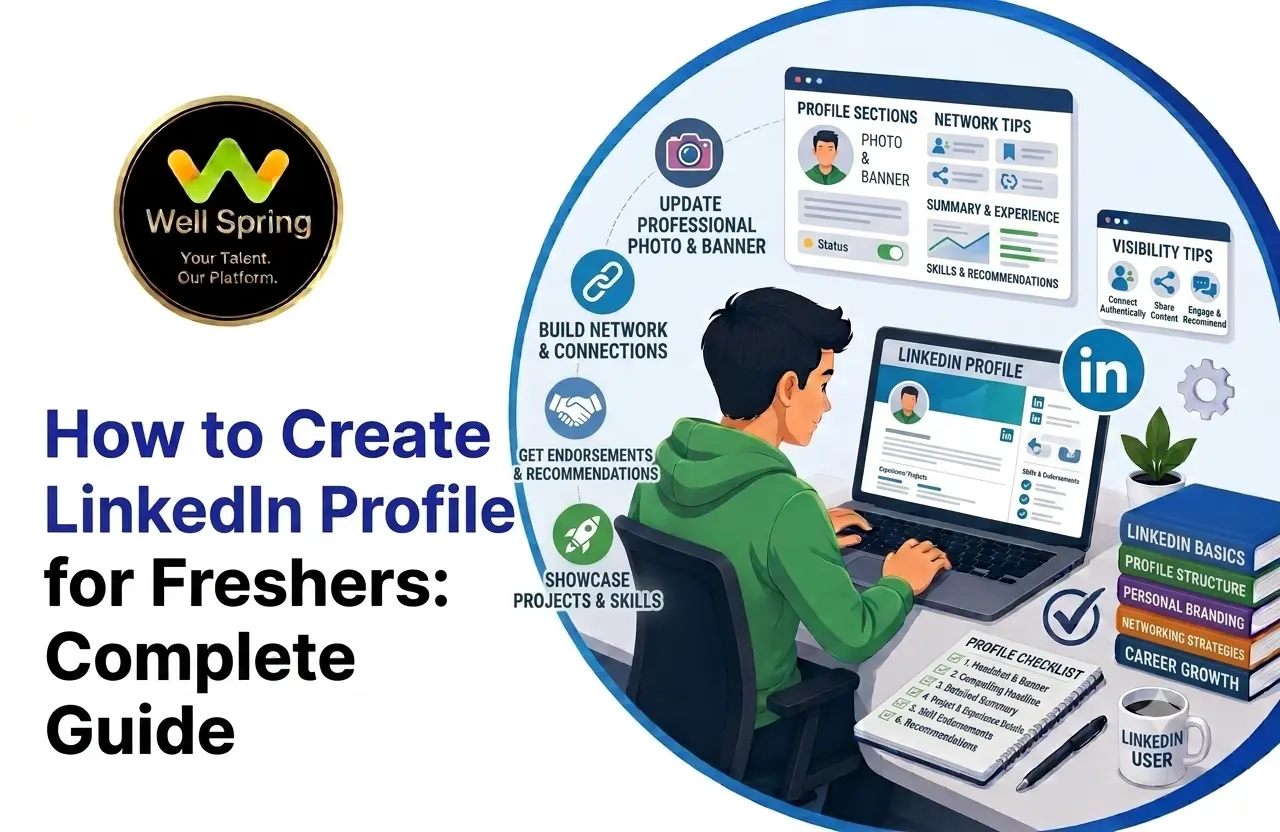
A LinkedIn profile can give freshers a professional identity before they have years of work experience. A well-built profile can showcase education, technical skills, projects, internships, certifications, achievements, and career interests while helping recruiters and industry professionals understand what you are preparing for. This guide explains how to create a LinkedIn profile from scratch, how to optimise each important section, what students should add before graduation, and how job seekers can use LinkedIn more effectively while building their careers.
To create a professional LinkedIn profile as a fresher, start with a clear profile photo and professional headline, then complete your About, Education, Skills, Projects, Certifications, and Experience sections. Add relevant professional links, build a targeted network, engage with useful industry content, and keep your profile updated as your skills develop.
Use this simple framework:
Identity → Career Direction → Skills → Evidence → Credibility → Networking → Opportunities
Your LinkedIn profile should answer three questions quickly:
Who are you? What can you do? What opportunity are you looking for?
For a student or recent graduate, creating a LinkedIn profile can feel surprisingly difficult.
You may open the profile editor and immediately encounter questions such as:
These questions are understandable.
A professional profile isn't simply a form that needs to be filled out. It is a way of presenting your current skills, experience, interests, and career direction.
The good news is that you don't need five years of employment history to create a credible LinkedIn profile.
As a fresher, your professional story can come from different places:
Education + Projects + Skills + Internships + Certifications + Training + Learning
The important part is connecting those pieces into one clear story.
LinkedIn can be useful long before your first full-time job.
Your profile gives recruiters, alumni, employers, and professionals a quick way to understand:
A resume may give a project one or two lines.
LinkedIn can provide more context through project descriptions, posts, links, and supporting information.
Depending on your field and location, LinkedIn can expose you to:
Networking becomes easier when you start building professional relationships before you urgently need a job.
Before adding individual sections, think about the message your entire profile should communicate.
A recruiter or professional viewing your profile should be able to understand:
For example:
Computer Science Graduate
For example:
Aspiring Python Developer
For example:
Python, SQL, Django and REST APIs
For example:
Academic and personal projects involving backend development and databases
For example:
Seeking entry-level software development opportunities
This is much stronger than trying to appear experienced when you're not.
Clarity beats exaggeration.
A useful way to build your profile is to think about it in five layers.
Who are you today?
Student, graduate, career changer, trainee, or early-career professional?
What role or field are you targeting?
Software development, data analysis, testing, cloud, design, marketing, or another area?
Which relevant abilities have you developed?
What proves those skills?
Projects, internships, certifications, academic work, open-source contributions, or practical assignments?
Does the profile feel complete, accurate, consistent, and professional?
Think of your profile as:
Identity → Direction → Skills → Evidence → Credibility
If one layer is missing, the profile can feel incomplete.
Now let's go through the process.
Create your LinkedIn account using information you can maintain professionally.
Use your real name and keep your professional identity consistent with your resume and other career profiles.
Avoid usernames, descriptions, or profile details that look like social-media handles from a personal account.
Your LinkedIn profile is part of your professional presence.
Your profile picture doesn't need to be expensive or overly formal.
Choose a recent image that is:
Avoid group photographs, heavily edited images, blurry pictures, or images where your face is difficult to identify.
The goal isn't perfection.
It's professionalism.
Your headline is one of the most important parts of your profile.
Avoid making the entire headline:
Fresher | Looking for a Job
It tells people you're searching, but doesn't explain what you can offer.
Instead, combine:
Current Status + Skills + Career Direction
Example 1
Computer Science Graduate | Python & SQL | Aspiring Backend Developer
Example 2
B.Tech Graduate | Java, Spring Boot & MySQL | Aspiring Software Developer
Example 3
Computer Science Student | React & JavaScript | Building Web Applications
These examples are more informative because they communicate both capability and direction.
The About section gives you room to explain your professional story.
A useful fresher About section can follow four questions:
Who are you?
Introduce yourself briefly.
What are you learning?
Mention your relevant technical or professional focus.
What have you built?
Highlight practical projects or experience.
What are you looking for?
State the kind of opportunity you want.
Example
I am a recent Computer Science graduate interested in software and backend development. I have developed projects using Python, SQL and Django, with practical exposure to database integration and REST APIs. I am continuing to strengthen my programming and problem-solving skills through hands-on projects and structured learning. I am currently interested in entry-level software development opportunities where I can apply my skills, learn from experienced professionals, and contribute to real-world projects.
The important point is specificity.
Instead of saying:
I am passionate, hardworking, dedicated and highly motivated.
show what you're actually doing.
Your education section is particularly important when you're building a LinkedIn profile for students or fresh graduates.
Include:
You can mention relevant coursework when it helps explain your technical direction.
For example:
Relevant Coursework:
Don't copy your entire academic syllabus.
Include information that supports your career direction.
Projects can become one of the strongest sections of a fresher's profile.
If you don't have professional experience, projects give you an opportunity to demonstrate how you apply what you've learned.
For each project, explain:
What you built + Technologies used + Your contribution + Outcome
Weak
Built a Python project for college.
Better
Developed a Python-based expense management application with CRUD functionality and SQLite database integration. Implemented expense categorisation, input validation, and data retrieval to practise backend programming and database concepts.
The second description gives the reader something concrete to evaluate.
What Projects Should Freshers Add?
Choose projects according to the career you're targeting.
Software Development
Python Development
Data Analytics
AI and Machine Learning
The idea isn't to choose the most complicated project imaginable.
Choose something you can build, explain, and improve.
If you've completed an internship, include it.
Don't simply write:
Software Intern — 2 Months
Explain your actual contribution.
For example:
Where an internship involves confidential information, don't publish proprietary code or sensitive business information.
Focus on what you learned and contributed.
Choose skills that support your target role.
For an aspiring Python developer:
Python | SQL | Django | REST API | Git | PostgreSQL
For a frontend developer:
HTML | CSS | JavaScript | React | Git
For a data analyst:
SQL | Excel | Python | Power BI | Data Analysis
Don't add 50 skills because you want the profile to look impressive.
A better rule is:
List the skills you can genuinely demonstrate and discuss.
Your LinkedIn profile should support your resume, not create interview problems.
Relevant certifications can support your learning history.
You might include certifications related to:
But certificates should support your profile rather than dominate it.
A stronger professional story is:
Certification → Skill → Project → Application
For example:
Completed Python training → Built a Python application → Documented the project → Added it to GitHub.
That provides more context than simply displaying a certificate.
If you've completed professional training, include it where appropriate.
Focus on what you actually learned and applied.
WellSpring Talent Solutions currently provides career-oriented IT training across areas including Python, Full Stack Development, Java, Web Development, AI, Cloud & DevOps, and Software Testing, with practical projects, assignments, internships, mentoring, and career preparation forming part of its learning approach.
For a fresher, training becomes more valuable when it leads to tangible evidence such as:
Skill → Assignment → Project → Practical Experience → Portfolio
Once the basic profile is complete, improve the quality.
1. Be Specific About Your Target Role
Instead of:
Interested in IT
say:
Aspiring Python Developer interested in backend development.
2. Use Relevant Keywords Naturally
If you're targeting software development, your profile might naturally include terms such as:
Don't repeat the same keyword in every section.
Write for humans first.
3. Keep Your Profile Consistent
Your:
should communicate the same career direction.
4. Update Your Profile Regularly
Add meaningful updates when you:
A LinkedIn profile for students doesn't have to look like an experienced professional's profile.
It should show progression.
Early Stage
Focus on:
Skill-Building Stage
Add:
Final-Year Stage
Strengthen:
Starting early means your profile can show a development journey rather than appearing suddenly before placement season.
If you're actively searching for work, make your profile more focused.
Define the Job You Want
Avoid:
Looking for any job in IT.
Instead:
Seeking entry-level Python Developer and Backend Developer opportunities.
Specificity helps people understand your direction.
Highlight Relevant Skills
Place the technologies most relevant to your target role throughout your profile naturally.
Showcase Evidence
Add:
Use Job Search Features
LinkedIn provides job-search tools and profile features designed to help members communicate career interests and discover opportunities.
Use them alongside your broader job-search strategy.
LinkedIn Tips for Students: What Should You Post?
You don't have to become a content creator.
Post when you have something useful or genuine to share.
Project Post
Share:
Learning Post
Explain a concept you recently understood.
For example:
Today I learned how REST APIs allow different applications to communicate through standard HTTP methods. I practised the concept by building a small API using Python.
Internship Post
Share professional learning without revealing confidential information.
Certification Post
Don't simply upload the certificate.
Explain what you learned and how you plan to use it.
The goal is to create evidence of learning, not a stream of announcements.
Networking does not mean sending hundreds of random connection requests.
Start with people relevant to your career.
Consider:
A short, personalised message can be enough.
Example
Hi, I’m currently developing my skills in Python and backend development. I came across your profile while exploring the field and would be glad to connect.
You don't need to immediately ask:
“Sir/Madam, please give me a job.”
Build a professional relationship first.
When you find a recruiter working with roles relevant to your skills:
Don't send the same long message to 100 recruiters.
Quality beats volume.
The 60-Second LinkedIn Profile Audit
Before sharing your profile, perform a simple test.
After 5 Seconds
Can someone identify who you are?
After 15 Seconds
Can they understand your target career?
After 30 Seconds
Can they see your core skills?
After 45 Seconds
Can they find projects, internships, or other evidence?
After 60 Seconds
Can they understand how to contact or connect with you?
If the answer is no, improve the relevant section.
This is a simple way to make your profile more recruiter-friendly without filling it with unnecessary information.
|
Profile Element |
Weak Version |
Stronger Version |
|
Headline |
Looking for a job |
CS Graduate | Python & SQL | Aspiring Backend Developer |
|
About |
Hardworking and passionate fresher |
Specific skills, projects and career direction |
|
Skills |
40+ random skills |
Relevant role-specific skills |
|
Projects |
“College project” |
Project + technology + contribution |
|
Education |
Degree only |
Degree + relevant details |
|
Certification |
Certificate image only |
Certification + skills gained |
|
Networking |
Random mass requests |
Relevant professional connections |
|
Content |
Only certificate posts |
Projects, learning and technical insights |
The goal isn't to make your profile longer.
It's to make it more informative.
One of the biggest challenges for freshers is:
“I don't have experience, so what can I show?”
You can demonstrate credibility through several types of evidence.
Academic Evidence
Projects, coursework, competitions, achievements.
Practical Evidence
Personal projects and applications.
Training Evidence
Relevant technical learning and applied assignments.
Internship Evidence
Real-world exposure and responsibilities.
Community Evidence
Hackathons, open-source contributions, technical communities.
Learning Evidence
Relevant certifications and continuous skill development.
Together, these can create a much stronger professional profile than simply writing:
“I am a fresher looking for opportunities.”
A LinkedIn profile becomes easier to build when you have meaningful experiences to document.
A useful career-development cycle looks like this:
Learn
↓
Practise
↓
Build
↓
Receive Feedback
↓
Improve
↓
Document
↓
Showcase
↓
Apply
WellSpring Talent Solutions describes its internship programs around practical learning, live project experience, mentor guidance, technical development, career preparation, and resume/portfolio building.
This kind of practical exposure can give students and freshers more substance to discuss on LinkedIn, in resumes, and during interviews.
The important part is to describe what you actually did, rather than simply adding an organisation name.
1. Using “Fresher Looking for Job” as the Entire Headline
Being a fresher is a status, not your professional identity.
2. Writing a Generic About Section
Avoid paragraphs that contain only:
Hardworking + passionate + dedicated + motivated.
Add evidence.
3. Listing Every Skill
Don't claim expertise in technologies you've barely used.
4. Ignoring Projects
Projects can provide important evidence when professional experience is limited.
5. Posting Only Certificates
Show what you learned and applied.
6. Sending Mass Connection Requests
Build a relevant network instead.
7. Asking Every Connection for a Job
Networking should begin with professional relationships.
8. Copying Someone Else's Profile
Use examples for inspiration, but make the content truthful and personal.
9. Inventing Experience
Never create fake internships, job titles, projects, or achievements.
10. Having Different Career Directions Everywhere
Your LinkedIn, resume, GitHub, and portfolio should generally support the same professional story.
11. Leaving the Profile Outdated
Your profile should grow with your career.
12. Overusing Keywords
Keywords help communicate relevance, but unnatural repetition makes your profile difficult to read.
Week 1: Build the Foundation
Week 2: Add Evidence
Week 3: Start Networking
Week 4: Build Visibility
You don't need to post every day.
You need to build a credible professional presence consistently.
Before sharing your profile with recruiters, check:
Identity
About
Education
Skills
Projects
Experience
Professional Presence
Learning how to create a LinkedIn profile is only the first step.
The real objective is to create a profile that tells a clear and honest professional story.
You don't need years of experience to begin.
Start with:
Who you are → What you're learning → What you can do → What you've built → Where you want to go
Build your headline around your career direction.
Use the About section to provide context.
Add projects to demonstrate practical skills.
Include internships, training, certifications, and achievements where they genuinely support your profile.
Then start networking with people who are relevant to the career you want.
For students and freshers, practical learning can make this professional story stronger. WellSpring Talent Solutions combines IT training with practical projects, assignments, internships, mentor support, resume and portfolio development, and career preparation, giving learners opportunities to connect technical learning with career readiness.
Your LinkedIn profile doesn't have to say:
“I am ready for everything.”
It should communicate something much more useful:
“This is what I've learned, this is what I've built, this is what I'm working towards, and this is the kind of opportunity I'm ready to pursue.”
That's a professional profile worth building—and worth continuing to improve as your career develops.

21 Oct 2026
21 Oct 2026

20 Oct 2026

20 Oct 2026

19 Oct 2026
Create an account with your professional identity, add a clear photo and headline, complete your About and Education sections, add relevant skills and projects, include internships or certifications where applicable, and start building a relevant professional network.
A useful formula is Current Status + Key Skills + Career Direction. For example: Computer Science Graduate | Python & SQL | Aspiring Backend Developer.
Discuss your education, relevant skills, projects, learning journey, career interests, and the type of opportunity you're seeking. You don't need to pretend you have professional experience.
Yes. A student can use LinkedIn to build a professional identity, connect with alumni and professionals, discover internships, follow companies, showcase projects, and document their learning journey.
It can include education, projects, technical skills, certifications, academic achievements, internships, extracurricular activities, volunteering, and relevant professional interests.
It should clearly communicate the target role, relevant skills, projects, experience, education, certifications, professional links, and career interests.
Yes. Relevant college projects can demonstrate practical skills, especially when you don't yet have substantial professional experience. Explain your own contribution clearly.
There is no universal number. Choose projects that are relevant to your target role and that you can confidently explain.
Relevant certifications can support your learning history, but they should complement practical projects and skills rather than replace them.
Use a clear headline, specific About section, relevant skills, well-described projects, accurate experience, consistent career information, and an appropriate profile photo. Keep your information current.
Start early, define a career direction, document meaningful projects, build a relevant network, engage with useful industry content, maintain a professional profile, and update it as your skills develop.
They can. Useful posts can cover projects, technical learning, internships, certifications with explanations, hackathons, or genuine professional experiences.
There is no requirement to post every day. Focus on sharing useful and authentic updates when you have something meaningful to contribute.
You can connect with relevant recruiters, particularly those working with roles that match your skills. Keep your communication concise and professional.
No. LinkedIn provides a broader professional presence, while a resume is a focused document tailored to a particular application.
We provide IT training, internships, and online learning for students in Trichy and across India.
We also welcome enquiries from students in these neighbourhoods, towns, and surrounding locations.
Can't attend classes in person? Explore online IT training opportunities with Well Spring Talent Solutions, designed to help learners develop practical technology skills from different locations across India.
Get internship updates, IT training news, placement opportunities, and career tips directly to your inbox.
Join our WhatsApp community for internship updates, IT courses, placement support, and latest job opportunities.
Join Now