
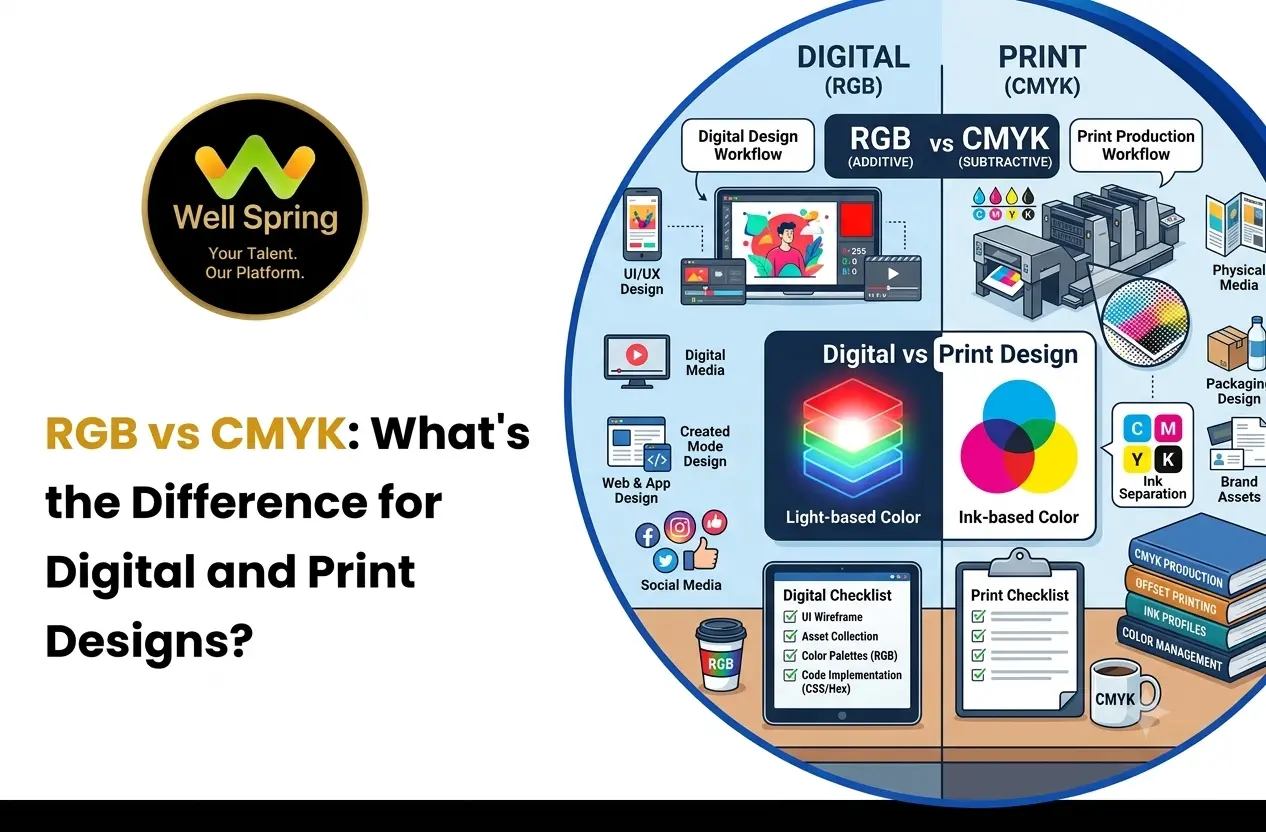

Choosing the correct colour mode is an important part of preparing a digital or print design. Two of the most commonly used colour modes are RGB and CMYK.
The main difference between RGB and CMYK is how colours are created and where they are primarily used. RGB is designed for screens and digital displays, while CMYK is mainly used for physical printing.
Understanding RGB vs CMYK can help you choose the appropriate colour mode before creating graphics, editing images, or sending artwork for printing.
What Is RGB?
RGB stands for Red, Green, and Blue. It is an additive colour model used by digital screens such as monitors, smartphones, tablets, televisions, and other electronic displays.
RGB creates colours by combining different levels of red, green, and blue light. When the three channels are combined at their highest values, they produce white.
A typical RGB image contains three colour channels:
- Red
- Green
- Blue
Each channel can contain different intensity levels. Combining these values creates a wide range of colours that can be displayed on digital devices.
Where Is RGB Used?
RGB is commonly used for:
- Websites
- Mobile applications
- Social media graphics
- Digital advertisements
- Presentations
- Videos
- Online banners
- Digital illustrations
- Images viewed on screens
If the final design will primarily be viewed on a screen, RGB is generally the appropriate colour mode.
What Is CMYK?
CMYK stands for Cyan, Magenta, Yellow, and Key (Black).
It is a subtractive colour model primarily used for printing. Instead of producing colours with light, CMYK uses ink applied to a physical surface.
The four CMYK channels are:
- Cyan
- Magenta
- Yellow
- Black
Different amounts of these inks are combined to reproduce colours on printed materials.
The letter K represents black because black is used as a separate printing colour rather than simply relying on a combination of cyan, magenta, and yellow.
Where Is CMYK Used?
CMYK is commonly used for printed materials such as:
- Business cards
- Brochures
- Flyers
- Posters
- Magazines
- Packaging
- Printed advertisements
- Catalogues
- Booklets
- Marketing materials
When a design is going to a commercial printer, the artwork may need to be prepared using CMYK according to the printer's specifications.
RGB vs CMYK: Key Differences
Although RGB and CMYK are both used to represent colours, they work in different ways.
| Feature | RGB | CMYK |
|---|---|---|
| Full form | Red, Green, Blue | Cyan, Magenta, Yellow, Key |
| Colour method | Additive | Subtractive |
| Primary use | Digital displays | Physical printing |
| Main medium | Screens | Paper and other print surfaces |
| Colour creation | Light | Ink |
| Common files | Digital images and graphics | Print-ready artwork |
| Typical applications | Websites, apps, social media | Brochures, posters, packaging |
The most important distinction is the final output medium. RGB is designed around light emitted by screens, while CMYK is designed around ink applied to a physical surface.
RGB vs CMYK for Digital Designs
Digital designs are normally viewed through screens, so RGB is generally used for screen-based content.
For example, consider a banner created for a website. The colours will be displayed using the red, green, and blue light produced by the user's screen.
RGB is commonly suitable for:
- Website graphics
- App interfaces
- Social media posts
- YouTube thumbnails
- Digital advertisements
- Online presentations
- Digital illustrations
Different screens can still display colours slightly differently because screen technology, brightness, calibration, and display settings can vary.
Therefore, RGB provides the colour space intended for digital viewing, but it does not guarantee that every device will display a colour identically.
RGB vs CMYK for Print
Printed materials work differently from digital screens.
A printer applies combinations of inks to a physical surface. Because the output depends on ink, paper, printing equipment, and other production factors, colours can appear different from what was seen on a screen.
This is why a design created in RGB may need to be converted to CMYK before printing.
For example, a bright colour that looks highly saturated on a monitor may appear less vivid when reproduced with printing inks.
Before sending a file to a printer, it is useful to check the printer's requirements for:
- Colour mode
- File format
- Bleed
- Resolution
- Trim size
- Colour profile
- Paper type
The exact requirements can vary between printing services.
Why Do Colours Change When Converting RGB to CMYK?
One of the common questions about RGB vs CMYK is why a colour sometimes changes after conversion.
The reason is that RGB and CMYK have different colour gamuts.
A colour gamut refers to the range of colours that a particular colour system can represent.
Some colours that can be displayed using RGB cannot be reproduced exactly using standard CMYK printing processes.
When an RGB design is converted to CMYK, colours outside the printable range may be replaced with the closest available representation.
This can result in:
- Less saturated colours
- Changes in brightness
- Different shades
- Reduced vibrancy
- Slight colour shifts
The change does not necessarily mean that the design file is incorrect. It can simply reflect the difference between displaying colour with light and reproducing colour with ink.
RGB vs CMYK in Photoshop
Adobe Photoshop supports different colour modes, including RGB and CMYK.
When working on a digital image, RGB is commonly selected when the final output is intended for screens.
For a print project, CMYK may be selected depending on the printer's specifications.
Before changing the colour mode in Photoshop, consider the final purpose of the image.
For example:
Website image → RGB
Social media graphic → RGB
Digital advertisement → RGB
Printed brochure → CMYK
Printed business card → CMYK
However, the exact workflow can depend on the production requirements and colour profile supplied by the printing provider.
It is also useful to keep an editable original before making major colour-mode conversions.
RGB vs CMYK in Illustrator
Adobe Illustrator is commonly used for creating vector graphics such as logos, illustrations, icons, packaging artwork, and marketing graphics.
Illustrator allows documents to be created using RGB or CMYK colour settings.
The document colour mode should be selected according to the intended output.
For example:
- Digital logo → RGB document
- Website illustration → RGB document
- Mobile interface graphics → RGB document
- Printed brochure artwork → CMYK document
- Printed packaging artwork → CMYK document
- Business card artwork → CMYK document
If the same artwork will be used for both digital and print purposes, separate versions may sometimes be required.
This allows the artwork to be prepared according to the requirements of each output medium.
When Should You Use RGB?
RGB is generally appropriate when the final design will be viewed electronically.
Use RGB for projects such as:
Websites
Images, banners, illustrations, and other screen-based graphics are normally prepared for digital display.
Social Media
Posts, stories, advertisements, and other social media graphics are viewed on screens.
Mobile Applications
App interfaces and digital graphics are displayed using electronic screens.
Digital Advertisements
Online advertising creatives are normally intended for digital displays.
Digital Illustrations
Illustrations created specifically for screen viewing can generally remain in RGB.
When Should You Use CMYK?
CMYK is generally appropriate when the final design will be physically printed.
Common examples include:
Business Cards
Business cards are physical printed materials and may require CMYK artwork according to the printer's specifications.
Brochures
Printed brochures generally use CMYK production workflows.
Posters
Large-format printed posters may require CMYK files depending on the printing process.
Flyers
Printed flyers are commonly prepared for CMYK printing.
Packaging
Packaging artwork often requires print-specific colour preparation and may use CMYK along with additional spot colours when required.
RGB and CMYK: What Happens During Conversion?
Converting an image from RGB to CMYK does not simply replace one colour with another.
The software has to translate the colours from one colour space into another.
If an RGB colour falls outside the printable CMYK range, the software needs to find a CMYK representation that is as close as possible.
This is why designers should consider the final output before choosing colours.
A practical workflow is:
- Determine whether the final output is digital or printed.
- Select the appropriate colour mode.
- Create or edit the artwork.
- Check the colour profile required for the project.
- Review colours before final export.
- Prepare the final file according to the output requirements.
For professional printing, the printer's specifications should take priority because different printing processes can have different requirements.
Common RGB and CMYK Mistakes to Avoid
Understanding the difference between RGB and CMYK can prevent several common production problems.
1. Designing a Print Project Without Considering Print Colour
A design may look bright on a monitor but reproduce differently on paper.
Consider the intended printing process before finalising colours.
2. Using the Wrong Colour Mode
Using RGB for a project that requires a specific CMYK workflow can create additional preparation steps later.
Similarly, converting a design to CMYK when it is intended only for digital display may unnecessarily limit the available colour range.
3. Converting at the Last Minute
Leaving colour conversion until the final stage can create unexpected colour changes.
For important print projects, it is better to consider colour requirements during the design process.
4. Ignoring the Printer's Specifications
Not every printing project uses exactly the same workflow.
A printer may provide requirements for colour profiles, file formats, bleed, resolution, and other technical settings.
Always check those requirements before exporting the final artwork.
5. Assuming Screen Colours Equal Printed Colours
A monitor produces colour using light, while printing uses physical inks.
Because the two systems work differently, an exact visual match is not always possible.
How to Choose Between RGB and CMYK
The simplest way to decide between RGB and CMYK is to start with the final output.
Ask:
Will the design be viewed on a screen?
If yes, RGB is generally the appropriate starting point.
Will the design be physically printed?
If yes, CMYK may be required depending on the printer and production process.
A simple reference is:
Digital → RGB
Print → CMYK
If the project will be used in both digital and print formats, prepare the artwork with both outputs in mind rather than assuming one file will work perfectly everywhere.
Final Thoughts
Understanding RGB vs CMYK is important when preparing artwork for different types of output.
RGB is generally suited to digital designs because screens create colours using light. CMYK is commonly used for physical printing because printed materials reproduce colours using ink.
The key is to consider the final destination of the design before choosing a colour mode. Checking the requirements of the printer or digital platform can also help avoid unnecessary colour changes during the final production stage.



