Blog Details
Home Blog Details

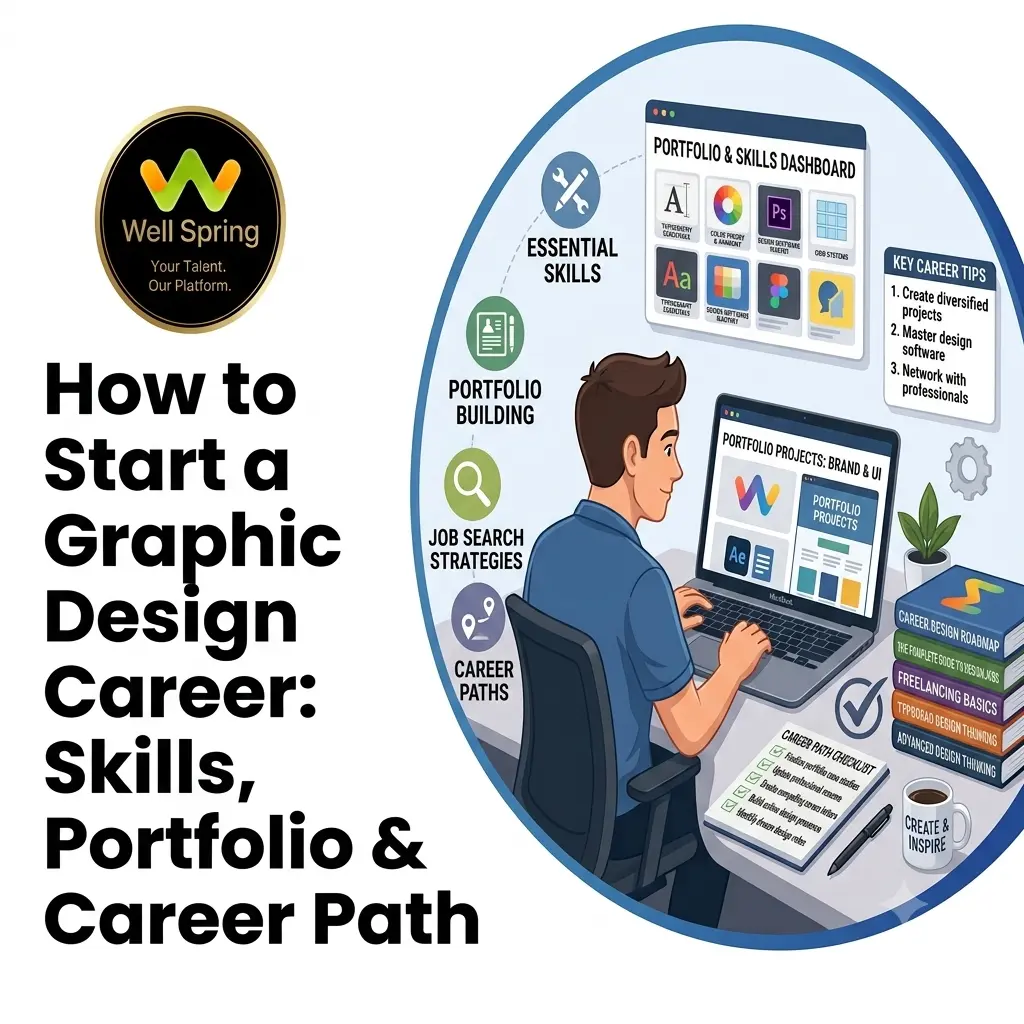
Graphic design is no longer limited to posters, brochures, and printed advertisements. Businesses now need designers for social media campaigns, websites, branding, packaging, digital advertisements, presentations, videos, and other forms of visual communication.
This creates opportunities for students, freshers, career changers, and aspiring creatives who want to enter the field. However, knowing how to use Photoshop or Illustrator is only one part of becoming a professional designer. Employers and clients also look for creativity, typography, composition, communication, problem-solving, and the ability to build a strong portfolio.
If you are wondering how to start a graphic design career, this guide explains the skills to learn, how to build practical experience, how to create a portfolio, which career paths are available, and how to progress from beginner to professional designer.
Quick Answer: To start a graphic design career, learn core design principles, develop proficiency with relevant design tools, practise through realistic projects, build a focused portfolio, and gain practical experience through internships, freelance work, or entry-level roles. Your portfolio should demonstrate how you solve communication problems, not just how well you use design software.
A graphic designer uses visual elements to communicate information, ideas, or messages to a specific audience.
The work can involve much more than creating attractive images.
A designer may need to determine:
For example, a social media advertisement needs to communicate quickly on a small screen, while a magazine layout has different requirements for reading flow and information hierarchy.
This is why graphic design is best understood as a visual communication discipline, rather than simply a software-based profession.
If you are asking how to become a graphic designer, think of the process as a progression rather than a single qualification.
A practical journey can look like this:
Learn fundamentals → Learn tools → Practise → Build projects → Create portfolio → Gain experience → Apply → Specialise → Grow
Each stage solves a different problem.
Before focusing heavily on software, understand:
These principles remain relevant even when software changes.
A designer who understands hierarchy can apply that knowledge in a poster, website banner, presentation, or social media creative.
Choose tools according to the type of work you want to create.
For example:
|
Design Area |
Common Tools |
|
Image editing |
Adobe Photoshop |
|
Adobe Illustrator |
|
|
Page layout |
Adobe InDesign |
|
UI/UX design |
Figma |
|
Motion graphics |
Adobe After Effects |
|
Video editing |
Adobe Premiere Pro |
|
Quick digital graphics |
Canva and similar tools |
You do not need to master every tool simultaneously.
Start with the tools most relevant to your intended career direction.
Watching tutorials can help you understand software, but projects force you to make decisions.
Instead of repeatedly following tutorials, create briefs such as:
Design a visual identity for a fictional café targeting college students.
Then determine:
This turns software practice into design practice.
Your portfolio is one of the most important pieces of evidence when entering the design industry.
Include projects that demonstrate:
A portfolio does not need to contain every design you have created.
Curate it.
Look for opportunities to apply your skills in realistic situations.
Potential routes include:
The goal is to move from:
“I know how to use the software.”
to:
“I can use design skills to solve a real communication requirement.”
The skills needed for graphic design can be divided into several categories.
These form the foundation of your work.
Composition
Composition determines how elements are arranged within a design.
A strong composition guides the viewer's attention rather than placing every element at equal visual importance.
Typography
Typography involves selecting and arranging type so that the content is readable, structured, and visually appropriate.
Learn:
Colour
Understand:
Avoid treating colour meanings as universal rules. The same colour can communicate differently depending on the audience, industry, culture, and surrounding visual elements.
Visual Hierarchy
Hierarchy tells viewers what to notice first, second, and third.
You can establish hierarchy through:
This is one of the most transferable skills across almost every design discipline.
Technical ability allows you to turn concepts into usable deliverables.
Depending on your career direction, you may need to learn:
You should also understand the difference between designing something that looks good on your screen and preparing a file that works correctly in its final environment.
For example, print and digital projects can have different technical requirements.
Some of the most important graphic design skills for beginners are not software-related.
Designers frequently need to understand requirements from:
You need to ask useful questions when a brief is unclear.
Suppose a client says:
“Make the poster more attractive.”
That is not a complete design problem.
You may need to discover:
Good designers solve the underlying communication problem instead of simply adding decorative elements.
There is no single software package that defines a graphic design career.
Choose tools based on your intended role.
Useful for:
Useful for:
Useful for:
Useful for:
Can be useful for creating quick marketing and social media graphics, especially when speed and template-based production are important.
However, learning a tool should not replace understanding fundamental design principles.
A strong portfolio is evidence of your ability.
If you have no client work, create realistic self-initiated projects.
Consider creating:
Create a complete identity for a fictional business.
Include:
Create a campaign rather than a single post.
Show how the same visual language works across multiple pieces of content.
Design packaging for a fictional product and show it in realistic applications.
Create a magazine spread, brochure, annual report, or digital publication.
Develop a series around one event, campaign, or theme.
Create multiple ad formats for the same fictional campaign.
These are practical graphic design career portfolio projects because they demonstrate skills businesses frequently need.
Do not simply upload a final JPEG.
Present the project as a short case study.
A useful structure is:
Brief → Audience → Design Challenge → Concept → Exploration → Final Design → Applications
For example:
Brief: Create an identity for a modern vegetarian restaurant.
Audience: Young professionals and students.
Challenge: Communicate a contemporary identity without relying on predictable food imagery.
Concept: Use a clean typographic identity with a restrained visual system.
Then show the final applications.
This gives recruiters insight into your thinking.
Practical experience can accelerate your learning because real assignments introduce constraints that tutorials often do not.
Internships can expose you to:
For students and freshers, internships can also help reveal which design areas they actually enjoy.
Small freelance assignments can teach you about:
Start with manageable projects rather than accepting work far beyond your current ability.
Personal projects are valuable when you lack professional experience.
However, treat them seriously.
Define a brief, audience, objective, constraints, and deliverables before starting.
Structured learning can be useful when you need guidance on fundamentals, software, projects, portfolio presentation, and professional workflows.
For example, practical design training at Well Spring Talent Solutions combines design learning with project-oriented practice and portfolio development, which can help learners move beyond isolated software exercises.
There is no single graphic design career path.
Your progression may vary depending on your interests and the type of organization you join.
A common progression can look like:
Student / Beginner
↓
Intern / Junior Designer
↓
Graphic Designer
↓
Mid-Level Designer
↓
Senior Designer
↓
Art Director / Creative Lead
Some designers eventually move into specialist or adjacent roles rather than following a traditional management path.
One of the advantages of learning graphic design is that the skills can lead to several different specialisations.
Focuses on:
Creates visual content for digital marketing campaigns.
Typical work includes:
Works closely with marketing teams to create:
Focuses on the visual and structural presentation of products.
Works on:
Works on digital interfaces and visual systems.
This path can overlap with UI/UX design and may involve:
Combines graphic design with animation.
Work may include:
Works independently with different clients and projects.
Freelancers need both design ability and business skills, including communication, proposals, pricing, project management, and client relationships.
Do not choose a specialisation only because you see many job advertisements for it.
Evaluate three things:
What Do You Enjoy?
Do you prefer:
What Are You Good At?
Your strengths may become clearer through repeated projects.
What Does the Market Need?
Research the roles available in the locations and industries where you want to work.
The intersection of interest + ability + opportunity is a practical starting point for choosing a direction.
Once your skills and portfolio are ready, begin applying strategically.
Your resume should clearly communicate:
Avoid listing every software application you have opened once.
If you apply for a social media designer role, place relevant campaign work prominently.
If you apply for a branding role, lead with identity projects.
The same portfolio does not need to be presented in exactly the same order for every application.
Interviewers may ask:
Be prepared to explain decisions rather than saying:
“I just thought it looked good.”
Graphic design is a field where continuous learning matters because tools, platforms, formats, and expectations change.
But learning every new tool is not the same as improving as a designer.
Focus on four areas.
Study professional design and ask:
Recreating an existing design can help you understand construction.
But distinguish between:
Practice work and portfolio work.
Do not present copied or recreated designs as original professional work.
Ask another designer or mentor to critique your work.
Instead of asking:
“Do you like it?”
ask:
“Is the hierarchy clear?”
or:
“What do you notice first?”
Specific questions produce more useful feedback.
One of the clearest ways to see progress is to compare older projects with newer ones.
Look for improvements in:
1. Learning Software Without Learning Design
Knowing where every Photoshop tool is does not automatically make someone a designer.
Learn principles alongside software.
2. Creating Only Tutorial Projects
Tutorials are useful for learning techniques, but independent projects demonstrate whether you can make decisions yourself.
3. Building a Portfolio Without a Direction
A portfolio containing everything from wedding invitations to gaming thumbnails to corporate brochures may make your professional direction unclear.
Show range, but maintain a clear core.
4. Using Too Many Fonts
More typefaces do not automatically create more visual interest.
Start with a controlled typographic system and introduce variation intentionally.
5. Ignoring the Brief
A design can be aesthetically impressive while failing to communicate the intended message.
Always return to the objective.
6. Avoiding Feedback
If nobody challenges your design decisions, you may continue repeating the same weaknesses.
Constructive critique is part of professional development.
7. Focusing Only on Trends
Design trends can provide inspiration, but they should not replace fundamentals.
A portfolio built entirely around temporary visual trends may age quickly.
If you are starting from zero, a structured roadmap can help.
Days 1–30: Build the Foundation
Focus on:
Complete small exercises regularly.
Days 31–60: Build Projects
Create three to four realistic projects.
For example:
Document your strongest design decisions.
Days 61–90: Build Career Readiness
Focus on:
At the end of this period, evaluate which type of design work you enjoy most and where your portfolio is strongest.
Learning how to become a graphic designer is a process of developing both creative judgement and practical ability. Start with design fundamentals, learn the tools that support your goals, create realistic projects, and gradually build a portfolio that demonstrates how you solve visual communication problems.
As you gain experience, explore different graphic design career options and identify the areas where your interests, strengths, and market opportunities overlap. A strong career foundation comes not from knowing every design tool, but from learning how to think, communicate, create, refine, and solve problems through design.
24 Sep 2026
23 Sep 2026
23 Sep 2026
23 Sep 2026
22 Sep 2026
Start by learning fundamental design principles, practise relevant software, and create realistic self-initiated projects. Build four to six strong portfolio pieces and use internships, freelance assignments, or other practical opportunities to gain experience.
There is no universal timeline. Someone can learn basic tools relatively quickly, but becoming professionally capable requires continued practice, project experience, feedback, and portfolio development. The time required depends on your starting point, learning routine, and career goals.
Important skills include typography, colour, composition, layout, visual hierarchy, communication, problem-solving, creative thinking, software proficiency, attention to detail, and the ability to respond to feedback.
A degree can provide structured education, but it is not the only route into graphic design. Skills, portfolio quality, practical experience, and the ability to demonstrate your design thinking can also play an important role when applying for opportunities.
Beginners can explore junior graphic designer, social media designer, marketing designer, visual designer, branding assistant, production designer, and design intern roles. Your first role does not have to permanently determine your specialisation.
Start with the tools that match your intended work. Photoshop and Illustrator provide a useful foundation for many traditional and digital design tasks, while tools such as InDesign, Figma, After Effects, or Canva can be added based on your career direction.
Yes. A portfolio gives employers and clients direct evidence of your visual skills, design thinking, project experience, and ability to present work professionally. For beginners, strong self-initiated projects can help compensate for limited professional experience.
Get internship updates, IT training news, placement opportunities, and career tips directly to your inbox.
Join our WhatsApp community for internship updates, IT courses, placement support, and latest job opportunities.
Join Now