Blog Details
Home Blog Details

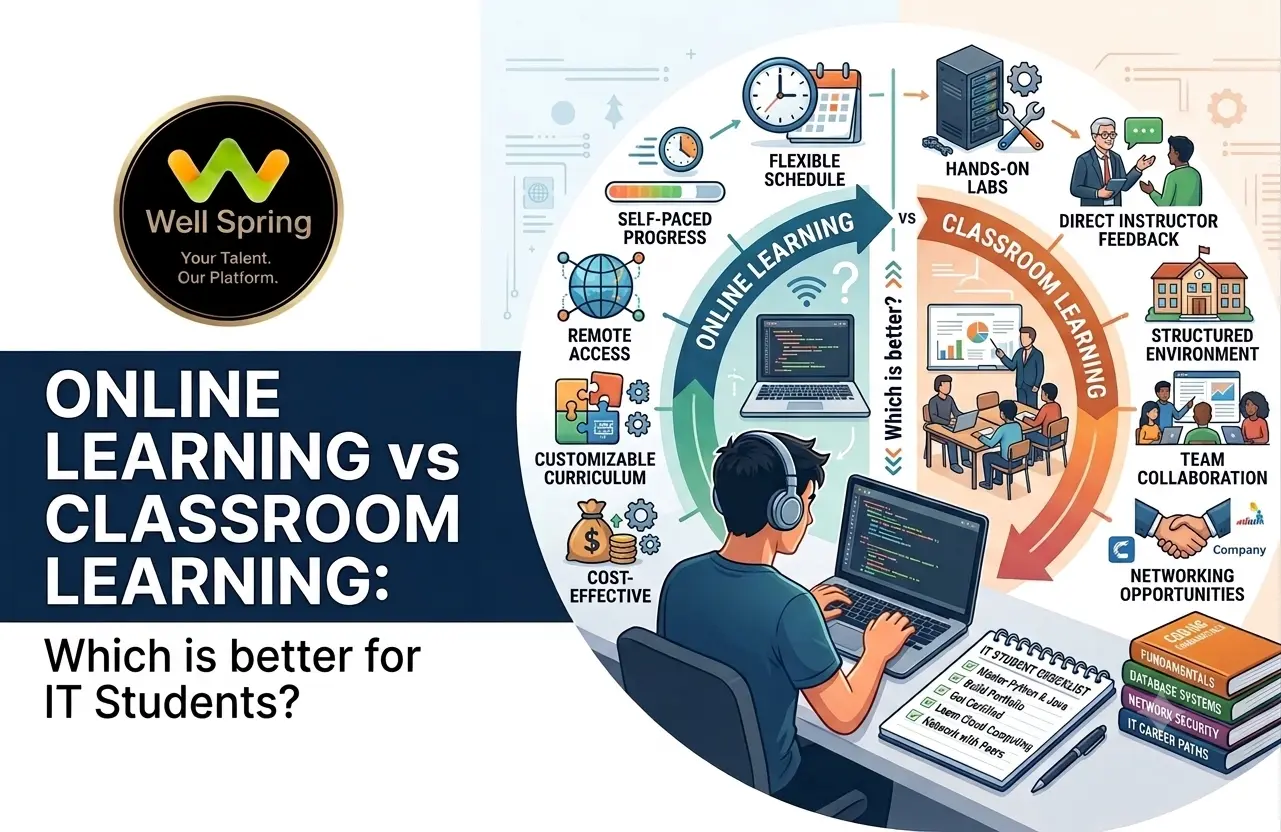
The debate around online learning vs classroom learning is especially important for IT students because technical education requires more than listening to lessons. Students need to understand concepts, practise coding or design, solve problems, work on projects, receive feedback, and gradually become independent. This guide compares online and classroom learning across flexibility, interaction, practical training, discipline, mentorship, cost, and career preparation to help IT students choose the learning environment that fits their goals.
Neither online learning nor classroom learning is automatically better for every IT student.
Online learning can be a strong choice for students who value flexibility, can manage their own schedules, and have access to good trainers, structured projects, feedback, and technical resources.
Classroom learning can be stronger for students who benefit from face-to-face interaction, immediate clarification, structured routines, peer learning, and hands-on activities.
For IT education, the most important question is not:
"Which format is better?"
It is:
"Which learning format gives me enough understanding, practice, feedback, and project experience to become capable of using the skill?"
In many situations, a blended approach can combine the strengths of both.
An IT student can spend hours watching programming lessons online and still struggle to build a working application.
Another student can attend every classroom session and still find it difficult to solve a problem without the trainer's help.
This reveals something important about the online learning vs classroom learning debate:
The learning environment matters, but what students actually do inside that environment matters more.
IT education is different from learning something that can be mastered mainly through memorisation.
A student learning Python needs to write and debug code.
A web development student needs to build interfaces and connect components.
A software testing student needs to think through test cases and defects.
A UI/UX student needs to design, prototype, test, and revise.
A cloud student needs exposure to tools and infrastructure concepts.
In other words, IT learning requires a progression from:
Understand → Practise → Build → Receive Feedback → Improve
Both online and classroom education can support that progression, but they do so differently.
Research also suggests that there is no universal winner. A 2026 meta-analysis found positive effects for online learning compared with face-to-face instruction, but also reported substantial variation between studies and contexts. Other research has found that the learning activity and instructional design matter greatly when technology is introduced, rather than technology itself automatically improving learning.
So the useful comparison is not simply online vs classroom.
It is which environment supports the kind of learning you need?
Online learning takes place through digital platforms where students access lessons, communicate with trainers, complete assignments, and practise remotely.
Classroom learning takes place in a physical environment where students and trainers interact face-to-face.
There is also a third option:
Blended learning combines online and in-person elements.
For example, a student might:
This matters because IT education does not have to fit neatly into one format.
Different learning activities can benefit from different environments.
|
Factor |
Online Learning |
Classroom Learning |
|
Flexibility |
High |
Lower |
|
Travel requirement |
Usually none |
Usually required |
|
Schedule structure |
Depends on course |
Usually stronger |
|
Face-to-face interaction |
Limited or unavailable |
Strong |
|
Self-discipline required |
High |
Moderate |
|
Immediate clarification |
Depends on trainer setup |
Usually easier |
|
Recorded/replayable lessons |
Often available |
May be limited |
|
Peer interaction |
Depends on platform |
Naturally available |
|
Practical training |
Possible with good course design |
Strong for physical demonstrations and guided activities |
|
Learning pace |
Can be more flexible |
More fixed |
|
Best suited to |
Self-directed learners and flexible schedules |
Students who benefit from structure and direct interaction |
|
Hybrid potential |
Strong |
Strong |
The table shows why there is no universal winner.
Each format solves different problems.
One of the biggest benefits of online learning is flexibility.
Students may be able to learn around:
This can be particularly useful for students who cannot attend a physical training centre every day.
However, flexibility has a hidden requirement:
You have to manage the freedom.
A flexible schedule without a learning routine can easily become procrastination.
Students do not necessarily need to live close to a training centre.
A learner can attend from home, a hostel, another city, or another location with suitable internet access.
This can remove travel time and make specialised training accessible to students who otherwise might not be able to attend.
Technical topics sometimes require multiple explanations.
An online lesson may allow students to revisit a concept after class.
This can be useful when learning:
However, replaying a lesson should not replace active practice.
Watching a coding demonstration five times is still different from writing the code yourself.
Online courses can make it convenient to access:
Students can often move directly from a lesson to the tools they need to practise.
Some students prefer learning quietly and working through problems independently.
For them, online education can provide a comfortable environment for experimentation.
This can be valuable in IT because professional developers and other technology professionals eventually need to research, troubleshoot, read documentation, and solve unfamiliar problems independently.
Online learning is flexible, but that does not mean it is automatically easier or more effective.
Without a physical classroom, there may be fewer external cues telling you when to study.
A student might postpone a lesson because:
A systematic review of research on self-regulated learning in online environments found that motivation, autonomy, goals, feedback, perceived control, and social interaction can all influence how effectively students learn online.
This means online learning works best when the course provides structure around the flexibility.
A student sitting alone with a video may hesitate to ask questions.
Even when chat or video interaction is available, the experience can differ from asking a trainer a question immediately during a physical session.
This is especially relevant when a beginner gets stuck on something small but important.
For example:
"Why is this code returning None?"
A short conversation with a trainer may resolve the issue quickly.
Without that interaction, the student may spend much longer searching for the answer.
Learning from home does not automatically mean better concentration.
Students may have:
The success of online learning therefore depends partly on the student's environment.
1. Stronger structure
A classroom creates a defined learning routine.
You have:
For beginners who struggle with self-management, this structure can be valuable.
2. Immediate interaction
One of the clearest advantages of classroom learning is direct communication.
A student can raise a hand, show a problem, explain confusion, and receive clarification in real time.
This can be particularly useful when learning technical concepts where small misunderstandings can lead to larger problems later.
3. Easier demonstrations and guided practice
Classroom environments can be especially useful for:
EDUCAUSE research on undergraduate learning preferences found particularly strong preferences for in-person environments for activities such as labs and demonstrations, with students also valuing real-time interaction with instructors and peers.
That does not mean every IT activity needs to happen physically.
It means certain activities benefit strongly from direct interaction.
4. Peer learning
A classroom gives students opportunities to learn from one another.
For example, one student may solve a programming problem differently from another.
Discussing those approaches can expose students to:
These interactions can become particularly valuable when students begin working on group projects.
5. Easier accountability
When students attend regular sessions, complete assignments, and interact with trainers, there is often more external accountability.
This can help students who struggle to maintain a consistent independent learning schedule.
Classroom education also has disadvantages.
Fixed schedules can be difficult for students managing:
Missing a class can also make it harder to keep pace with the rest of the group.
Students may spend significant time travelling to and from a training centre.
For some learners, that time could otherwise be used for practice or project work.
A classroom usually moves according to the trainer's planned schedule.
If you already understand a topic, you may want to move faster.
If you are struggling with it, you may want more time.
A good trainer can adapt to students, but a group environment still creates practical limits.
Simply attending a classroom does not guarantee effective learning.
A poor classroom experience can still involve:
Physical presence alone is not the same as quality education.
This is where the comparison becomes more interesting.
IT students should not evaluate a course only by asking:
"Is it online or offline?"
Instead, ask:
"How much time will I spend doing the work?"
For a programming course, compare these two experiences.
Experience A
Attend a two-hour online lecture.
Watch the trainer write a Python program.
Take notes.
Complete a multiple-choice quiz.
Experience B
Attend a structured session.
Learn the concept.
Write your own program.
Debug errors.
Receive feedback.
Modify the program.
Build a small project using the concept.
The second experience is more practice-oriented regardless of whether the class happens online or offline.
This is supported by research showing that the learning activities enabled by technology can matter more than simply adding technology to instruction.
Before joining any IT course, ask:
Those questions are often more important than the delivery mode.
Research does not support a simple conclusion that one mode always produces better outcomes.
For example, a second-order meta-analysis covering 19 meta-analyses and 841 primary studies found a statistically significant positive overall effect for distance learning compared with face-to-face learning, although the authors also noted variation across contexts.
More recent research adds another layer.
A 2026 temporal meta-analysis found a large average positive effect for online learning compared with face-to-face instruction, but the studies showed substantial heterogeneity, meaning results varied considerably by context.
On the other hand, an Indian business-school study comparing delivery modes found performance declines in two subjects when they moved online, while a face-to-face quantitative methods course did not show the same decline. The researchers concluded that moving courses online needs appropriate pedagogical and curriculum changes rather than simply changing the delivery format.
These findings appear contradictory at first.
They actually point to a useful conclusion:
The effectiveness of a learning mode depends heavily on how it is designed and how students use it.
So the right question is not:
"Does online learning work?"
It is:
"Does this particular online course provide the structure, interaction, practice, feedback, and learning activities I need?"
The same principle applies to classroom education.
Online Training vs Classroom Training for Different IT Students
Different learners can reasonably make different choices.
|
Student Situation |
Potentially Better Fit |
|
Needs maximum schedule flexibility |
Online |
|
Strong self-discipline |
Online |
|
Prefers direct trainer interaction |
Classroom |
|
Beginner who needs frequent clarification |
Classroom or highly interactive online |
|
Works or studies alongside training |
Online or blended |
|
Learns strongly through peer interaction |
Classroom or blended |
|
Wants replayable lessons |
Online |
|
Needs physical lab demonstrations |
Classroom |
|
Wants both flexibility and mentoring |
Blended |
|
Comfortable learning independently |
Online |
|
Easily distracted at home |
Classroom |
|
Wants structured daily routine |
Classroom |
This is a decision guide, not a set of universal rules.
A disciplined student can succeed online.
A self-directed student can thrive in a classroom.
A student who normally prefers classrooms may still benefit from online resources.
Online learning may be a good fit if you:
You need to balance college, internships, work, or other responsibilities.
You are comfortable creating a study routine and meeting deadlines without constant supervision.
You benefit from reviewing difficult concepts more than once.
Online access allows you to learn without relocating or travelling daily.
You need learning to fit around your existing responsibilities.
But do not stop at convenience.
Before enrolling, verify that the course includes meaningful trainer interaction and practical work.
Classroom learning may be a better fit if you:
You learn better when classes happen at predetermined times.
You benefit from discussing problems immediately.
You understand concepts better through conversation, demonstrations, and peer discussion.
A physical environment can provide additional structure while you build your learning habits.
You want a trainer physically available while you work through exercises or projects.
Again, the quality of the classroom matters.
A classroom with little practice may be less useful than a well-designed online program with strong mentoring.
Blended learning combines online flexibility with structured human interaction.
For example:
Before class:
Review a short online lesson.
During the practical session:
Build the exercise with trainer guidance.
After class:
Complete the assignment independently.
Project stage:
Apply the concept to a larger project.
Review stage:
Receive feedback and improve the work.
This model separates different learning activities instead of forcing everything into one format.
Research on blended learning has found positive effects on student engagement and learning outcomes in many settings, although the quality of the design still matters.
For IT education, this can be especially useful because students can use online resources for review while reserving interactive time for problem-solving, demonstrations, feedback, and collaboration.
Instead of choosing based only on "online" or "classroom," score the course against these factors.
1. Curriculum
Does it teach the fundamentals before jumping into advanced tools?
2. Practical work
How many assignments and projects will you actually complete?
3. Trainer access
Can you ask questions when you get stuck?
4. Feedback
Will someone review your code, designs, projects, or assignments?
5. Project quality
Will you build something substantial enough to demonstrate your skills?
6. Industry relevance
Are the tools and workflows connected to real professional requirements?
7. Peer interaction
Will you have opportunities to collaborate and discuss problems?
8. Career preparation
Does the program help you explain your work, build a portfolio, prepare for interviews, or understand workplace expectations?
9. Learning format
Only after considering the factors above should you ask:
Does online, classroom, or blended learning fit me best?
This reverses the common decision process.
Instead of choosing the format first and hoping it works, you evaluate the learning experience first.
Consider two students.
Student A: Priya
Priya is completing her final year of college.
Her college timetable changes frequently.
She is comfortable learning independently and already spends several hours working on a laptop.
She wants to learn Python and build projects.
Online learning may suit Priya because flexibility is important and she can maintain a consistent learning schedule.
But she should still choose a course with trainer support, assignments, and project work.
Student B: Arun
Arun is beginning programming for the first time.
He finds it difficult to study consistently at home and often postpones difficult topics.
He learns quickly when someone explains the concept and answers his questions directly.
Classroom learning may suit Arun better because structure, immediate interaction, and accountability can support his learning.
Student C: Meena
Meena understands basic programming but struggles with larger projects.
She wants flexibility for theory but needs regular feedback while building.
A blended approach may suit Meena.
She could learn concepts online and use structured mentoring sessions for project reviews and problem-solving.
The important point is that the three students do not need the same answer.
Online classes may be convenient, but convenience does not guarantee skill development.
Better approach: Check practical work, trainer support, feedback, and projects.
A physical classroom can provide valuable interaction, but simply sitting in a classroom does not create learning.
Better approach: Evaluate what students actually do during sessions.
Price can matter, but a low-cost course that leaves you unable to build anything may be expensive in terms of lost time.
Better approach: Compare value based on learning support and practical outcomes.
This is especially common with online technical courses.
Problem: The student recognises the concept but cannot use it independently.
Better approach: Follow every lesson with hands-on practice.
A student may complete many projects while repeating the same mistakes.
Better approach: Choose a learning environment where your work can be reviewed.
A certificate proves course completion.
It does not automatically demonstrate technical ability.
Better approach: Look for projects, practical experience, problem-solving ability, and work you can explain.
If you choose online education, create structure around it.
Use a fixed learning schedule
Do not rely entirely on motivation.
Practise immediately
After learning a concept, use it.
Keep a question list
Write down problems instead of ignoring them.
Build small projects
Use concepts in practical applications.
Seek feedback
Ask trainers or peers to review your work.
Reduce distractions
Create a dedicated study environment when possible.
Track progress
Measure progress by what you can build and explain, not simply how many videos you completed.
If you choose classroom training, do not become a passive participant.
Ask questions
Do not wait until the end of the course to clarify foundational concepts.
Practise during and after sessions
Use classroom demonstrations as a starting point rather than the final learning activity.
Participate in discussions
Explaining a technical concept to someone else can reveal whether you actually understand it.
Build beyond assignments
If the trainer demonstrates a basic application, try extending it.
Document your projects
Keep screenshots, code, design decisions, and project explanations for future portfolio and interview use.
Use online resources alongside the classroom
Professional IT learning rarely ends when the class ends.
Documentation, tutorials, forums, repositories, and technical references can become part of your ongoing learning process.
Regardless of whether you choose online classes vs classroom training, look for these six elements:
1. Strong fundamentals
You should understand concepts rather than simply memorise steps.
2. Active practice
You should regularly use the skill.
3. Feedback
Someone should help identify mistakes and improvement areas.
4. Projects
You should apply multiple concepts together.
5. Problem-solving
You should encounter problems that require thinking rather than copying.
6. Career application
You should understand how the skill connects to real professional work.
This is the common ground between good online and classroom education.
|
Question |
Online |
Classroom |
|
Need flexibility? |
Strong advantage |
Limited |
|
Need fixed routine? |
Requires self-discipline |
Strong advantage |
|
Prefer immediate face-to-face support? |
Depends on course |
Strong advantage |
|
Want to replay lessons? |
Strong advantage |
Depends on provider |
|
Need peer interaction? |
Must be intentionally designed |
Naturally available |
|
Want hands-on guidance? |
Possible |
Often easier |
|
Comfortable studying independently? |
Strong fit |
Also possible |
|
Easily distracted at home? |
Potential challenge |
May be better |
|
Need to avoid travel? |
Strong advantage |
Limited |
|
Need practical IT projects? |
Possible |
Possible |
|
Need career guidance? |
Depends on provider |
Depends on provider |
The most important row is the last one.
Neither format guarantees career readiness.
The course design determines much of the value.
The online learning vs classroom learning debate does not have one answer that applies to every IT student.
Online learning can provide flexibility, accessibility, and independent learning opportunities.
Classroom learning can provide structure, direct interaction, peer learning, and guided practice.
Blended learning can combine elements of both.
But underneath all three formats is the same requirement:
IT students need to move beyond consuming information and start applying it.
A student who watches 50 hours of programming lessons but cannot build a small application has gained exposure, not necessarily capability.
A student who attends 50 classroom sessions but never practises independently faces the same problem.
The strongest learning environment is therefore the one that helps you repeatedly move through:
Learn → Practise → Build → Get Feedback → Improve
When comparing online vs classroom learning, evaluate that learning cycle first.
Then choose the format that helps you follow it consistently.
If you are choosing an IT training program, look beyond whether the course is online or classroom-based. Consider how much practical work, trainer guidance, project experience, and career preparation are included.
Well Spring Talent Solutions offers both structured online IT learning and practical training pathways, with courses covering areas such as Full Stack Development, Python, Java, Web Development, Software Testing, Cloud & DevOps, AI, Mobile Development, UI/UX, and other technology skills. Its stated learning approach combines concepts with practice, projects, internships, and career preparation.
For students who want to connect learning with real project experience, Well Spring also provides internship programs involving practical assignments, live projects, mentor guidance, and exposure to professional workflows.
Before enrolling, compare the curriculum, learning format, practical exposure, trainer support, project opportunities, and career guidance—and choose the environment that best supports the way you learn and the IT career you want to build.

21 Oct 2026
21 Oct 2026

20 Oct 2026

20 Oct 2026

19 Oct 2026
Not universally. Online learning can be highly effective when it provides structure, interaction, practice, feedback, and projects. Classroom learning can be particularly useful for direct interaction, guided practice, and structured learning. The better option depends on the student's needs and the quality of the program.
The major benefits include flexibility, remote access, easier access to digital resources, potential lesson replay, and the ability to fit learning around other responsibilities.
The benefits include structured schedules, direct interaction with trainers, immediate clarification, peer learning, guided activities, and a stronger physical separation between study and other daily activities.
Yes, but beginners should look for structured courses with trainer guidance, practical exercises, feedback, and projects. A course that only provides recorded videos may not provide enough support for someone learning technical skills for the first time.
No. IT professionals can learn through online courses, university programs, self-study, classroom training, internships, projects, and combinations of these methods. What matters is developing genuine technical capability.
Either can work. Coding requires active practice, debugging, problem-solving, and project development. A classroom may provide easier immediate assistance, while online learning can provide flexibility and replayable resources.
Blended learning can be effective because it combines flexible digital learning with interactive or practical sessions. However, its success still depends on curriculum design, teaching quality, student engagement, and feedback.
Compare their curriculum, trainer expertise, practical assignments, project work, feedback process, internship opportunities, career support, learning format, and student outcomes. Do not compare institutes only by fees, certificates, or the number of technologies listed in the course brochure.
We provide IT training, internships, and online learning for students in Trichy and across India.
We also welcome enquiries from students in these neighbourhoods, towns, and surrounding locations.
Can't attend classes in person? Explore online IT training opportunities with Well Spring Talent Solutions, designed to help learners develop practical technology skills from different locations across India.
Get internship updates, IT training news, placement opportunities, and career tips directly to your inbox.
Join our WhatsApp community for internship updates, IT courses, placement support, and latest job opportunities.
Join Now