Blog Details
Home Blog Details

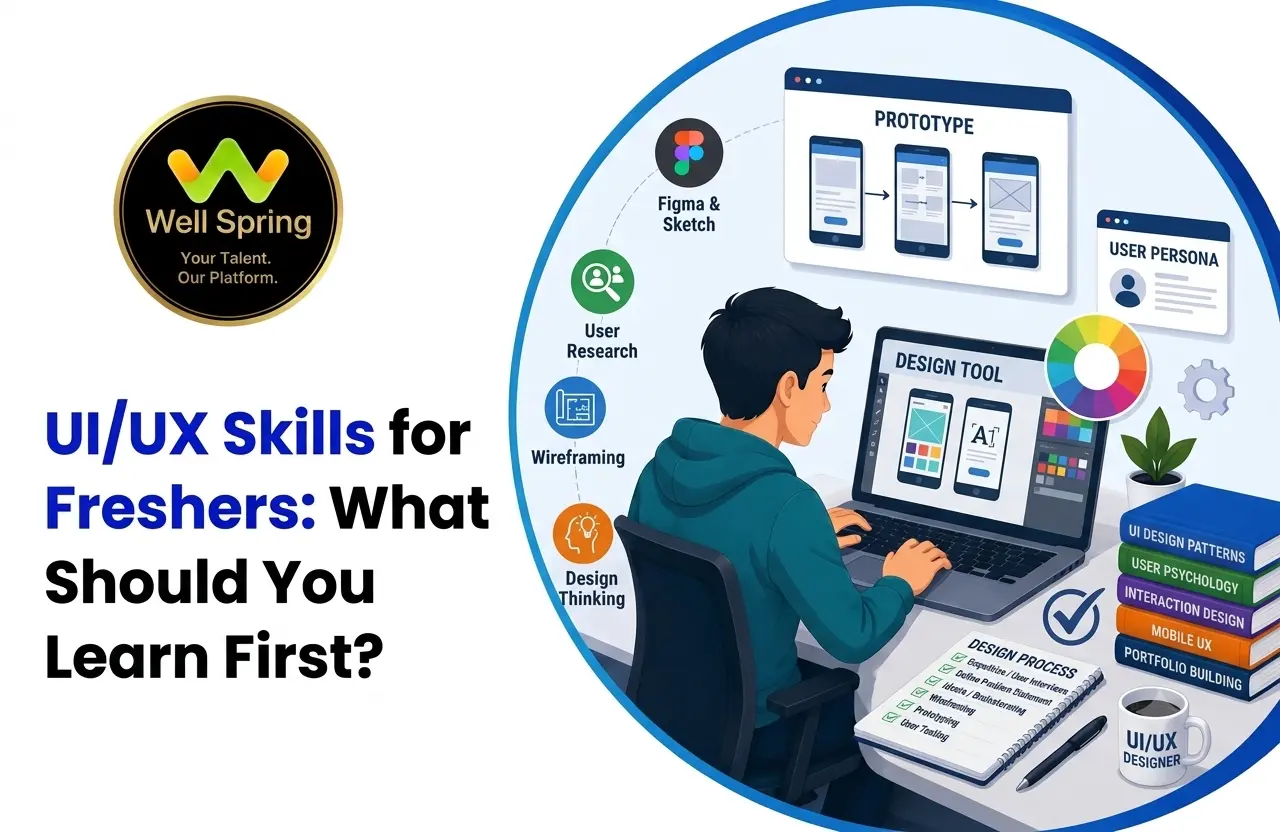
Learning UI/UX can feel overwhelming when you're just starting because there are many tools, techniques, and design concepts to explore. This guide breaks down the most important UI/UX skills for freshers, explains what to learn first and why each skill matters, and provides a practical path from design fundamentals to projects, portfolio development, and preparation for UI/UX jobs for freshers. It also explains how these skills fit into a broader UI/UX design career and what beginners can do to become job-ready without trying to learn everything at once.
The most important UI/UX skills for freshers are UX fundamentals, user research, information architecture, user flows, wireframing, prototyping, visual design, responsive design, accessibility, design systems, usability testing, and communication.
You don't need to learn all of them simultaneously.
A practical order is:
UX Fundamentals → User Research → User Flows → Wireframing → UI Fundamentals → Figma → Prototyping → Usability Testing → Design Systems → Portfolio → Interview Preparation
The most important principle is:
Learn design thinking first, then use design tools to express your solutions.
Knowing how to use Figma is useful, but understanding why a design works is what turns tool knowledge into a professional design skill.
The best way to learn UI/UX skills is progressively rather than trying to master every tool and technique at once.
Freshers should understand UX fundamentals before focusing heavily on visual polish.
User research, user flows, wireframing, prototyping, UI design, and usability testing form a strong foundational skill set.
Figma is an important practical tool, but it should support your design thinking rather than replace it.
Communication and the ability to explain design decisions are essential for a UI/UX designer career.
A portfolio should demonstrate your process, reasoning, testing, and iterations, not just attractive final screens.
Practical projects and internships can help convert learning into evidence that supports applications for UI/UX jobs for freshers.
If you've searched for UI/UX courses or career guides, you've probably encountered long lists of skills:
Figma.
Wireframing.
Prototyping.
User research.
Design systems.
Accessibility.
Usability testing.
Interaction design.
And the list keeps growing.
For a beginner, this creates a problem:
Where do you start?
Trying to learn everything at once can lead to endless tutorials without meaningful progress.
A better approach is to understand the relationship between the skills.
A designer first needs to understand a problem.
Then understand the user.
Then organise the experience.
Then explore solutions.
Then create the interface.
Then test it.
Then improve it.
That gives us a much more useful learning sequence:
Understand → Explore → Structure → Design → Prototype → Test → Improve → Explain
This article breaks down the skills behind that process and shows what freshers should prioritise first.
A fresher applying for a design role has one major challenge:
How do you prove what you can do when you don't have years of professional experience?
Your answer is evidence.
That evidence can come from:
Case studies
Academic work
Practical assignments
Portfolio pieces
Design challenges
But those projects are only useful when they're supported by actual skills.
For example, a portfolio may contain beautiful screens.
A reviewer may still ask:
Why did you choose this navigation?
How did you identify the user problem?
Did you test the design?
What alternatives did you consider?
What changed after feedback?
That's why UI/UX skills for freshers should include both execution and reasoning.
UI/UX skills are the combination of abilities used to understand users, solve product problems, design interfaces, test experiences, and communicate design decisions.
They can broadly be divided into five groups:
Understanding users and their problems.
Planning how users move through and interact with a product.
Creating clear, consistent and visually effective interfaces.
Using software to create wireframes, interfaces and prototypes.
Communicating, presenting, collaborating and responding to feedback.
A job-ready designer needs a combination of these areas.
Instead of viewing skills as a random checklist, think of them as a pyramid.
Typography, colour, spacing, layout, hierarchy.
Users, problems, research, journeys and flows.
Wireframes, UI design and interaction patterns.
Interactive prototypes, testing and iteration.
Design systems, collaboration, accessibility, presentation and portfolio development.
You shouldn't spend all your time on Level 5 while ignoring Levels 1 and 2.
A sophisticated prototype can't compensate for weak design fundamentals.
Start here.
Before learning advanced interface techniques, understand what UX design is trying to accomplish.
Learn concepts such as:
User needs
User goals
Usability
User journeys
Pain points
Information architecture
Interaction patterns
Accessibility
The purpose isn't to memorise definitions.
You should be able to apply them.
Suppose you're designing an appointment booking application.
A UX-focused question is:
“What does the user need to accomplish?”
rather than:
“What colour should the booking button be?”
That difference represents the shift from visual decoration to experience design.
User research helps you understand the people you're designing for.
As a beginner, you can start with simple methods:
Interviews
Surveys
Observation
Competitor analysis
Existing research
Usability feedback
You don't need a huge research department to start practising research thinking.
Suppose students struggle to find internships.
Instead of immediately designing an internship platform, ask:
How do they currently search?
What information do they need?
What frustrates them?
What makes them trust an opportunity?
Where do they abandon the process?
The answers can influence the design.
Don't treat research as a formality.
Research should change your design decisions.
If your research doesn't influence anything, ask whether you're doing research or simply collecting information.
A persona represents a specific type of target user.
A beginner persona might include:
Background
Goals
Frustrations
Behaviour
Needs
For example:
User: Final-year student
Goal: Find relevant internships
Frustration: Too many irrelevant listings
Need: Clear filters and trustworthy information
Personas should be based on evidence where possible rather than stereotypes.
The purpose is to keep the user's needs visible during design decisions.
A user flow shows the steps someone takes to complete a task.
For example:
Open App → Search Course → View Details → Select Date → Enter Information → Confirm Booking
User flows help identify:
Unnecessary steps
Confusing decisions
Missing information
Navigation problems
They're especially useful before you start designing polished screens.
If the flow itself is confusing, adding attractive UI won't solve the underlying problem.
Information architecture is about organising information so users can understand and navigate it.
It becomes especially important for:
Websites
E-commerce platforms
Dashboards
Education platforms
Large applications
Think about:
Categories
Navigation
Labels
Hierarchy
Relationships between information
Imagine an education platform with:
Courses → Categories → Course Details → Lessons → Assignments → Progress
If those relationships aren't clear, users may struggle even if the interface looks beautiful.
Wireframes allow you to explore structure before spending significant time on visual design.
They can range from simple sketches to detailed digital layouts.
A wireframe helps you decide:
Where content belongs
What information is prioritised
How users navigate
What actions are available
How the page is structured
Wireframing makes it easier to experiment.
Changing a simple wireframe is usually faster than redesigning a highly polished interface.
Now move deeper into visual design.
Learn:
Font selection
Hierarchy
Size
Line height
Readability
Contrast
Hierarchy
Meaning
Consistency
Padding
Margins
Rhythm
Alignment
Grids
Content hierarchy
Composition
Help users understand:
What should I notice first?
What should I read next?
What action should I take?
Good UI design makes those answers clearer.
Once your fundamentals are developing, become comfortable with a professional design tool.
Figma is a practical starting point for many beginners.
Learn:
Frames
Components
Auto Layout
Variants
Styles
Constraints
Prototyping
Reusable components
Collaboration
But remember:
Figma is a tool, not the skill itself.
A person can create 100 screens in Figma and still struggle with basic UX decisions.
Use the tool to communicate your thinking.
Prototypes allow you to simulate interactions before development.
You can use them to test:
Navigation
Buttons
Forms
Transitions
User flows
Interactions
For freshers, interactive prototypes are particularly useful in portfolios because they allow reviewers to experience your thinking rather than seeing only static images.
Don't prototype every tiny animation.
Prototype the interactions that matter to the user's journey.
A design can look correct to you and still confuse someone else.
Usability testing helps uncover that gap.
A basic process can be:
Give User a Task → Observe → Ask Questions → Identify Problems → Revise
For example:
“Book a doctor appointment for next Tuesday.”
Watch what the participant does.
Don't immediately tell them where to click.
Observe where they hesitate.
Confusion
Misunderstanding
Unexpected navigation
Missing information
Errors
Friction
Testing doesn't need to be complicated to be useful.
Modern interfaces need to work across different screen sizes.
Understand how designs adapt to:
Mobile
Tablet
Desktop
Consider:
Content priority
Navigation changes
Flexible layouts
Typography
Touch interactions
Spacing
You don't necessarily need to become a frontend developer.
But understanding how designs translate across devices will make your work more realistic.
Accessibility should be part of your design process from the beginning.
Learn the fundamentals of:
Colour contrast
Text readability
Focus states
Keyboard navigation
Clear labels
Error messaging
Alternative text
Logical content structure
Ask:
Can people with different abilities use this product effectively?
Accessibility isn't just a compliance exercise.
It encourages clearer and more thoughtful design.
Once you understand individual interfaces, start thinking about systems.
A design system can include reusable:
Buttons
Inputs
Cards
Navigation
Typography styles
Colour styles
Icons
Components
Think about component states:
Default → Hover → Active → Disabled → Error → Success
This teaches you to design consistently rather than creating every screen from scratch.
A strong designer needs to evaluate designs—including their own.
Practise asking:
Is the hierarchy clear?
Is the next action obvious?
Is the information organised?
Is the interface consistent?
Does the design solve the original problem?
What could confuse the user?
What would happen on mobile?
Learn to critique the design, not the person who created it.
This is one of the most underestimated UI/UX skills for freshers.
Designers work with:
Developers
Product managers
Researchers
Marketing teams
Business stakeholders
Clients
You need to explain your choices clearly.
Instead of:
“I chose this because it looks better.”
Try:
“I placed the primary action here because it follows the user's task sequence and keeps the next step visually prominent.”
The second statement demonstrates reasoning.
Real product design is rarely a solo activity.
Learn to:
Give feedback
Receive feedback
Work with developers
Discuss trade-offs
Ask questions
Clarify requirements
Present alternatives
You don't need to agree with every suggestion.
But you need to know how to discuss design professionally.
UX doesn't happen in isolation.
Products have business goals and technical constraints.
A designer may need to balance:
User Needs + Business Goals + Technical Feasibility
For example:
A user may want a highly customised dashboard.
The business may need it quickly.
The development team may have limited resources.
A good designer considers all three.
Your portfolio isn't simply a gallery.
It's evidence.
For every major case study, explain:
What were you solving?
Who was affected?
What did you discover?
What did you explore?
Why did you choose the final approach?
How did you evaluate it?
What changed?
What did the final design accomplish?
This demonstrates the thinking behind the interface.
Here's a practical priority order.
| Priority | Skill | Why It Matters |
|---|---|---|
| 1 | UX Fundamentals | Establishes design thinking |
| 2 | User Research | Helps understand users |
| 3 | User Flows | Structures the experience |
| 4 | Wireframing | Explores solutions efficiently |
| 5 | UI Fundamentals | Creates clear interfaces |
| 6 | Figma | Turns ideas into designs |
| 7 | Prototyping | Simulates interactions |
| 8 | Usability Testing | Validates ideas |
| 9 | Responsive Design | Makes designs realistic |
| 10 | Accessibility | Supports inclusive experiences |
| 11 | Design Systems | Improves consistency |
| 12 | Communication | Supports professional collaboration |
This doesn't mean you must finish one skill completely before touching the next.
The skills develop together through projects.
Not everything deserves equal priority.
Learn hierarchy and interaction first.
Master one tool before adding more.
Build strong work first.
Apply concepts through projects.
Use them for analysis and practice, not as substitutes for original problem-solving.
Understand principles before trends.
A useful learning cycle is:
Learn:
UX principles
UI fundamentals
Typography
Colour
Layout
Spacing
Practise:
Research
Personas
User journeys
User flows
Information architecture
Wireframes
Develop:
Figma skills
Components
UI systems
Responsive designs
Prototypes
Practise:
Usability testing
Design critique
Iteration
Accessibility
Create:
2–3 strong case studies
Portfolio website
Resume
LinkedIn profile
Focus on:
Design challenges
Portfolio presentation
Interviews
Networking
Entry-level applications
The exact timeline can vary considerably.
The important part is the progression.
You don't need a full-time design role to practise.
Choose an interface you find confusing.
Identify the problem.
Propose an alternative.
Explain your reasoning.
Choose a realistic problem and build a solution from scratch.
Ask:
Why is this button here?
Why is this navigation structured this way?
What information appears first?
What happens when something goes wrong?
Ask a few people to complete a task using your prototype.
Use constraints to practise problem-solving.
The key is to practise thinking, not simply practise drawing screens.
Skills: Research, user flow, wireframing, UI, prototyping
Demonstrate how users discover food, compare options, customise orders and check out.
Skills: Information architecture, visual hierarchy, data presentation, responsive UI
Demonstrate how complex information is organised.
Skills: UX research, navigation, accessibility, responsive design
Demonstrate how students find courses and track progress.
The best project isn't necessarily the most complicated.
It is the one that gives you opportunities to demonstrate meaningful decisions.
Learning independently can teach you concepts.
Practical experience introduces constraints.
You may need to work with:
Requirements
Deadlines
Feedback
Developers
Stakeholders
Existing design systems
Business objectives
Well Spring Talent Solutions describes its internship and training approach around practical learning, live project exposure, mentorship, technical development, and career preparation.
For aspiring designers, the value of practical exposure is that it can help connect:
Learning → Application → Feedback → Improvement → Portfolio Evidence
That progression can be particularly useful when preparing for entry-level roles.
As you gain experience, your UI/UX designer career can move in different directions.
Strong focus on visual interfaces and component systems.
Strong focus on users, research, flows and usability.
Broader responsibility across product experience and design.
Focuses heavily on digital interactions.
Focuses on understanding users and generating insights.
Focuses on scalable interface systems.
Your first job doesn't permanently determine your career.
You can specialise as your interests and experience develop.
Job requirements differ by employer.
However, many entry-level roles may value a combination of:
UI fundamentals
Visual hierarchy
Typography
Layout
User flows
Wireframes
Research fundamentals
Prototyping
Figma or a comparable tool
Prototyping
Collaboration
Communication
Presentation
Collaboration
Problem-solving
Instead of learning skills simply because they appear on a “top skills” list, review the roles you're actually interested in and identify recurring requirements.
Before applying for jobs, evaluate yourself across five areas.
Can you explain basic UI and UX principles?
Can you identify and define a user problem?
Can you turn the problem into a usable interface?
Can you test your solution and improve it?
Can you explain your decisions clearly?
Think of it as:
Foundation → Thinking → Execution → Validation → Communication
If you can demonstrate all five through your portfolio, you're in a much stronger position than someone who only knows how to operate a design tool.
Problem: You can create screens without understanding why they work.
Better approach: Learn fundamentals alongside tool practice.
Problem: You consume information without developing decision-making skills.
Better approach: Build after every major learning milestone.
Problem: Attractive screens don't necessarily demonstrate usability.
Better approach: Start with a real problem.
Problem: Your portfolio becomes repetitive.
Better approach: Build fewer projects with greater depth.
Problem: Your design is based entirely on assumptions.
Better approach: Gather evidence where practical.
Problem: You never discover how other people experience your design.
Better approach: Test prototypes.
Problem: Your solution may exclude users.
Better approach: Consider accessibility from the beginning.
Problem: You become too attached to your own solution.
Better approach: Learn to receive and apply critique.
Don't randomly jump between topics.
Apply each major concept.
Record:
Problems
Decisions
Feedback
Lessons
Analyse them instead of merely copying them.
If you can't explain a decision, investigate why you made it.
Don't wait until your portfolio is finished.
Consider accessibility and diverse needs.
Use real roles to identify relevant skills.
Replace weaker work as your ability improves.
| Learn | Practise |
|---|---|
| Typography principles | Create type hierarchies |
| Colour theory | Build accessible colour systems |
| UX research | Conduct small interviews |
| User flows | Map real user journeys |
| Wireframing | Explore multiple solutions |
| UI principles | Design complete interfaces |
| Figma | Build reusable components |
| Prototyping | Create realistic interactions |
| Usability | Test with users |
| Accessibility | Audit your designs |
| Communication | Present case studies |
This distinction matters.
Knowing a concept is different from being able to apply it.
Before adding a case study to your portfolio, ask:
If the answer is yes, the project has stronger evidence of design thinking.
Career advice often focuses on statements such as:
“UI/UX is one of the fastest-growing careers.”
Such claims can be too broad to guide an individual career decision.
Hiring demand differs according to:
Industry
Geography
Company size
Product type
Economic conditions
Role definition
Experience level
A more useful approach is to examine current job descriptions for the roles you want.
Track which skills appear repeatedly.
For example, if the junior roles you're interested in consistently mention:
Figma + wireframing + prototyping + design systems + communication
those requirements should influence your learning priorities.
Use market data as context—not as a guarantee of employment.
Learning UI/UX skills doesn't have to mean trying to master every design tool, trend and technique at once.
Start with the foundation.
Understand users.
Learn how to identify problems.
Practise user flows and wireframes.
Develop your UI fundamentals.
Learn Figma.
Build prototypes.
Test your designs.
Study accessibility and responsive design.
Then bring those skills together through projects and case studies.
The most useful progression is:
Understand → Research → Structure → Design → Prototype → Test → Improve → Explain
For a fresher, that final word—explain—matters.
A portfolio should show not only what you designed, but why you designed it that way.
Practical training, projects, internships and mentoring can help turn theoretical knowledge into experience that you can discuss and showcase. Well Spring Talent Solutions combines practical IT training with project work, internships, mentorship, portfolio and resume support, and career preparation to help learners move toward professional readiness.
Your goal isn't to become an expert in everything before applying for your first role.
Your goal is to become capable enough to:
Identify a problem → Design a solution → Test it → Improve it → Explain it.
That's a much stronger foundation for a UI UX designer career than simply knowing how to use a design tool.
Ready to develop your UI/UX skills through practical learning?
Explore career-focused training and practical opportunities with Well Spring Talent Solutions to build relevant skills, work on projects, strengthen your portfolio, and prepare for your next step toward a UI/UX career.

21 Oct 2026
21 Oct 2026

20 Oct 2026

20 Oct 2026

19 Oct 2026
Start with UX fundamentals, user research, user flows, wireframing, UI design principles, Figma, prototyping, usability testing, responsive design, accessibility, communication, and portfolio development.
Start with UX and UI fundamentals before focusing heavily on advanced tools. Understanding users, hierarchy, layout, interaction and usability gives you a stronger foundation.
No. Figma is a design tool. You also need UX thinking, UI fundamentals, problem-solving, prototyping, usability, communication and practical project experience.
Learn design fundamentals, understand UX processes, develop practical tool skills, build realistic projects, create case studies, develop a portfolio, gain practical exposure, and prepare for interviews.
Yes. Freshers can apply for suitable entry-level UI/UX opportunities, but they should be prepared to demonstrate relevant skills through projects, portfolios, case studies, internships or other practical evidence.
The requirements vary by role, but relevant skills can include wireframing, prototyping, UI design, user flows, research fundamentals, Figma, responsive design, accessibility, communication and portfolio presentation.
Not every UI/UX role requires coding. However, understanding basic HTML, CSS and development concepts can help designers communicate more effectively with developers.
There is no fixed number. Prioritise a small number of strong projects that demonstrate different abilities rather than creating many repetitive designs.
A strong case study can include the problem, users, research, user flow, wireframes, design decisions, final interface, prototype, testing, iterations and lessons learned.
Yes. The requirements vary by employer. Practical ability, portfolio quality, relevant skills and your ability to explain your design decisions can all contribute to your readiness.
They solve different aspects of the product experience. UX focuses more on user needs, flows and usability, while UI focuses more on visual and interactive interface design. Strong digital products generally need both.
There is no universal timeline. Your progress depends on your starting point, learning method, practice time, project complexity and ability to apply what you learn.
Start building realistic projects, seek feedback, create case studies, build a portfolio, develop your professional presence, and prepare for entry-level roles.
We provide IT training, internships, and online learning for students in Trichy and across India.
We also welcome enquiries from students in these neighbourhoods, towns, and surrounding locations.
Can't attend classes in person? Explore online IT training opportunities with Well Spring Talent Solutions, designed to help learners develop practical technology skills from different locations across India.
Get internship updates, IT training news, placement opportunities, and career tips directly to your inbox.
Join our WhatsApp community for internship updates, IT courses, placement support, and latest job opportunities.
Join Now