

Introduction
Modern websites and web applications do much more than display information. When you log in, search for a product, submit a form, or make a booking, several application components work together in the background.
A typical full stack web application combines a frontend, backend, database, and APIs to process requests and deliver information. Understanding how full stack web applications work helps you see how these components communicate and how user actions become useful results.
In this guide, we will explain the full stack web application architecture, the role of each component, and the typical flow of data from the user's browser to the server and database.
What Is a Full Stack Web Application?
A full stack web application includes the different layers required to build and operate an interactive web application.
The main components are:
- Frontend – The interface users see and interact with
- Backend – Processes requests and application logic
- Database – Stores and retrieves application data
- API – Provides a structured way for application components to communicate
Together, these components create a full stack application flow.
For example, when a user logs into a website, the frontend collects the login details, the backend processes the request, and the database provides the relevant account information. The backend then sends a response that the frontend displays to the user.
How Does a Full Stack Web Application Work?
The basic process can be understood as:
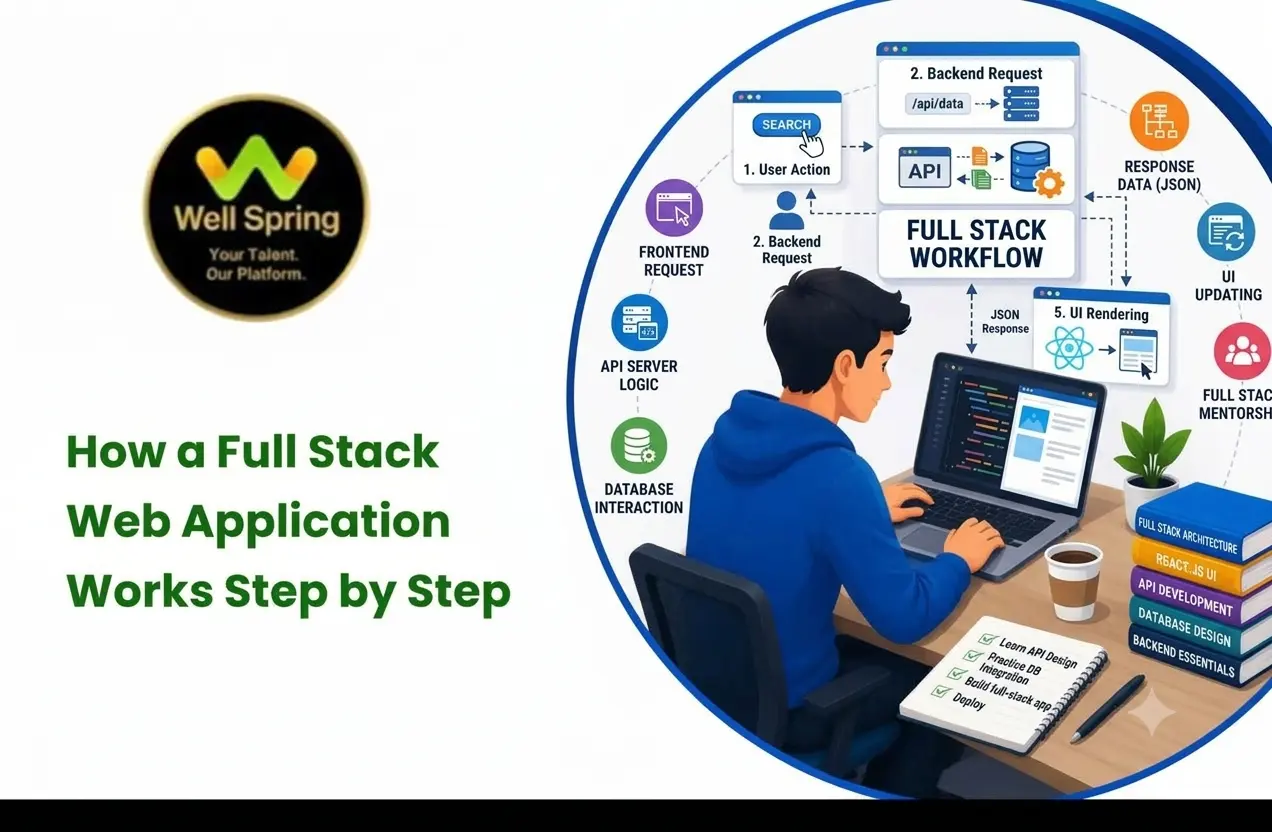
User → Frontend → Backend/API → Database → Backend/API → Frontend → User
Each component has a specific responsibility.
- The user performs an action in the browser.
- The frontend collects the required information.
- The frontend sends a request to the backend through an API or other communication method.
- The backend processes the request and applies the required application logic.
- The backend communicates with the database when information is required.
- The database returns the requested information.
- The backend prepares a response.
- The frontend receives the response and displays the result to the user.
This is the basic full stack application flow used by many modern web applications.
Where Do the Frontend, Backend, and Database Run?
Understanding where each component operates makes the application flow easier to understand.
The frontend is commonly delivered to and executed in the user's web browser. It controls what the user sees and how the interface responds to interactions.
The backend runs on a server. It handles application logic, validates requests, processes data, and communicates with databases and other services.
The database stores application information and is usually hosted separately or within the application's server infrastructure.
For example, when you submit a login form, your browser sends the request to the application's server. The backend processes the request, checks the required information in the database, and sends a response back to the browser.
What Is the Role of the Frontend?
The frontend is the part of a web application that users can see and interact with.
It includes elements such as:
- Buttons
- Forms
- Menus
- Images
- Text
- Navigation
- Interactive components
Common frontend technologies include HTML, CSS, and JavaScript, along with frameworks and libraries such as React, Angular, and Vue.
For example, when you enter your email and password into a login form, the frontend collects the information and sends it to the appropriate backend endpoint.
The frontend is mainly responsible for presenting information, handling user interaction, and displaying responses.
What Does the Backend Do?
The backend operates behind the user interface and runs on the application's server. It handles application logic, processes requests, validates information, and communicates with databases and other services.
A backend may handle tasks such as:
- User authentication
- Form processing
- Data validation
- Business logic
- Database operations
- API requests
- Security checks
Popular backend technologies include Node.js, PHP, Python, Java, and other server-side technologies.
For example, after receiving login details, the backend can validate the request, retrieve the relevant account information, and determine whether the user should be allowed to access their account.
How Does the Database Fit Into the Application?
The database stores information that the application needs to use.
Depending on the application, a database may contain:
- User accounts
- Product information
- Orders
- Messages
- Customer details
- Application settings
When the backend needs information, it sends a query or request to the database. The database processes that request and returns the relevant data.
The frontend generally does not communicate directly with the database. Instead, the backend manages database operations and controls how application data is accessed.
This separation helps protect sensitive information and keeps database operations under the control of the application's server-side logic.
How Do Frontend and Backend Work Together?
The frontend and backend work together through requests and responses.
Consider a simple product search:
- A user enters a product name.
- The frontend collects the search term.
- The frontend sends the request to the backend through an API.
- The backend processes the search request.
- The backend searches the database.
- The database returns matching records.
- The backend sends the results back to the frontend.
- The frontend displays the products to the user.
This explains how frontend and backend work together to provide a complete user experience.
How Do HTTP and HTTPS Requests Work?
When a frontend communicates with a backend, it commonly uses HTTP or HTTPS requests.
HTTP provides the communication rules that allow a browser and server to exchange requests and responses. HTTPS adds encryption to this communication, helping protect information while it travels between the browser and server.
For example, when a user submits a form:
Browser → HTTPS Request → Server → HTTPS Response → Browser
The response may contain data, a success message, an error, or other information that the frontend can use to update the page.
How APIs Connect the Frontend and Backend
An API (Application Programming Interface) provides a structured way for the frontend to communicate with backend functionality.
An API is not necessarily a separate layer from the backend. Instead, it acts as an interface through which the frontend or another application can request data or perform an operation provided by the backend.
For example, a frontend may send a request to an API endpoint such as:
/api/products
The backend receives the request, performs the required operation, and returns a response.
The response may contain information in a structured format such as JSON, which the frontend can use to update the page.
APIs are therefore an important part of modern full stack web application architecture.
Full Stack Application Flow: A Login Example
A login process provides a simple example of how full stack development works.
Step 1: User Enters Details
The user enters an email address and password into the login form.
Step 2: Frontend Sends the Request
The frontend sends the login request to the backend through an API, commonly using HTTPS.
Step 3: Backend Validates the Request
The backend checks whether the submitted information follows the required format and processes the authentication request.
Step 4: Backend Checks the Database
The backend retrieves the relevant account information from the database.
Step 5: Authentication Is Performed
The submitted credentials are checked against the stored account information using the application's authentication process.
Step 6: Backend Sends a Response
The backend returns a response indicating whether the login was successful.
Step 7: Frontend Updates the Interface
The frontend receives the response and displays the appropriate result, such as the user's dashboard or an error message.
This complete process can happen within seconds.
Full Stack Web Application Architecture
A basic full stack web application architecture can be represented as:
User
↓
Browser / Frontend
↓
API / Backend
↓
Database
↓
Backend / API Response
↓
Frontend
↓
User
Each component has a different responsibility.
| Component | Main Responsibility |
|---|---|
| Frontend | Displays the interface and handles user interaction |
| API | Provides a structured interface for communication |
| Backend | Processes requests and application logic |
| Database | Stores and retrieves application information |
Keeping these responsibilities organized can make an application easier to develop, maintain, test, and improve.
Common Technologies in a Full Stack Application
Different technologies can be used for each part of a full stack application.
| Application Component | Examples |
|---|---|
| Frontend | HTML, CSS, JavaScript, React, Vue, Angular |
| Backend | Node.js, PHP, Python, Java |
| Database | MySQL, PostgreSQL, MongoDB |
| API | REST API, GraphQL |
The technology stack can vary depending on the application's requirements, features, performance needs, and development approach.
How Is a Full Stack Web Application Deployed?
After development and testing, a full stack web application needs to be deployed so users can access it online.
A typical deployment may include:
- Frontend hosting – Serves the application's user interface
- Backend/server hosting – Runs server-side application logic
- Database hosting – Stores application data
- Domain and DNS – Connects the website address to the application
- SSL/HTTPS – Helps secure communication between users and the application
Depending on the project, these components may be hosted on the same infrastructure or across different services.
Once deployed, users can access the application through a web browser, while the frontend, backend, database, and supporting services continue to communicate in the background.
Why Understanding Full Stack Application Flow Matters
Understanding the application flow helps explain what happens behind everyday web interactions.
It can help you understand:
- How user actions reach the server
- How HTTP and HTTPS requests work
- How application data is processed
- How databases store information
- How APIs connect application components
- How frontend interfaces receive data
- How different technologies work together
Instead of viewing a web application as a single system, you can understand it as a group of connected components working together.
Key Takeaways
A full stack web application usually combines a frontend, backend, database, and communication methods such as APIs and HTTP/HTTPS.
The basic process is:
User action → Frontend → API/Backend → Database → Backend/API → Frontend → User
The frontend handles the user interface, the backend manages application logic, and the database stores application data. APIs provide a structured way for the frontend and backend to communicate.
Understanding how full stack web applications work provides a clearer view of what happens behind the interface of a modern web application, from a user's first interaction to the processing and delivery of data.
Conclusion
Understanding how full stack web applications work becomes easier when you look at the application as a set of connected components. The frontend handles user interaction, the backend processes requests and application logic, and the database stores and retrieves information. APIs and HTTP/HTTPS allow these components to communicate securely and efficiently.
From submitting a form to logging into an account or searching for a product, each user action can trigger a sequence of requests and responses between the frontend, backend, and database. Understanding this full stack application flow provides a clear foundation for learning how modern web applications are built, developed, and deployed.



