

Introduction
Imagine a website hosted on a server in India receiving thousands of visitors from the United States, Australia, Europe, and other regions. Every visitor needs to download website resources such as images, CSS files, JavaScript, fonts, and sometimes videos. If every request must travel back to the original server, visitors may experience slower loading times, while the server handles a larger volume of repeated requests.
A content delivery network helps address this challenge by distributing copies of eligible content across a network of servers positioned in different locations. Visitors can often receive cached resources from a server closer to them, reducing the distance data travels and the work required from the original server.
For students learning web development, cloud computing, networking, or cybersecurity, understanding CDN technology explains an important part of how modern websites deliver content efficiently to users around the world.
Quick Answer: What Is a CDN?
A CDN (Content Delivery Network) is a geographically distributed network of servers that delivers website content and other digital resources to users. It can cache eligible files closer to visitors, reduce repeated requests to the origin server, improve loading performance, and provide additional security features depending on the provider and configuration.
1. What Is a Content Delivery Network?
A content delivery network is a collection of interconnected servers designed to deliver digital content efficiently to users in different locations.
A website normally has an origin server, which is the main source of its content. This server might be provided by a hosting company, a cloud platform, or an organisation's own infrastructure.
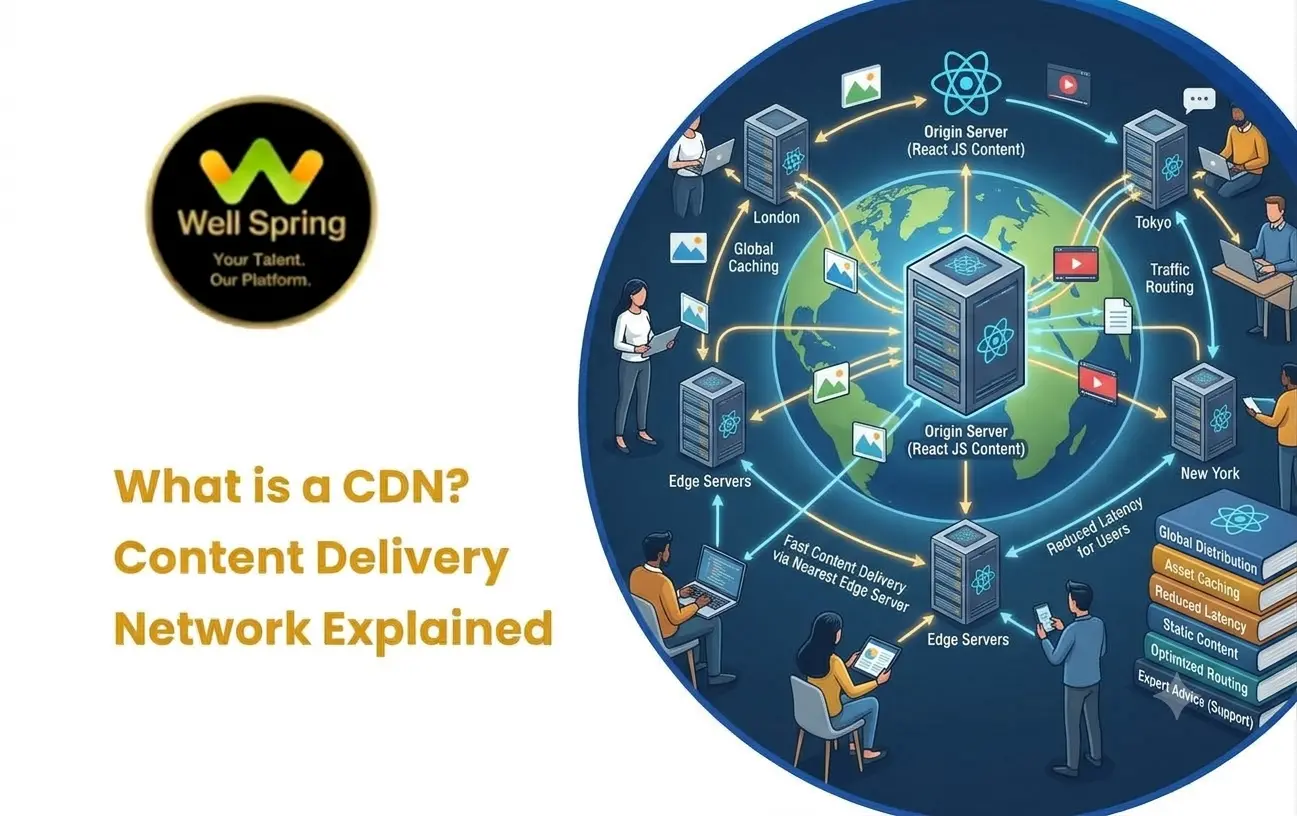
A CDN places additional servers, often called edge servers or points of presence, across different geographic locations. Depending on the configuration, these servers can store cached copies of content and deliver them when users request it.
For example, a website might serve its original files from a server in Chennai while receiving visitors from Sydney and London. A CDN may deliver cached images, stylesheets, scripts, and other eligible resources from edge locations closer to those visitors.
The CDN does not necessarily copy the entire website to every location. It stores and delivers content according to its caching rules, available capacity, and the provider's architecture.
2. What Is the CDN Full Form and Meaning?
The CDN full form is Content Delivery Network.
Each word describes an important part of the technology.
Content refers to digital resources such as images, videos, scripts, stylesheets, documents, and other website assets.
Delivery describes how those resources are transferred to users when requested.
Network refers to the connected group of servers and supporting infrastructure that helps distribute those resources.
In simple terms, CDN meaning refers to a network designed to make digital content available to users efficiently, often by serving cached content from locations closer to them.
A CDN is not necessarily a replacement for web hosting. Instead, it usually works alongside the origin server and other website infrastructure.
3. Why Do Websites Need a CDN?
Website performance depends on more than the size of the HTML page. Network distance, server response time, traffic volume, caching, and resource delivery all influence how quickly content reaches visitors.
A CDN can help with several common challenges.
Long-Distance Requests
When a visitor is geographically far from the origin server, network delays can increase. Delivering cached resources from a closer edge location can reduce some of that delay.
Repeated Resource Requests
Many visitors download the same logo, stylesheet, product image, or JavaScript file. Caching these resources can reduce repeated requests to the origin server.
Traffic Spikes
A campaign, product launch, news event, or popular video can generate a sudden increase in traffic. A CDN can distribute eligible content requests across its infrastructure and reduce pressure on the origin.
Media Delivery
Large images, videos, software downloads, and other assets can require significant bandwidth. A suitable CDN can help distribute these resources efficiently.
Security Requirements
Some CDN providers offer features such as traffic filtering, DDoS mitigation, web application firewalls, and bot protection. The exact protections depend on the provider and the service configuration.
4. How CDN Works
Understanding how CDN works becomes easier when you follow a single website request.
Suppose a visitor opens a website and requests a product image.
-
Visitor's Browser
Requests an image or other website resource.
-
CDN Network
Routes the request according to its network and delivery configuration.
-
Cache hit
The edge server has a usable cached copy and serves it to the visitor.
-
Cache miss
The CDN retrieves the resource from the origin or another configured source when needed.
-
Resource Delivered
The requested content is returned to the browser.
The typical process works as follows.
- Step 1: The visitor requests content. The browser requests a resource such as an image, CSS file, JavaScript file, or video segment.
- Step 2: The request reaches the CDN. The website's configuration directs the request through the CDN infrastructure.
- Step 3: The CDN checks the cache. If the requested resource has a valid cached copy at the selected edge location, the CDN can serve it directly.
- Step 4: The CDN retrieves missing content when necessary. If the resource is not available in the cache, the CDN may fetch it from the origin server or another configured source.
- Step 5: The visitor receives the content. The CDN returns the resource to the browser and may retain a cached copy for future requests according to its caching rules.
The exact routing and caching behaviour varies by CDN provider, configuration, and content type.
5. What Are CDN Edge Servers?
Edge servers are servers positioned closer to users within a CDN's distributed infrastructure.
Their main purpose is to handle requests near the user rather than requiring every request to reach the original server.
For example, if a website's origin server is in Mumbai, a CDN might have edge locations serving users in other regions. When an eligible resource is already cached at an appropriate edge location, the visitor can receive it without the CDN retrieving it from Mumbai again.
Edge locations do not automatically make every request faster. The actual result depends on network routing, cache availability, server capacity, and the nature of the request.
6. Static Content vs Dynamic Content
One important concept in CDN technology is the difference between static and dynamic content.
Static Content
Static content is generally delivered as a resource that does not need to be generated uniquely for every request.
Examples include:
- Logos and product images.
- CSS stylesheets.
- JavaScript files.
- Fonts.
- Public documents.
- Versioned media files.
These resources are often suitable for caching when their content and access requirements allow it.
Dynamic Content
Dynamic content is generated or personalised according to information such as a user's account, request parameters, application state, or current database data.
Examples include:
- Personalised dashboards.
- Account balances.
- Shopping cart contents.
- Live booking availability.
- User-specific order histories.
Dynamic content can also benefit from CDN-related technologies, but it requires more careful configuration. Some dynamic responses can be cached safely, while others should not be cached or shared between users.
For instance, a public product description may be cacheable, while a customer's private order details should not be served from a shared cache without an appropriate design.
7. Main Features of a CDN
A CDN can offer more than basic file caching. Available features vary by provider and service plan.
Content Caching
Caching stores eligible copies of resources so repeated requests do not always require a trip to the origin.
Global Content Delivery
A distributed network can deliver cached content through edge locations serving different geographic regions.
Load Distribution
CDN infrastructure can distribute eligible requests across available delivery infrastructure, helping manage traffic volume.
Image and Media Optimisation
Some providers support image resizing, format conversion, compression, or video delivery features.
DDoS Mitigation
Certain CDN services help absorb or filter malicious traffic associated with distributed denial-of-service attacks.
Web Application Firewall
Some providers offer web application firewall capabilities that can inspect requests and apply security rules.
TLS Support
CDNs commonly support HTTPS delivery, helping protect data transmitted between a visitor and the CDN. Secure delivery between the CDN and origin also needs appropriate configuration.
Cache Invalidation
Developers can purge cached content when necessary so that updated resources become available sooner than they otherwise would under existing caching rules.
8. Types of CDN
CDNs can be classified in several ways, including how content is delivered and how the infrastructure is operated.
Traditional CDN
A traditional CDN primarily focuses on delivering cached content such as images, scripts, stylesheets, downloads, and media files.
Media and Video CDN
Media-focused delivery infrastructure is designed to handle large files, streaming segments, and video delivery requirements.
Cloud-Based CDN
Cloud platforms may offer content delivery alongside storage, compute, security, and other cloud services.
Multi-CDN Approach
Some organisations use more than one CDN provider to improve resilience, manage traffic, or optimise delivery across different regions.
Push and Pull CDN Models
These terms describe different approaches to placing content into a CDN cache.
- Pull CDN: The CDN fetches content from the origin when a request requires it and the content is not already cached.
- Push CDN: Content is uploaded or explicitly distributed to the CDN before users request it.
The terminology and available options depend on the provider. Many services support pull-based caching, while preloading and push-like workflows vary.
9. Benefits of Using a CDN
A CDN can improve a website's delivery performance, but the results depend on the website and its configuration.
Faster Delivery of Cached Resources
Visitors may receive images, stylesheets, scripts, and other cached files from an edge location with a shorter network path.
Reduced Origin Workload
Serving repeated resources from a cache can reduce the number of requests and amount of bandwidth the origin server must handle.
Better Handling of Traffic Spikes
Distributed delivery infrastructure can help serve large numbers of requests for cacheable resources during busy periods.
Improved Global Reach
A website can deliver cached content to visitors across multiple regions without requiring its origin server to be physically close to every audience.
Additional Security Options
Depending on the service, a CDN may provide traffic filtering, DDoS mitigation, and other security controls.
More Efficient Media Delivery
CDNs can be useful for websites that deliver many large images, downloadable files, or streaming media resources.
A CDN is not a substitute for efficient code, a properly configured server, or a well-designed application. It works best as part of a broader performance strategy.
10. CDN vs Web Hosting
CDN and web hosting are related but perform different roles.
| Feature | CDN | Web Hosting |
|---|---|---|
| Main purpose | Distributes content efficiently | Provides infrastructure for websites and applications |
| Typical role | Caches and delivers eligible resources | Stores website files and runs application services |
| Geographic delivery | Uses distributed edge infrastructure | Depends on the hosting setup |
| Dynamic processing | May support selected edge processing | Commonly runs the main application logic |
| Origin relationship | Often retrieves content from an origin | May serve as the origin itself |
For example, a Laravel application might run on a cloud server while a CDN delivers its public images, stylesheets, and JavaScript files.
The application still needs a working origin or backend for requests that require application processing.
11. CDN vs DNS
DNS and CDN are also different technologies, although they can work together.
DNS helps resolve domain names and identify the appropriate destination for a request.
A CDN helps deliver content through a distributed network of servers.
A simplified relationship is:
- A browser requests a website resource.
- DNS resolution helps identify where the request should go.
- The request reaches the CDN when the domain is configured to use one.
- The CDN serves a cached resource or retrieves content from the origin when required.
DNS can help direct traffic toward CDN infrastructure, but DNS resolution itself does not perform the CDN's content caching and delivery work.
12. Popular CDN Use Cases
E-Commerce Websites
Online stores can use a CDN to deliver product photographs, category images, public scripts, and stylesheets efficiently.
Educational Platforms
Learning websites may use CDN infrastructure to distribute public course images, downloadable learning materials, and video content.
News and Media Websites
High-traffic publishers can benefit from caching public articles, images, and other resources during traffic spikes.
Video Streaming Platforms
Video delivery often uses distributed infrastructure to deliver media segments to viewers across different regions.
Software Download Websites
CDNs can distribute installers, update files, packages, and other downloadable resources to many users.
Corporate Websites
Business websites can use CDNs for public brand assets, marketing pages, downloadable documents, and other cacheable resources.
13. When Does a Website Need a CDN?
Not every website requires a CDN immediately.
A small website serving a local audience with limited traffic may perform well using suitable hosting and efficient caching.
A CDN becomes more useful when a website:
- Receives visitors from multiple geographic regions.
- Serves many images, scripts, stylesheets, or downloadable files.
- Experiences large traffic spikes.
- Delivers video or other bandwidth-intensive media.
- Needs certain distributed security features.
- Wants to reduce repeated requests to its origin server.
Before adopting one, measure the actual performance problem. A CDN may not solve slow database queries, inefficient backend code, or an overloaded application server when those are the main causes of delay.
14. CDN Limitations and Challenges
Although CDN technology offers significant advantages, developers need to understand its trade-offs.
Cached Content Can Become Outdated
If content changes but an old cached copy remains available, visitors may temporarily see outdated information.
Correct cache headers, versioned filenames, and cache purging can help manage this issue.
Not Every Request Can Be Cached
Personalised or sensitive responses often need different caching rules from public resources.
Incorrect configuration can expose private information, so access control and cache behaviour must be reviewed carefully.
Additional Configuration Is Required
DNS settings, HTTPS certificates, origin access, caching policies, and security rules may all need attention.
Costs Can Increase With Usage
CDN services may charge for data transfer, requests, additional features, or other usage. Pricing varies by provider and plan.
A CDN Cannot Fix Every Performance Problem
Slow application logic, poor database performance, large unoptimised resources, and excessive JavaScript can still affect users even when a CDN is present.
15. How to Get Started With a CDN
For a beginner, the best way to learn CDN implementation is to start with a website or test environment you control.
-
Step 1: Identify the Resources to Deliver.
Determine which files are suitable for caching, such as public images, CSS, JavaScript, and fonts.
-
Step 2: Choose a Suitable Provider.
Compare supported regions, security features, pricing, integration methods, and documentation.
-
Step 3: Configure the Domain or Resource Delivery.
Follow the provider's instructions for DNS changes, CDN hostnames, or the required integration method.
-
Step 4: Configure Caching Rules.
Set appropriate policies based on whether resources are public, frequently updated, versioned, or personalised.
-
Step 5: Verify HTTPS and Origin Access.
Confirm that secure connections work correctly and that the CDN can retrieve resources from the origin.
-
Step 6: Test the Website.
Check the response status, cache headers, page behaviour, and resource loading.
-
Step 7: Monitor Performance.
Compare real measurements before and after implementation instead of assuming that enabling a CDN automatically improves every metric.
16. Practical Example for Beginners
Imagine an online clothing store that serves customers across India and Australia.
The website has:
- Product photographs.
- Brand logos.
- CSS and JavaScript files.
- Product information.
- User accounts.
- Shopping cart functionality.
Without a CDN, requests for public images and other resources may repeatedly reach the origin server.
With an appropriately configured CDN:
- Product photographs may be delivered from nearby edge locations.
- Versioned CSS and JavaScript files can be cached.
- The origin may receive fewer requests for repeated public assets.
- Account details and personalised shopping cart data can remain protected through appropriate application and caching rules.
- CDN analytics can help the team understand delivery performance.
This example illustrates an important distinction: the CDN can improve delivery of suitable resources without replacing the store's application, database, or business logic.
17. Common CDN Misconceptions
A CDN Replaces Web Hosting
A CDN often works alongside hosting rather than replacing the origin server or application infrastructure.
Every Request Goes to the Nearest Server
Traffic is routed according to the provider's network, routing policies, availability, and configuration. Geographic distance is only one consideration.
A CDN Always Makes Websites Faster
Performance improvements depend on the bottleneck, the content being delivered, cache behaviour, and network conditions.
Every Website Resource Is Cached Automatically
Caching depends on provider defaults, cache headers, rules, and the type of response. Some content should not be cached at all.
A CDN Guarantees Website Security
A CDN may provide useful security features, but security still depends on correct configuration and protection of the origin, application, and data.
DNS and CDN Mean the Same Thing
DNS resolves names and provides resource information. A CDN distributes and delivers content through its infrastructure.
18. How Students Can Learn CDN Technology
Students can understand CDN concepts through practical web development exercises.
A useful learning sequence is:
- Build a simple website. Create a page with images, stylesheets, scripts, and other public resources.
- Measure its current performance. Record loading behaviour and relevant network timings before introducing a CDN.
- Configure a CDN in a test environment. Follow the provider's documentation and use a domain or setup you are authorised to manage.
- Inspect cache headers. Learn how to identify cache hits, cache misses, and cache-control behaviour using browser developer tools or command-line utilities.
- Update a resource. Observe how versioned filenames or cache purging affect the delivery of changed content.
- Compare results. Measure performance under comparable conditions and explain what changed.
- Review security and privacy. Check which resources are public and ensure personalised data is not inadvertently shared through caching.
This practical approach helps students understand how CDN technology fits into real website operations rather than treating it as a theoretical networking term.
For learners developing web and cloud skills, Well Spring Talent Solutions can be mentioned as a learning resource in the broader journey of connecting technical concepts with practical projects.
Key Takeaways
- A content delivery network distributes and delivers digital resources through a network of servers.
- CDN full form means Content Delivery Network.
- A CDN can cache eligible content at edge locations closer to visitors.
- A cache hit allows a suitable resource to be served from the cache, while a cache miss may require retrieval from the origin.
- Static resources are often suitable for caching, while personalised content requires careful handling.
- CDN technology can improve content delivery, reduce repeated origin requests, and provide additional security features.
- A CDN complements web hosting and DNS rather than replacing either one.
- Correct caching, HTTPS, access controls, monitoring, and cost management are essential for a reliable implementation.
- Students can learn CDN technology by configuring a test website, inspecting response headers, and comparing performance.
Conclusion
A content delivery network is an important part of modern web infrastructure because it helps websites distribute digital resources efficiently across different regions. By using edge servers, caching, and suitable delivery policies, a CDN can reduce repeated requests to the origin and improve the delivery of eligible content.
For students, understanding how CDN works builds a useful foundation for web development, networking, cloud computing, and website performance optimisation. The most effective way to learn is to configure a test website, inspect its caching behaviour, measure performance, and understand how CDN delivery interacts with DNS, hosting, security, and application logic.
A well-configured CDN is not a replacement for good website engineering. It is an additional tool that helps a website deliver the right content efficiently and reliably.



