Blog Details
Home Blog Details

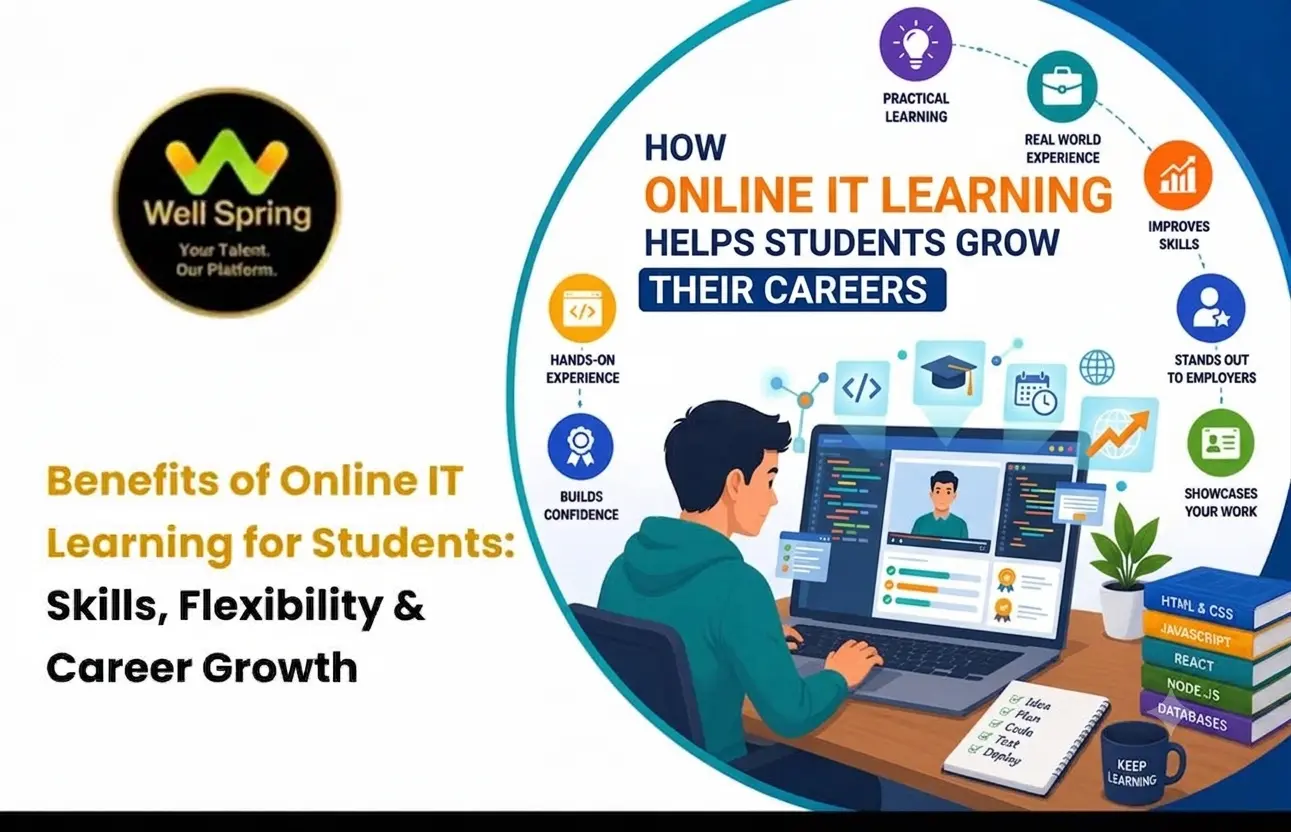
Online IT learning gives college students an opportunity to develop technology skills alongside their academic studies. Through digital lessons, guided practice, technical exercises, and personal projects, students can explore different IT fields and prepare for future career opportunities.
For students managing lectures, assignments, examinations, and other responsibilities, flexible learning can make it easier to dedicate time to additional skill development. However, meaningful progress depends on more than watching tutorials. Students need to practise independently, solve problems, apply concepts, and review their work regularly.
In this guide, we explore the benefits of online IT learning, common challenges students may face, effective study habits, and practical ways to build technical skills while studying in college.
Online IT learning can help college students develop technical knowledge, practise new skills, explore technology careers, and build projects alongside their degree. Its flexibility allows students to organise their learning around academic commitments.
The results depend on the student's consistency, the quality of learning resources, and opportunities to apply what they learn. Combining lessons with exercises, independent problem-solving, project work, and feedback can make online learning more valuable.
Online IT learning is the process of studying information technology and related subjects through internet-based resources and learning platforms.
Depending on the subject and learning method, students may use recorded lessons, live online classes, technical documentation, interactive exercises, virtual demonstrations, and project assignments.
Online learning can take several forms:
Self-paced learning: Students choose their resources and study according to their own schedules.
Live online learning: Students attend scheduled sessions and may be able to ask questions during lessons.
Recorded learning: Students revisit available lessons when they need to review a concept.
Project-based learning: Students apply technical concepts by completing practical tasks or developing projects.
Blended learning: Students combine online resources with other forms of instruction or practical support.
Each format offers different advantages. Students should consider their learning preferences, available time, technical requirements, and need for guidance before deciding which approach works best for them.
College provides a foundation in academic subjects, but students may also want to explore additional technologies and practical skills relevant to their interests.
For example, a computer science student might want to practise web development, while a design student may wish to explore user interface design. Another student may be interested in software testing, Python programming, or digital marketing.
Online learning gives students another way to explore these areas without necessarily following a fixed daily classroom schedule.
It can also help students investigate career options before committing to a particular specialisation. By completing introductory exercises and small projects, learners can better understand which subjects interest them and where they want to develop further.
The objective is not to replace a college education. It is to complement academic learning with additional practice and relevant technical experience.
One of the main advantages of online learning is the ability to organise study time around college responsibilities.
Students can plan additional learning around lectures, assignments, laboratory sessions, examinations, and personal commitments. Recorded lessons and self-paced resources may also make it easier to revisit topics when time is available.
However, flexibility works best when students maintain a realistic routine. Setting aside a few consistent study periods each week can be more effective than waiting until a long period of free time becomes available.
Online learning allows students to access digital resources from different locations, provided they have a suitable device and internet connection.
This can be useful for students who live away from training centres, return home during holidays, or have schedules that make regular travel difficult.
The ability to access learning materials from different locations can help students maintain continuity when their daily routines change.
Technical subjects often involve concepts that require repeated practice.
A student learning programming may need to revisit loops, functions, data structures, or debugging. Someone studying design may need to review layout principles, wireframes, and prototyping techniques.
When recorded lessons or reference materials are available, students can review difficult explanations and attempt the related exercises again.
A useful approach is to watch a lesson, close the reference material, and try to reproduce the solution independently. This helps learners check whether they understand the concept rather than simply recognise it.
Technical knowledge becomes more useful when students can apply it to real tasks.
For example, students learning web development can practise creating responsive pages, while programming learners can develop small applications. Students exploring design can create interface prototypes, and software testing learners can prepare test cases for a sample application.
Practical exercises reveal gaps that may not become obvious during passive learning.
Students interested in web development can also explore the fundamentals covered in a full stack development course in Trichy to understand how frontend, backend, and database technologies work together.
Students do not always know which technology career they want to pursue when they begin college.
Online learning can provide an opportunity to explore different subjects before choosing a specialisation.
Common areas include:
Web and full stack development
Python and other programming languages
Software testing and quality assurance
UI/UX design
Data analysis
Cloud computing and DevOps
Digital marketing and search engine optimisation
Students should start with introductory material and simple exercises before committing to an advanced learning path.
Technology work frequently involves finding solutions to unfamiliar problems.
Students can strengthen their problem-solving skills by attempting exercises independently, reading error messages, researching documentation, testing different approaches, and reviewing the results.
Instead of immediately copying a solution, try to understand why the problem occurred and how the proposed fix works.
This habit encourages deeper understanding and helps students become more comfortable handling new challenges.
Projects help students combine concepts they have learned and demonstrate what they can do.
Examples include:
A personal portfolio website
A student expense-tracking application
A simple database-driven application
A mobile app interface prototype
A software testing report with test cases and defects
A basic data analysis project
Start with a manageable project and improve it gradually. Document the problem, tools used, decisions made, challenges encountered, and final outcome.
Students can learn more about this approach in our guide on how IT projects for students help build a strong portfolio.
Many technology projects involve sharing files, discussing requirements, reviewing work, and tracking changes.
Students can practise these skills using suitable collaboration tools, shared documents, code repositories, and project management platforms.
For example, learning Git and GitHub can help programming students understand version control and how code changes are organised.
These skills are useful when working on group assignments, contributing to projects, or collaborating with other developers.
Students who develop technical knowledge and complete relevant projects may have more examples to discuss when applying for internships or entry-level positions.
A project portfolio can help demonstrate practical abilities, while clear explanations show that the student understands the decisions behind the work.
Career preparation may also involve communication, teamwork, problem-solving, and the ability to explain technical ideas in simple language.
Students should treat online learning as one part of their preparation rather than a guarantee of employment.
Online learning requires students to take responsibility for their schedules and progress.
Setting weekly targets, tracking completed exercises, and reviewing difficult topics can make learning more organised.
For example, a student might set a weekly goal to understand a programming concept, complete three exercises, and apply the concept in a small project.
Small, measurable goals make it easier to identify progress and adjust the study plan when necessary.
Online IT learning and self-learning are related, but they are not always the same.
Self-learning usually involves selecting resources, creating a study plan, and evaluating progress independently. Structured online learning may include a curriculum, scheduled classes, assessments, project assignments, and access to guidance.
| Factor | Independent Self-Learning | Structured Online Learning |
|---|---|---|
| Schedule | Usually controlled by the learner | May include scheduled sessions |
| Study materials | Selected independently | May follow a defined curriculum |
| Guidance | Depends on available resources and communities | Depends on the program's support |
| Feedback | Often self-managed | May include trainer or peer feedback |
| Projects | Chosen by the learner | May be included in the curriculum |
| Accountability | Relies heavily on personal discipline | May include deadlines or progress checks |
| Cost | Can be free or paid | Varies by provider |
Neither approach is automatically better for every student.
Independent learning may suit students who are comfortable researching and organising their own progress. Structured learning may help those who prefer a clear sequence and opportunities to ask questions.
Some students combine both approaches by following a structured curriculum while using independent resources to practise additional concepts.
For a broader comparison of learning environments, read our article on online learning vs classroom learning for IT students.
The effectiveness of online learning depends on how students engage with the material.
Before beginning a topic, understand what you should be able to explain or do after completing it.
Exercises help students test their understanding and identify concepts that need further attention.
Start with the fundamentals before moving to advanced topics. Skipping essential concepts can make later lessons more difficult.
Projects allow students to combine knowledge from several topics and apply it to a practical task.
Feedback helps identify mistakes, while revision allows students to improve their approach and correct misunderstandings.
A learning log or checklist can help students monitor completed topics, outstanding questions, and project milestones.
These principles apply across technology fields, although the specific exercises and expected outcomes vary by subject.
Students can improve their learning experience by building a routine that balances explanations with active practice.
Choose study periods that fit around college commitments. Avoid setting targets that require sacrificing essential academic responsibilities or sleep.
After learning a concept, complete a similar task without copying the original example.
Record questions, errors, and concepts that need revision. This creates a clear list of areas to revisit.
Apply newly learned concepts to manageable tasks. Add complexity only when you understand the fundamentals.
When seeking help, explain the problem, what you expected to happen, what actually happened, and what you have already tried.
At the end of each week, identify what you can now do independently and what needs more practice.
Try explaining a concept in your own words or documenting how you solved a problem. If you cannot explain your approach clearly, revisit the topic.
Although online learning offers flexibility, students may face difficulties that affect their progress.
Studying at home or in a shared space can make it difficult to concentrate.
What can help: Choose a suitable study area, silence unnecessary notifications, and work in focused study periods.
Without a fixed timetable, students may postpone lessons and exercises.
What can help: Set realistic weekly goals and schedule specific times for practice.
Some topics require repeated explanations and practical demonstrations.
What can help: Revisit the fundamentals, attempt smaller exercises, consult reliable documentation, and ask specific questions.
Students studying independently may find it difficult to get feedback or discuss complicated problems.
What can help: Participate in suitable learning communities, study groups, discussions, or available support sessions.
Watching tutorials can feel productive even when students cannot complete similar tasks independently.
What can help: Pause demonstrations, attempt the task yourself, and compare your solution with the reference afterward.
An unreliable internet connection, an unsuitable device, or software compatibility issues can interrupt learning.
What can help: Check the technical requirements before starting and download permitted learning resources when offline access is available.
A simple approach is to identify the obstacle and make one practical change rather than trying to improve everything at once.
| Challenge | Practical Action |
|---|---|
| Frequent distractions | Study in a quieter location and reduce notifications |
| Irregular practice | Create a manageable weekly schedule |
| Difficult concepts | Break topics into smaller exercises |
| Repeated mistakes | Keep an error log and review solutions |
| Lack of feedback | Ask focused questions or seek suitable guidance |
| Incomplete projects | Divide work into small milestones |
| Forgotten concepts | Revisit topics through practical exercises |
| Low motivation | Track completed tasks and set achievable targets |
Consistency is more important than trying to complete too many lessons in a short period. A sustainable routine makes it easier to continue learning throughout the academic year.
Before selecting a structured learning program, students should consider a few practical questions:
Does the curriculum match my current skill level and learning goals?
Are the learning format and schedule suitable for my college commitments?
Will I have opportunities to practise and complete relevant projects?
Is guidance or feedback available when I need help?
What skills or project outcomes should I expect by the end?
Students should also review the actual course requirements, fees, learning schedule, and support arrangements before enrolling.
If you want to compare structured learning options, explore online IT courses in Trichy to review the available programs and learning formats.
Different technology roles require different combinations of skills. Students should choose learning topics according to their interests rather than trying to learn every technology at once.
| Area of Interest | Skills to Explore | Example Project |
|---|---|---|
| Web development | HTML, CSS, JavaScript, frontend and backend concepts | A responsive website |
| Programming | Python fundamentals, problem-solving, data structures | An expense tracker |
| UI/UX design | User research, wireframes, interfaces and prototypes | An app design case study |
| Software testing | Test planning, test cases, defect reporting | A sample application test report |
| Data analysis | Data preparation, analysis and visualisation | A dataset analysis report |
| Digital marketing | SEO, content strategy and analytics | A website audit or campaign report |
For example, students interested in Python can explore our Python course in Trichy to learn more about that area of study.
These examples are starting points, not guarantees of job readiness. Each field requires continued practice and development beyond introductory lessons.
Students can use a simple four-step process to make their learning more practical.
Study the concept and explain its purpose in your own words.
Complete an exercise without copying the demonstration.
Use the concept in a small project or a practical task.
Identify mistakes, improve the result, and document what you learned.
Repeating this process helps students move from basic understanding to more independent application.
A portfolio provides examples of what a student has learned and created. It can be especially useful when the student has limited professional experience.
The type of portfolio depends on the chosen field.
Development: Applications, websites, code repositories, and project documentation.
UI/UX design: Research summaries, wireframes, prototypes, and design case studies.
Software testing: Test plans, test cases, defect reports, and testing summaries.
Data analysis: Analysis projects, visualisations, methodology, and conclusions.
Digital marketing: Campaign plans, SEO audits, content samples, and performance analysis.
Students should explain their individual contribution and avoid presenting copied work as their own. They should also remove confidential information and obtain permission before sharing work created for an organisation or client.
A small number of well-documented projects can provide clearer evidence of practical skills than a long list of unfinished exercises.
Trying to learn several unrelated technologies can divide attention and slow progress. Begin with one learning path and expand when the fundamentals are clear.
Understanding an explanation is different from applying it independently. Follow lessons with exercises and projects.
Advanced material becomes harder when essential foundations are missing. Review the fundamentals whenever a topic remains confusing.
Copied examples may help introduce a concept, but students should modify the solution and create their own variations.
Mistakes are useful when students understand why they happened and use that information to improve.
Certificates may document course completion, but practical work helps demonstrate how knowledge has been applied.
Students can document suitable projects as they progress, making it easier to review their development over time.
Progress should be measured by what you can do, not just the number of lessons you have watched.
Ask yourself these questions each month:
Can I explain the main concepts without reading the lesson?
Can I solve similar problems independently?
Can I identify and correct common mistakes?
Have I completed a project that applies what I learned?
Can I explain the decisions behind my project?
Which topics still require more practice?
Record the answers and choose a few achievable goals for the following month.
This process helps students identify gaps, recognise improvement, and adjust their learning plans.
Online IT learning can help college students explore technology fields, develop practical skills, and prepare for future opportunities while managing their academic responsibilities.
The main benefits include flexible study arrangements, access to learning resources, opportunities to explore different specialisations, and the ability to build projects alongside a degree. However, these benefits depend on consistent practice, effective study habits, and the willingness to solve problems independently.
Students can make better progress by choosing realistic goals, revisiting difficult concepts, creating relevant projects, and reviewing their work regularly. Selecting a learning approach that matches their schedule, interests, and need for guidance can also improve the experience.
Instead of measuring progress only by lessons completed or certificates earned, focus on the skills you can apply, the problems you can solve, and the projects you can explain confidently.
If you are exploring structured technology learning alongside college, visit our online IT courses in Trichy page to review the available programs and learning formats. Compare the options with your interests, current skills, and schedule before deciding on your next learning step.

21 Oct 2026
21 Oct 2026

20 Oct 2026

20 Oct 2026

19 Oct 2026
Online IT learning offers flexible study schedules, access to digital resources, opportunities to explore technology fields, and practical exercises. Students can develop technical skills alongside college and build projects that demonstrate their knowledge.
Yes. Beginners can start with fundamental concepts and gradually progress to practical exercises and small projects. Consistent practice and reviewing difficult topics can help them build confidence.
Students can explore programming, web development, Python, full stack development, software testing, UI/UX design, data analysis, and digital marketing. The right choice depends on their interests and career goals.
Yes. Online learning can help students develop technical knowledge and complete projects that demonstrate their abilities. Students should also develop communication, teamwork, and problem-solving skills to prepare for internship opportunities.
Students should review the curriculum, learning format, practical projects, trainer support, schedule, and fees before enrolling. They can compare available programs and learning formats through our online IT courses in Trichy page.
We provide IT training, internships, and online learning for students in Trichy and across India.
We also welcome enquiries from students in these neighbourhoods, towns, and surrounding locations.
Can't attend classes in person? Explore online IT training opportunities with Well Spring Talent Solutions, designed to help learners develop practical technology skills from different locations across India.
Get internship updates, IT training news, placement opportunities, and career tips directly to your inbox.
Join our WhatsApp community for internship updates, IT courses, placement support, and latest job opportunities.
Join Now