Blog Details
Home Blog Details

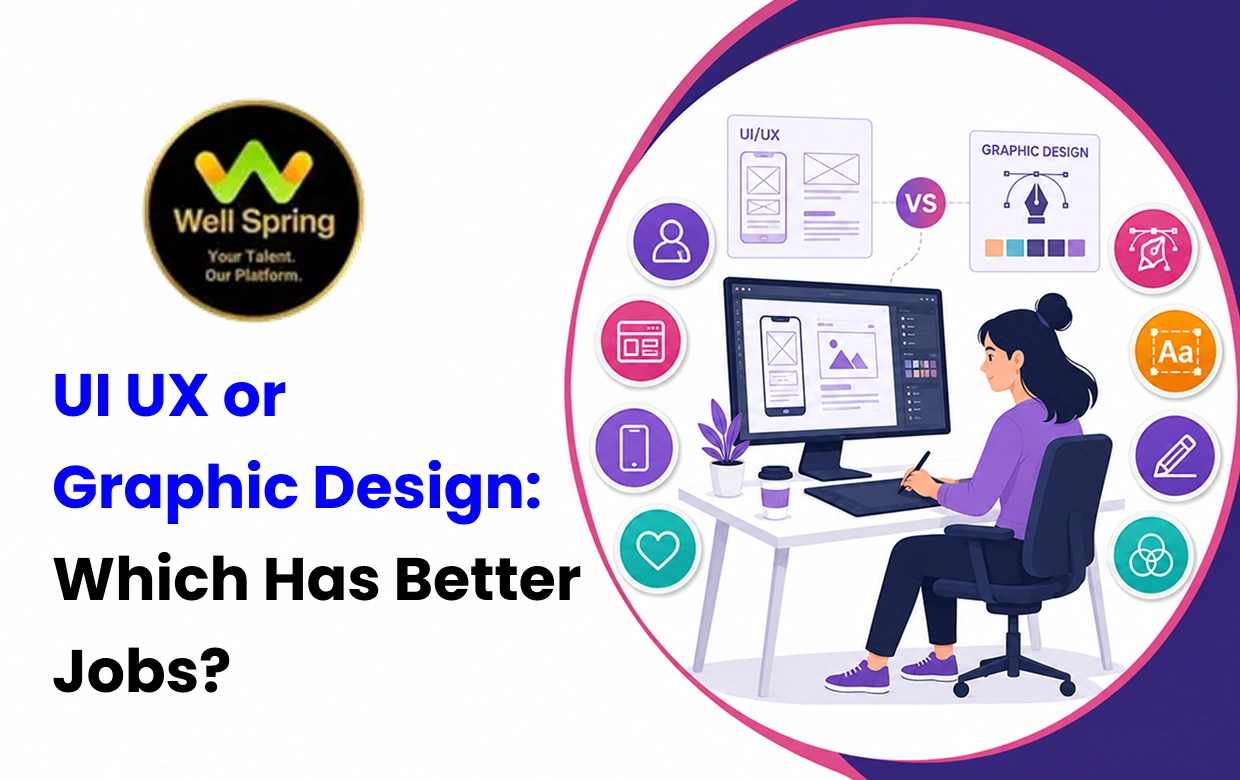
UI/UX design and graphic design are both creative career options, but they focus on different types of problems. Graphic designers primarily create visual communication for brands, advertisements, social media, publications and marketing campaigns. UI/UX designers focus on digital products and how users interact with websites, applications and other interfaces. This difference affects the skills required, job roles, portfolio expectations, salary factors and career progression in each field. This guide compares both options so students, freshers and career changers can understand which path may better match their interests and long-term goals.
If you enjoy branding, visual communication, advertising and creating visual content, graphic design may be the better fit.
If you enjoy digital products, user behaviour, interface design, research and solving usability problems, UI/UX may be more suitable.
Neither career is automatically better for everyone. The right choice depends on the type of work you enjoy, the skills you are willing to develop and the kind of professional problems you want to solve.
The easiest way to understand the difference is:
Graphic design communicates ideas visually.
UI/UX design focuses on how people experience and interact with digital products.
A graphic designer may create a logo, brochure, poster, advertisement, packaging design or social media creative.
A UI/UX designer may research user needs, plan an application's structure, create wireframes, design screens, build prototypes and test whether the product is easy to use.
There is some overlap between the two disciplines. Both use principles such as colour, typography, composition, hierarchy and visual consistency.
However, their primary objectives are different.
A graphic designer generally asks:
How can this message be communicated effectively through visual design?
A UI/UX designer generally asks:
How can this digital product make the user's task easier and more effective?
Design is no longer limited to posters, brochures and printed advertisements.
Businesses now need visual identities, social media content, websites, mobile applications, e-commerce experiences, dashboards and digital products.
That expansion has created different career directions for designers.
At the same time, AI and design software are changing how certain tasks are performed. This means students should not choose a design course simply because a particular software tool is popular today.
The stronger long-term approach is to develop design fundamentals, problem-solving ability and practical experience.
Graphic design is primarily concerned with visual communication.
Depending on the organization and specialization, a graphic designer may work on:
Brand identities
Logos
Posters
Brochures
Social media creatives
Digital advertisements
Packaging
Presentations
Marketing materials
Editorial layouts
Campaign visuals
Promotional designs
For example, a designer working with a restaurant might create its menu, promotional posters, social media graphics and advertising creatives.
A branding designer might instead focus on logos, colour systems, typography and brand guidelines.
This means graphic design is a broad field with several possible specializations.
UI/UX design focuses on digital experiences.
UX means User Experience.
UX-related work can include:
User research
User interviews
Customer journeys
Information architecture
User flows
Wireframes
Usability testing
Interaction design
Prototyping
The objective is to understand what users need and create an experience that helps them complete their goals.
UI means User Interface.
UI work focuses on how digital interfaces look and behave.
It can involve:
Screen layouts
Typography
Colour systems
Buttons
Forms
Navigation
Icons
Components
Design systems
Responsive interfaces
In many organizations, UI and UX responsibilities overlap, particularly in smaller teams.
| Factor | Graphic Design | UI/UX Design |
|---|---|---|
| Main purpose | Visual communication | Digital experience and interaction |
| Core focus | Branding and visual content | Users and digital products |
| Typography | Important | Important |
| Colour theory | Important | Important |
| Branding | Very important | Useful |
| User research | Sometimes relevant | Highly relevant |
| Wireframing | Limited | Core skill |
| Prototyping | Limited | Core skill |
| Usability testing | Less common | Important |
| Advertising | Common | Less central |
| Digital products | Sometimes | Central |
| Coding | Usually not required | Basic technical knowledge can help |
| Portfolio | Visual projects | Process-driven case studies |
| Freelancing | Strong potential | Strong potential |
| Product collaboration | Sometimes | Common |
The two fields share several design fundamentals, but the depth required in particular areas differs.
A graphic designer can benefit from developing:
Visual composition
Typography
Colour theory
Branding
Layout design
Visual storytelling
Image editing
Illustration
Advertising design
Presentation skills
A UI/UX designer can benefit from developing:
User research
Information architecture
User flows
Wireframing
Interaction design
Prototyping
Usability testing
Visual hierarchy
Responsive design
Design systems
Product thinking
Strong communication is useful in both careers because designers frequently need to explain their decisions to clients, developers, marketers and other team members.
Tools are important, but they should not become the definition of the profession.
Common tools include:
Adobe Photoshop
Adobe Illustrator
Adobe InDesign
Canva and similar visual-design platforms
Common tools include:
Figma
Prototyping platforms
Design-system tools
Collaboration and documentation tools
A beginner should learn the principles behind the tools rather than memorizing software functions without understanding why a particular design decision works.
There is no universal number of months required to become job-ready.
Your learning time depends on your existing knowledge, consistency, practice and target role.
A practical learning path can look like:
Design fundamentals → Design software → Visual communication → Branding/advertising → Practical projects → Portfolio → Specialization
The learner should gradually move from software exercises to solving actual communication problems.
A practical path can look like:
Design fundamentals → UX principles → User research → User flows → Wireframing → Figma → Prototyping → Usability testing → Portfolio
UI/UX learners need to understand not only how a screen looks but also why it is structured in a particular way.
There is no universal answer.
A learner who naturally enjoys visual composition may find graphic design easier to start.
Someone who enjoys structured problem-solving and digital products may connect more quickly with UI/UX.
The better choice is usually the field that keeps you interested enough to practise consistently.
Both fields have opportunities, but the types of opportunities are different.
Graphic designers can work with:
Advertising agencies
Branding agencies
Marketing teams
Media companies
E-commerce businesses
Startups
Printing and publishing companies
Freelance clients
UI/UX designers can work with:
Technology companies
SaaS businesses
Startups
Product companies
E-commerce platforms
IT companies
Digital agencies
Freelance clients
Current U.S. Bureau of Labor Statistics data provides useful international context. Graphic designer employment is projected to grow 2% between 2024 and 2034, with approximately 20,000 openings per year on average.
For web and digital interface designers, the BLS projects 7% employment growth from 2024 to 2034, with approximately 14,500 annual openings across the broader web developers and digital designers category.
These are U.S. projections and should not be treated as direct forecasts for India.
However, they demonstrate why digital interface and product-related design skills are becoming increasingly relevant as businesses expand their digital products.
The design industry is being influenced by three major changes.
Businesses increasingly rely on websites, mobile applications, online stores and software platforms.
This creates demand for professionals who understand digital interfaces and user experiences.
Businesses still need logos, advertisements, social media content, brand assets and marketing materials.
Graphic design therefore remains relevant even as individual production workflows change.
AI can now assist with parts of visual creation, idea generation, editing and production.
The World Economic Forum's Future of Jobs Report 2025 lists UI and UX Designers among the fastest-growing roles in its employer projections, while Graphic Designers appear just outside the top 10 fastest-declining roles. The report identifies AI and information-processing technologies as major drivers behind these changes.
This does not mean graphic designers will disappear.
It means designers increasingly need to offer value beyond repetitive production.
Salary cannot be compared accurately using a single number because compensation depends on many variables.
Important factors include:
Experience
Location
Company
Industry
Specialization
Product knowledge
Research ability
Communication skills
Responsibilities
Freelance experience
For example, a graphic designer specializing in branding may have a very different career path from someone mainly producing social media creatives.
Similarly, a UI designer working on interface visuals may have different responsibilities from a product designer handling research, user journeys, design systems and product decisions.
As an international benchmark, the U.S. BLS reported a May 2024 median annual wage of $61,300 for graphic designers. For web and digital interface designers, the median was $98,090. These are U.S. figures and should not be interpreted as Indian salary expectations.
The important lesson is that salary is influenced by the level of responsibility and specialization you eventually develop.
Instead of asking only which career pays more, consider:
Which field can I become genuinely skilled in, and which specialization can help me create stronger professional value?
A portfolio is important in both careers, but it should demonstrate different types of ability.
A graphic design portfolio might include:
Brand identity projects
Logo development
Social media campaigns
Advertisement designs
Packaging concepts
Posters
Marketing materials
The work should demonstrate visual consistency, creativity and the ability to communicate a message.
A UI/UX portfolio should go beyond attractive screenshots.
A strong case study can explain:
Problem → Research → User needs → User flow → Wireframes → Design decisions → Prototype → Testing → Improvements
This shows how you think rather than only what the final interface looks like.
Both career paths can support freelance work.
Potential services include:
Logo design
Branding
Social media design
Advertisement creatives
Brochure design
Presentation design
Packaging
Marketing materials
Potential services include:
Website UI design
Mobile application design
UX audits
Wireframes
Prototypes
Landing-page design
Design systems
User-flow improvements
Freelancing success depends on more than design ability.
Client communication, pricing, project management, deadlines and the ability to understand requirements are also important.
AI should be treated as a change in workflow rather than simply a threat to designers.
Graphic designers can use AI-assisted tools for:
Idea exploration
Image variations
Background removal
Production assistance
Content adaptation
Early visual concepts
UI/UX designers can use AI for:
Research assistance
Design exploration
Content generation
Documentation
Early concepts
Workflow support
However, AI-generated output still requires human evaluation.
A tool can produce a visually attractive design without understanding the complete brand strategy, business objective, accessibility requirement or actual user problem.
The World Economic Forum's 2025 report highlights the significant role of AI in reshaping employment and specifically identifies graphic design as increasingly exposed to AI-related labour-market change.
For designers, the practical response is to strengthen the skills that require context, judgement, research, communication and problem-solving.
Knowing Figma, Photoshop or Illustrator does not automatically make someone a professional designer.
Software helps you execute ideas, but design principles determine whether those ideas are effective.
A portfolio should demonstrate your own thinking.
Copied tutorial projects make it difficult for employers or clients to understand your actual ability.
Good design needs a purpose.
A marketing creative should communicate effectively.
A digital interface should help users complete their goals.
Designers often need to present their work and explain their decisions.
Communication can therefore become an important professional advantage.
Salary varies according to specialization, experience, location, company and responsibilities.
Choose a career where you can realistically develop strong expertise.
AI can make some tasks faster, but designers still need to evaluate whether the output is appropriate.
Learn to use AI while strengthening your own design judgement.
Before enrolling, examine the curriculum, practical projects, mentor support, portfolio development, internship opportunities and career guidance.
Imagine a restaurant launching a new food-delivery application.
A graphic designer might create:
The logo
Brand colours
Promotional banners
Social media creatives
Advertisement visuals
Menu graphics
A UI/UX designer might work on:
The app's navigation
Menu structure
Food-selection process
Cart experience
Checkout flow
Button placement
User feedback
Mobile interface
Prototype testing
Both professionals contribute to the same business.
The graphic designer focuses on how the brand communicates visually.
The UI/UX designer focuses on how customers experience and interact with the digital product.
This is why these two fields often complement each other rather than simply competing for the same role.
There is no single answer that applies to everyone.
Enjoy branding and visual communication
Like creating posters, advertisements and social media creatives
Enjoy typography, colour and composition
Want to work on visual identities
Like visual storytelling
Are interested in advertising and marketing communication
Enjoy understanding how people use digital products
Like solving usability problems
Are interested in websites and mobile applications
Enjoy wireframing and prototyping
Like combining creativity with structured thinking
Want to work closer to technology and product development
Want broader design knowledge
Plan to work with startups or small businesses
Want to create your own digital product
Want to understand both brand communication and digital experiences
You do not need to master both at the same time. Building strong fundamentals in one field first is generally more practical.
For students and freshers in Trichy, choosing between these fields can also involve comparing the quality and practical focus of available training programs.
A good course should not simply teach software.
It should help learners understand how the skills are used in actual professional situations.
For a graphic design learner, useful training may include visual communication, branding, advertising design, social media creatives, typography and portfolio development.
For a UI/UX learner, useful training may include user research, wireframing, Figma, prototyping, user flows, interface design and design systems.
Well Spring Talent Solutions currently lists UI/UX Design and Graphic Design among its career-oriented training areas. Its skill-development information describes UI/UX topics including user research, wireframing, Figma, prototyping and design systems, alongside graphic-design areas such as Photoshop, Illustrator, branding, advertising design and social media creatives.
For students considering a course in Trichy, compare the actual syllabus, practical projects, portfolio development, mentor support, internship opportunities and career guidance rather than selecting a program based only on certification.
Before enrolling in either course, evaluate the following.
Make sure the course teaches fundamentals as well as software.
Projects should allow you to apply concepts to realistic design problems.
Your training should help you create work that can eventually be presented to employers or clients.
Feedback can help identify weaknesses that may otherwise go unnoticed.
Internships, live projects and practical assignments can help you understand workplace expectations.
Do not choose a course simply because the software is popular.
Choose the learning path that supports the professional role you actually want.
You can test both fields before making a final decision.
Create a fictional brand and develop:
Logo concept
Colour palette
Typography
Social media creative
Promotional poster
Then ask yourself whether you enjoyed the process of creating and refining the visual communication.
Choose a simple everyday problem and design a basic mobile application.
Create:
User flow
Wireframes
Interface screens
Prototype
Basic usability feedback
Then compare the experience.
The goal is not to create professional-level work immediately.
The goal is to discover which type of problem you enjoy solving.
Graphic design focuses primarily on visual communication, branding and creative production.
UI/UX focuses on digital experiences, usability, interfaces and user interaction.
Both careers require creativity, communication and problem-solving.
Graphic design has opportunities across branding, advertising, social media and marketing.
UI/UX has opportunities across websites, applications, SaaS products and digital services.
Current U.S. BLS projections show 2% growth for graphic designers and 7% growth for web and digital designers from 2024 to 2034.
The World Economic Forum identifies UI and UX Designers among its fastest-growing roles while placing Graphic Designers just outside its top 10 fastest-declining roles.
These international statistics should not be treated as direct Indian employment forecasts.
AI is changing design workflows and increasing the importance of skills that require judgement and context.
Salary varies according to experience, specialization, location, company and responsibilities.
Software knowledge alone is not enough to build a strong design career.
A strong portfolio should demonstrate practical ability and original thinking.
The best choice depends on the type of design problems you enjoy solving.
Choosing between UI/UX and graphic design becomes much easier when you look beyond the software used in each profession and focus on the problems designers actually solve. Graphic design can be a strong direction for someone who enjoys branding, advertising, visual storytelling, typography and creating communication materials, while UI/UX can be a better fit for someone interested in digital products, user behaviour, interface design, research and usability.
Both fields continue to provide career and freelance possibilities, but the nature of the work is changing as businesses become more digital and AI tools automate parts of creative production. Current international labour data shows stronger projected growth for web and digital interface designers than graphic designers, while graphic design continues to have substantial annual openings and remains important for visual communication.
For students and freshers in Trichy, the practical approach is to compare the curriculum, project exposure, portfolio development, mentorship and career support offered by training programs before enrolling. Instead of asking only which field is better, consider which type of work you can see yourself practising consistently and becoming highly skilled at.
That answer is more likely to lead to a sustainable design career than choosing a course based only on salary, trends or software popularity.

21 Oct 2026
21 Oct 2026

20 Oct 2026

20 Oct 2026

19 Oct 2026
Choose the course that best matches your interests and preferred work style. Marketing is more audience and business focused, while development is more technical and product focused.
Yes. Freshers can pursue areas such as SEO, content, social media, paid advertising and marketing support after developing relevant practical skills.
Yes. Freshers can pursue entry-level development opportunities after building programming fundamentals and completing practical projects.
No. Certificates demonstrate course completion, but employers also consider practical ability, relevant projects, communication and experience.
Review the curriculum, practical assignments, mentor support, internship opportunities, tools taught, interview preparation and career guidance before making your decision.
Yes. The two fields require different core skills, but knowledge from one can be useful in the other. For example, marketers can benefit from understanding websites and technical SEO, while developers can benefit from understanding user journeys, SEO and conversion principles.
Yes. Both fields offer freelance opportunities. Your potential will depend on your specialization, portfolio, client communication, ability to deliver results and the type of services you offer.
No. AI tools can support learning and professional work, but strong fundamentals remain important. You need enough subject knowledge to understand, evaluate and correct AI-assisted output.
We provide IT training, internships, and online learning for students in Trichy and across India.
We also welcome enquiries from students in these neighbourhoods, towns, and surrounding locations.
Can't attend classes in person? Explore online IT training opportunities with Well Spring Talent Solutions, designed to help learners develop practical technology skills from different locations across India.
Get internship updates, IT training news, placement opportunities, and career tips directly to your inbox.
Join our WhatsApp community for internship updates, IT courses, placement support, and latest job opportunities.
Join Now